

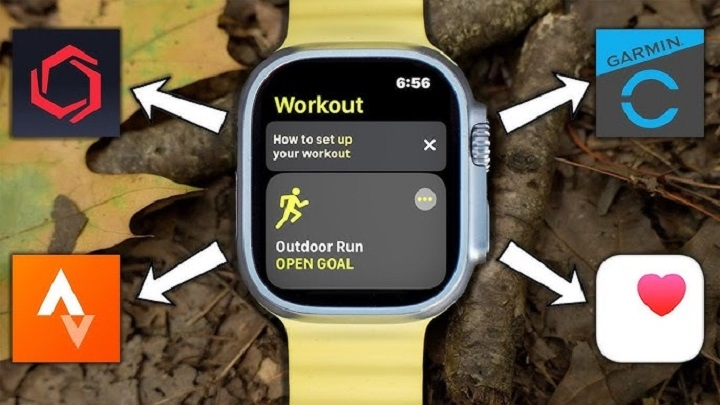
Garmin devices are known for their advanced fitness tracking, while Apple Fitness offers a smooth, integrated experience for Apple users. Since Garmin does not natively sync with Apple Fitness, users must rely on Apple Health and third-party apps to transfer workout data.
This guide explains how to connect Garmin to Apple Fitness, sync workout and health data, troubleshoot issues, and maximize the benefits of using both platforms together.
Understanding Garmin and Apple Fitness Compatibility
Garmin devices do not directly integrate with Apple Fitness, as Garmin uses Garmin Connect as its primary app, while Apple relies on Apple Health. However, Garmin Connect can sync data to Apple Health, and Apple Fitness pulls its data from Apple Health. This indirect connection allows users to track Garmin workouts in Apple Fitness.
How to Connect Garmin to Apple Fitness Using Apple Health
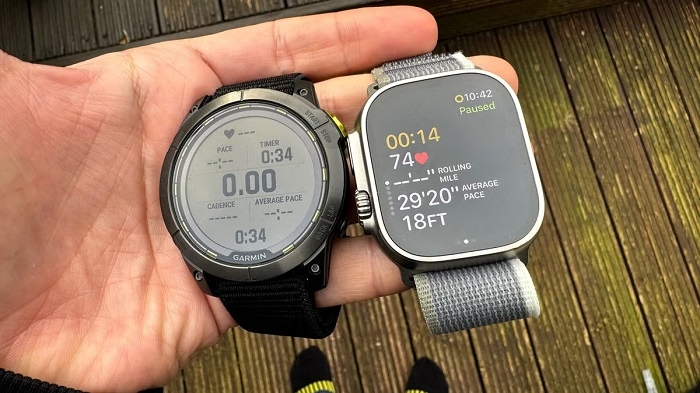
Step 1: Install and Set Up Garmin Connect
- Download and install Garmin Connect from the App Store.
- Open the app and sign in with your Garmin account or create a new one.
- Pair your Garmin device with Garmin Connect via Bluetooth.
Step 2: Enable Garmin Data Sync with Apple Health
- Open Garmin Connect on the iPhone.
- Tap on More in the bottom-right corner.
- Select Settings, then tap Health & Fitness.
- Choose Apple Health and tap Connect to Apple Health.
- Grant permissions for all relevant data, including activity, heart rate, and steps.
Step 3: Verify Apple Fitness is Pulling Data from Apple Health
- Open Apple Fitness on the iPhone.
- Tap Summary and scroll to view recent activity.
- If Garmin workouts do not appear, check Apple Health for Garmin data under Sources.
Using Third-Party Apps to Sync Garmin Data to Apple Fitness
If Garmin Connect does not sync data reliably, third-party apps can improve the integration.
HealthFit for Automatic Garmin Syncing
HealthFit is an app designed to sync fitness data between Garmin and Apple Health.
- Download HealthFit from the App Store.
- Open the app and allow access to Apple Health.
- HealthFit will automatically sync Garmin workouts to Apple Health and Apple Fitness.
RunGap for Advanced Workout Syncing
RunGap provides detailed fitness data synchronization across multiple platforms.
- Install RunGap on the iPhone.
- Connect Garmin Connect under Accounts & Settings.
- Select Export to Apple Health and enable auto-sync.
These apps ensure Garmin workouts, steps, and heart rate data are available in Apple Fitness.
What Garmin Data Syncs with Apple Fitness?
Once connected, Garmin can sync the following data to Apple Health and Apple Fitness.
- Steps recorded by the Garmin device.
- Workouts include running, cycling, swimming, and strength training.
- Heart rate monitoring during activity and rest.
- Calories burned during workouts.
However, Garmin’s Body Battery, VO2 Max, and advanced metrics do not sync with Apple Health.
Troubleshooting Garmin to Apple Fitness Sync Issues
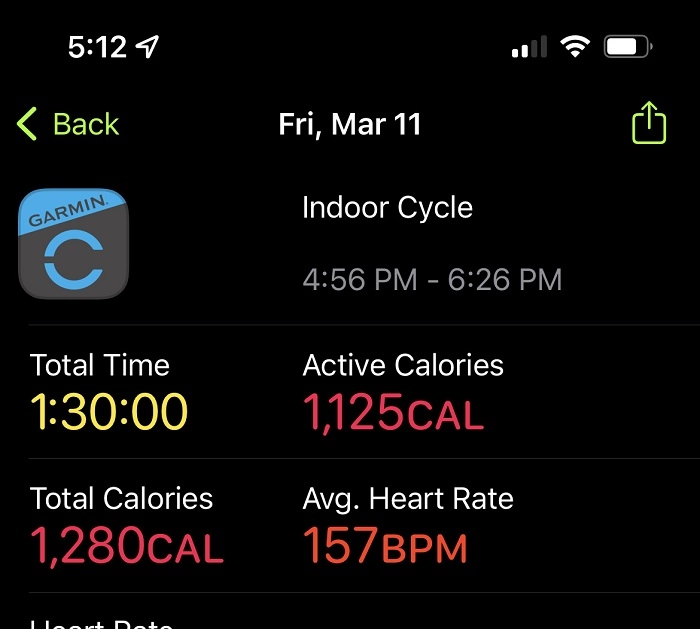
Garmin Workouts Not Appearing in Apple Fitness
- Open Garmin Connect and confirm Apple Health syncing is enabled.
- Check Apple Health under Sources to ensure Garmin Connect is listed.
- Use HealthFit or RunGap for better synchronization.
Steps Not Syncing Between Garmin and Apple Health
- Ensure Garmin Connect is running in the background.
- Open Apple Health and check Data Sources & Access under Steps to confirm Garmin Connect is included.
- Restart both the iPhone and Garmin device.
Duplicate Workout Entries in Apple Fitness
- Disable step tracking from both Garmin and iPhone to prevent duplicate data.
- In Apple Health, set Garmin as the preferred data source under Data Sources & Access.
Comparing Garmin and Apple Fitness Tracking Features
| Feature | Garmin | Apple Fitness |
| Step Tracking | Yes | Yes |
| Heart Rate Monitoring | Yes | Yes |
| GPS Tracking | Yes, built-in | Yes, with Apple Watch |
| Advanced Metrics like VO2 Max | Yes | Limited |
| Workout Logging | Yes, in Garmin Connect | Yes, in Apple Fitness |
| Direct Syncing | No, requires Apple Health | Yes |
Garmin offers more detailed performance tracking, while Apple Fitness provides a simpler, ecosystem-based approach.
Maximizing Garmin and Apple Fitness Integration
To get the best experience using both platforms together:
- Use Apple Fitness for casual tracking and Garmin for advanced workout data.
- Sync workouts manually using HealthFit for better accuracy.
- Set Garmin as the primary data source in Apple Health to avoid duplicate entries.
Future Improvements for Garmin and Apple Fitness Syncing
Future updates could improve Garmin and Apple Fitness integration by:
- Allowing direct Garmin to Apple Fitness syncing without Apple Health.
- Expanding Apple Health workout categories to match Garmin’s advanced metrics.
- Enabling real-time syncing for immediate workout updates.
FAQs
Can Garmin connect directly to Apple Fitness?
No, Garmin does not sync directly to Apple Fitness but can transfer data via Apple Health.
Why is my Garmin not sync with Apple Health?
Ensure Garmin Connect has permission to share data with Apple Health under settings.
What third-party apps help sync Garmin with Apple Fitness?
HealthFit and RunGap provide better integration between Garmin and Apple Health.
Will Garmin track my workouts in Apple Fitness Rings?
Yes, if workouts sync properly via Apple Health, they will count toward Apple Fitness rings.
Can I use both Garmin and Apple Watch for fitness tracking?
Yes, but ensure only one device is set as the primary step counter to prevent duplicate data.