

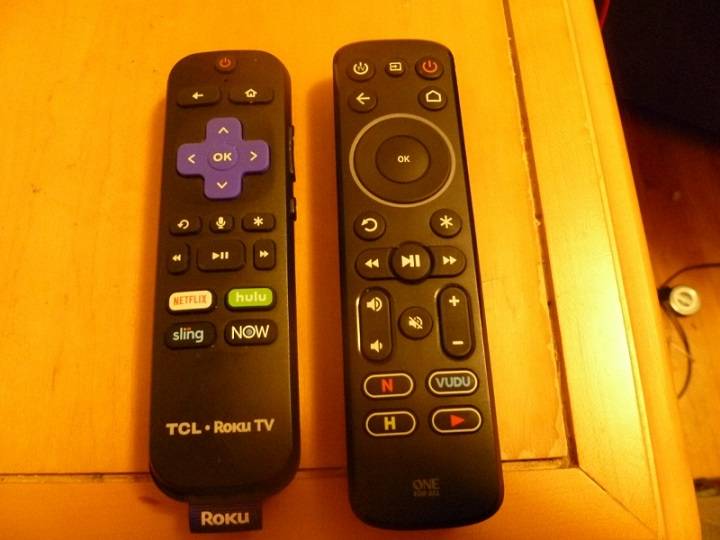
In a world where remote controls have become an essential component of our daily lives, it can be incredibly frustrating to encounter a malfunctioning remote. The Insignia remote, known for its reliability and simplicity, is no exception. One of the most perplexing issues that users face with their Insignia remotes is when only the power button works. This is a rather common problem, and in this comprehensive guide, we will delve into the intricacies of this issue and offer solutions to resolve it.
Understanding the Insignia Remote:

Before delving into the issue at hand, let’s take a moment to understand the Insignia remote. Insignia is a trusted brand when it comes to electronic accessories, and their remotes are designed to be user-friendly and durable. However, like any electronic device, they can experience problems. One such issue is when the remote only responds to the power button, leaving you unable to control other functions like volume, channels, or menu options.
Why Only the Power Button Works:
The question that often arises in such situations is why the power button seems to be the sole survivor, while the other buttons have seemingly gone silent. This peculiar behavior can be attributed to various underlying causes, some of which are within your control, and others that may require professional intervention.
Common Causes for the Issue:

There are several reasons why your Insignia remote might exhibit this behavior. Understanding the root cause is crucial in order to find the most appropriate solution. Common culprits include:
- Battery Issues: Weak or depleted batteries can lead to the remote only responding to the power button. We’ll explore this further in the troubleshooting section.
- Remote Interference: External interference from other electronic devices can disrupt the remote’s signals.
- Dust and Debris: Over time, dust and debris can accumulate on the remote’s sensors, affecting its functionality.
- Software and Firmware Problems: Sometimes, the remote’s software or firmware may need updating.
In the following sections, we will discuss how to troubleshoot and address each of these issues to restore your Insignia remote to its full functionality.
Troubleshooting the Problem:
Now that we’ve identified the potential causes, let’s explore how to troubleshoot and fix the issue when only the power button works. We will address each potential cause one by one.
Battery Replacement:
The most common and easily fixable issue is related to the batteries. If your remote isn’t responding as it should, the first step is to replace the batteries with fresh ones. Make sure you’re using the correct type and that they are inserted correctly.
Resetting the Remote:
If the problem persists after changing the batteries, try resetting the remote. This can often resolve minor glitches. The method for resetting may vary depending on the Insignia remote model, so consult your user manual for specific instructions.
Cleaning and Maintenance:
Over time, dust and debris can accumulate on the remote’s sensors, hindering its functionality. Carefully open the remote, if possible, and clean the internal components. Be cautious when doing this to avoid damaging the device further.
Software and Firmware Updates:

In some cases, the issue may be related to outdated software or firmware. Check for any available updates on the Insignia website and follow the instructions to install them.
Advanced Solutions:
If the problem persists even after trying the basic troubleshooting steps, it might be time to explore advanced solutions, which can include reprogramming the remote or seeking assistance from Insignia customer support.
When to Seek Professional Help:
If all else fails, it’s advisable to seek professional assistance. Insignia’s customer support can guide you through the troubleshooting process or provide information on where to get your remote repaired.
Frequently Asked Questions (FAQs):
- What can cause the Insignia remote to malfunction?
- Insignia remotes can malfunction due to various reasons, including battery issues, interference, dust, and software problems.
- How do I reset my Insignia remote?
- The method for resetting an Insignia remote can vary by model. Consult your user manual for specific instructions.
- Can a malfunctioning remote be fixed at home?
- Many issues can be resolved at home through troubleshooting steps, such as replacing batteries or cleaning the remote.
- How often should I change the batteries in my Insignia remote?
- Battery replacement frequency depends on usage, but it’s a good practice to change them when they become weak or depleted.
- Is there a way to update the remote’s firmware?
- Yes, you can check for firmware updates on the Insignia website and follow the provided instructions to update your remote.
In conclusion, a malfunctioning Insignia remote, where only the power button works, can be a frustrating experience. However, by understanding the common causes and following the troubleshooting steps outlined in this guide, you can often resolve the issue and regain full control of your remote. Remember that regular maintenance and keeping your remote’s software up to date can go a long way in preventing such problems in the future. If all else fails, don’t hesitate to seek assistance from Insignia’s customer support or a professional technician. Your remote’s functionality can be restored, and your entertainment experience can go back to being seamless and enjoyable.