

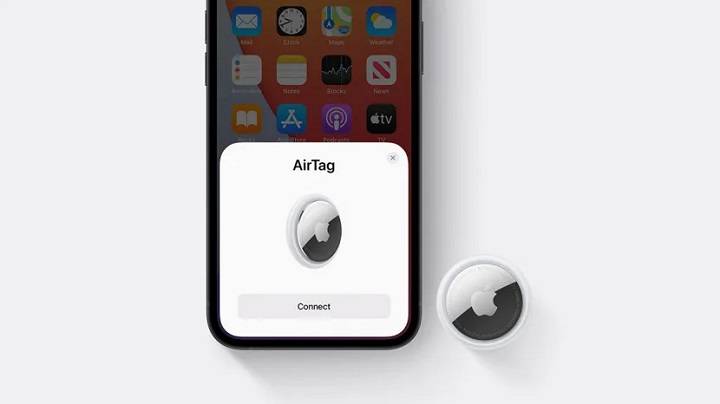
Apple’s AirTag is a remarkable device designed to help you keep track of your personal belongings. Whether you’ve misplaced your keys or need to locate your bag, this comprehensive guide will walk you through how to find AirTag effectively. We will explore various related topics to ensure you get the most out of your device.
Understanding Apple AirTag and Its Features
What is an AirTag?
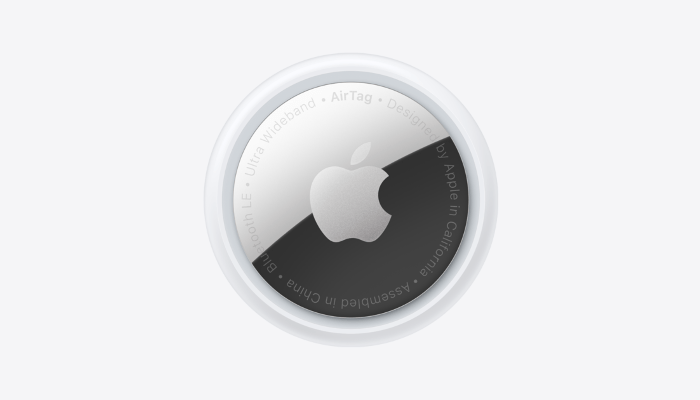
An AirTag is a small, circular tracking device developed by Apple to help you locate personal items such as keys, wallets, bags, and more. By attaching an AirTag to your items, you can easily find them using the Find My app on your iPhone or other Apple devices.
Key Features of AirTag
- Precision Finding: Uses Ultra-Wideband technology for accurate location tracking.
- Find My Network: Leverages a vast network of Apple devices to help locate your AirTag.
- Privacy and Security: Ensures your location data is secure with end-to-end encryption.
- Seamless Integration: Works effortlessly with the Apple ecosystem, including iPhone, iPad, and Mac.
How to Find AirTag
Using the Find My App
- Open the Find My App: Open the Find My app on your iPhone or other Apple device.
- Select the Items Tab: Tap on the ‘Items’ tab at the bottom of the screen.
- Locate Your AirTag: Find your AirTag in the list of items. The app will display the current or last known location of your AirTag.
- Use Precision Finding: If you are within range, tap ‘Find’ to use Precision Finding. Follow the on-screen instructions to locate your AirTag with directional arrows and distance indicators.
Using Lost Mode
- Enable Lost Mode: In the Find My app, select your AirTag and tap ‘Enable’ under Lost Mode.
- Enter Contact Information: Provide your contact information so anyone who finds your AirTag can reach you.
- Receive Notifications: When your AirTag is detected by another device in the Find My network, you will receive a notification with its location.
Using the Sound Feature
- Play a Sound: In the Find My app, select your AirTag and tap ‘Play Sound’. Your AirTag will emit a sound to help you locate it if it is nearby.
- Follow the Sound: Listen for the sound and follow it to find your AirTag.
Troubleshooting Issues When Finding an AirTag
Check Bluetooth Settings
- Enable Bluetooth: Ensure that Bluetooth is turned on your iPhone. Go to Settings > Bluetooth and toggle it on if it is off.
- Restart Bluetooth: Turn Bluetooth off and then back on again to refresh the connection.
Ensure Your iPhone is Updated
- Check for iOS Updates: Ensure your iPhone is running the latest version of iOS. Go to Settings > General > Software Update and install any available updates.
- Update Find My App: Make sure the Find My app is up to date by checking for updates in the App Store.
Check AirTag Battery
- Inspect the Battery: Open the AirTag by pressing and rotating the back cover counterclockwise. Check the battery to ensure it is properly seated and has power.
- Replace the Battery: If the battery is low or dead, replace it with a new CR2032 battery.
Ensure Proximity
- Move Closer: Make sure you are within range of your AirTag. Precision Finding and sound features work best when you are nearby.
Check Network Connectivity
- Stable Internet Connection: Ensure your iPhone has a stable internet connection. Use Wi-Fi or mobile data to maintain connectivity.
Maximizing AirTag Functionality
Using Precision Finding
Precision Finding uses Ultra-Wideband technology to provide accurate directions to your AirTag. When you are within range, your iPhone can display the exact distance and direction to your AirTag, making it easy to locate even in cluttered environments.
Leveraging the Find My Network
The Find My network is a vast and secure system of Apple devices that can help locate your AirTag. If your AirTag is lost, it sends out a secure Bluetooth signal that nearby devices can detect. These devices then anonymously relay the location back to you, significantly expanding the effective range of your AirTag.
Setting Up Notifications
You can set up notifications in the Find My app to alert you when your AirTag is left behind or when it moves. This feature is particularly useful for items you carry frequently, like keys or a wallet. To set up notifications, go to the Find My app, select your AirTag, and configure the notification settings to suit your needs.
Sharing AirTag with Family
Family Sharing allows you to share your AirTag with family members. They can help you locate shared items using their own Apple devices. To enable this, go to the Find My app, select your AirTag, and choose the option to share. This feature is great for shared items like car keys or family luggage.
Protecting Your AirTag
Privacy and Security
Apple has designed AirTags with privacy and security in mind. The location data and history are never stored on the AirTag itself. Communication with the Find My network is end-to-end encrypted, ensuring that only you can see where your AirTag is located. This design prevents unauthorized tracking and ensures your privacy is maintained.
Anti-Stalking Features
AirTag includes anti-stalking features to prevent unwanted tracking. If an unknown AirTag is found moving with you, your iPhone will alert you. You can then use your device to disable the AirTag. This feature ensures that AirTags cannot be used to track people without their knowledge.
Environmental Considerations
AirTags are designed to withstand various environmental conditions. They are water-resistant with an IP67 rating, meaning they can handle splashes and brief submersion in water. However, it’s best to avoid prolonged exposure to moisture to maintain the device’s longevity and performance.
Enhancing AirTag Usage with Accessories
Keychains and Holders
Various accessories are available to enhance your AirTag experience. Keychains and holders make it easy to attach your AirTag to different items, ensuring they are always secure and easy to find. These accessories come in a range of styles and materials, allowing you to choose one that suits your preferences.
Custom Engravings
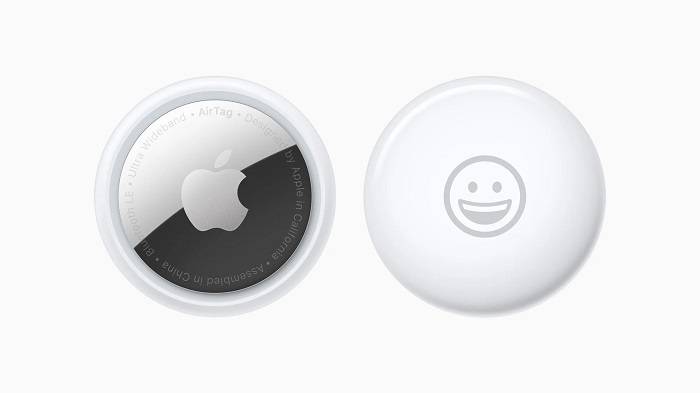
Apple offers custom engravings for AirTags, allowing you to personalize each device. This can be especially useful for distinguishing between multiple AirTags in a household. Engravings can include initials, emojis, or short phrases.
Protective Cases
Protective cases add an extra layer of durability to your AirTag, making it more resistant to drops and impacts. These cases are available in various materials, including silicone, leather, and plastic. Using a protective case can extend the life of your AirTag and keep it looking new.
Common Uses for AirTags
Everyday Items
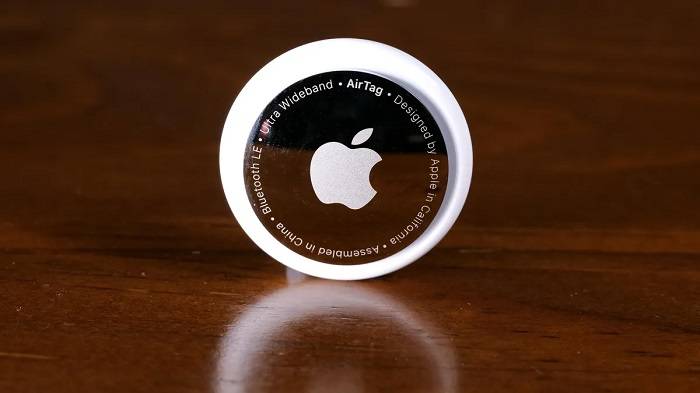
Attach AirTags to everyday items like keys, wallets, and bags to ensure you can always find them. This is particularly helpful for items that are easily misplaced. By using AirTags on your everyday items, you can save time and reduce the stress of searching for lost belongings.
Travel
Use AirTags to keep track of your luggage when traveling. Placing an AirTag in your suitcase can help you locate it quickly at baggage claim or if it gets lost. This can provide peace of mind during your travels, knowing you can track your luggage at any time.
Pets
Attach an AirTag to your pet’s collar to monitor their whereabouts. This provides peace of mind knowing you can find your pet if they wander off. While AirTags are not a substitute for a dedicated pet tracker, they can be a useful addition for monitoring your pet’s location.
Electronics
Attach AirTags to electronics like cameras, tablets, and laptops. This helps you locate these valuable items if they are misplaced or stolen. Securing your electronics with AirTags can protect your investment and ensure you always know where your devices are.
Outdoor Gear
Attach AirTags to outdoor gear such as bicycles, camping equipment, and sports gear. This can help you keep track of your items during outdoor activities and ensure they are not lost or stolen.
Frequently Asked Questions
How do I find an AirTag with my iPhone?
To find an AirTag with your iPhone, open the Find My app, select the ‘Items’ tab, and locate your AirTag in the list. Use Precision Finding or play a sound to help locate it.
Can I find an AirTag without an iPhone?
No, you need an Apple device with the Find My app to locate an AirTag. This app is essential for tracking and finding AirTags.
What should I do if my AirTag is not showing in the Find My app?
If your AirTag is not showing in the Find My app, ensure Bluetooth is enabled, your iPhone is updated, and the AirTag is within range. If issues persist, try resetting the AirTag.
How secure is the AirTag finding process?
The AirTag finding process is highly secure. Location data and history are end-to-end encrypted, ensuring that only you can see where your AirTag is located.
Can I share my AirTag location with family members?
Yes, you can share your AirTag location with family members using Family Sharing in the Find My app. This allows others to help locate shared items.
Related Post:
Unlocking the Potential: Exploring Google Airtag Alternatives
Unlocking Longevity: Exploring the Best Battery for Airtag
Unlocking the Mystery: How to Find an Airtag in My Car
Learning how to find an AirTag is a straightforward process that unlocks a world of convenience and security for tracking your personal belongings. With features like Precision Finding, the Find My network, and seamless integration with the Apple ecosystem, AirTags offer an unparalleled tracking experience. By following the steps and tips outlined in this guide, you can ensure your AirTag is always ready to help you locate your items, providing peace of mind and enhancing your everyday life. Whether you’re using AirTags for everyday items, travel, pets, or electronics, this guide ensures you get the most out of your Apple AirTag investment