

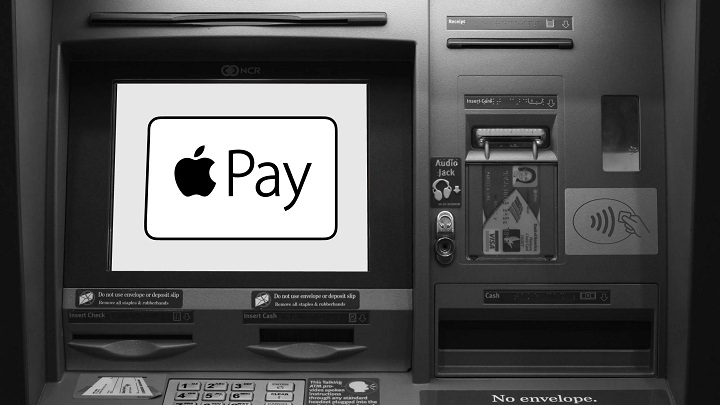
Apple Pay has transformed how people make payments, offering a fast, secure, and contactless way to pay using iPhones, Apple Watches, and iPads. While Apple Pay is widely accepted in stores, restaurants, and online platforms, many users wonder whether they can use it to withdraw cash at ATMs.
This guide explores ATMs that accept Apple Pay, how to use them, and alternatives for withdrawing cash without a physical debit card.
Can You Use Apple Pay at ATMs?
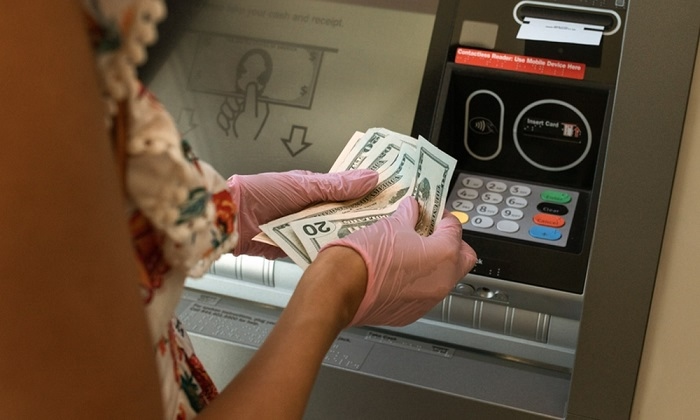
Yes, some ATMs accept Apple Pay, allowing users to withdraw cash without inserting a debit or credit card. These ATMs support contactless transactions and Near Field Communication (NFC) technology, enabling cardless withdrawals using Apple Pay.
To use Apple Pay at an ATM, the machine must have an NFC-enabled card reader, indicated by a contactless payment symbol. Many banks and financial institutions have adopted this feature, making it easier to access cash without carrying a physical card.
Banks That Offer ATMs Accepting Apple Pay
Several major banks provide ATMs that accept Apple Pay for cardless cash withdrawals. These banks have integrated contactless technology into their machines, allowing users to withdraw money securely.
Bank of America
- Supports Apple Pay withdrawals at most ATMs nationwide
- Look for ATMs with the contactless payment symbol
- Users must have a Bank of America debit card linked to Apple Pay
Chase Bank
- Offers cardless ATM withdrawals using Apple Pay
- Available at thousands of ATMs across the U.S.
- Requires a Chase debit or credit card linked to Apple Wallet
Wells Fargo
- Provides NFC-enabled ATMs that support Apple Pay
- Requires a Wells Fargo debit card linked to Apple Wallet
- Users can withdraw cash by tapping their iPhone or Apple Watch at the ATM
CitiBank
- Offers contactless ATM withdrawals with Apple Pay
- Available at select ATMs in major cities
- Users need a Citi debit card added to Apple Wallet
PNC Bank
- Supports Apple Pay withdrawals at many ATMs
- Requires a PNC debit card linked to Apple Wallet
- Users can access cash without inserting a physical card
US Bank
- Allows Apple Pay transactions at NFC-enabled ATMs
- Works with US Bank debit cards stored in Apple Wallet
- Users must enter their PIN to complete the withdrawal
How to Use Apple Pay at an ATM
Withdrawing cash using Apple Pay is simple and similar to making a contactless payment in a store. Follow these steps to complete a transaction at an Apple Pay-compatible ATM.
Find an ATM That Accepts Apple Pay
- Look for an ATM with the contactless payment symbol
- Ensure the bank supports Apple Pay withdrawals
Open Apple Wallet
- Unlock your iPhone or Apple Watch
- Open the Apple Wallet app and select your debit card
Tap Your Device on the ATM
- Hold your iPhone or Apple Watch near the ATM’s contactless reader
- Wait for the device to recognize the payment
Enter Your PIN
- Use the ATM keypad to enter your debit card PIN
- Select the withdrawal amount and confirm the transaction
Collect Your Cash
- Take your cash and receipt if needed
- Apple Pay automatically logs the transaction in your Wallet app
Advantages of Using Apple Pay at ATMs
Increased Security
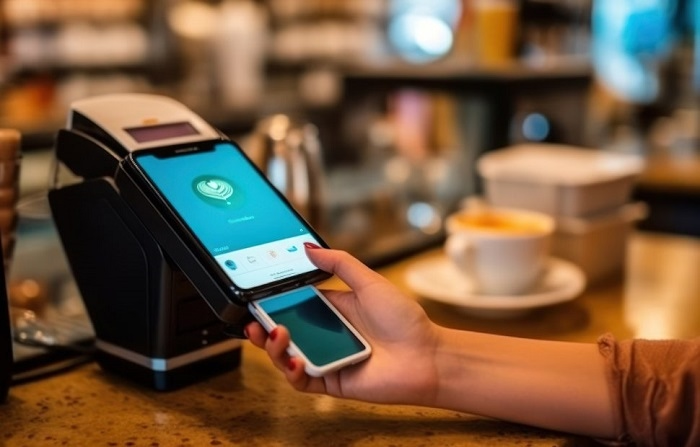
Apple Pay offers enhanced security features, including Face ID, Touch ID, and encrypted transactions, reducing the risk of card skimming and fraud.
No Need for a Physical Card
Users can withdraw cash even if they forget their debit or credit card, making it convenient in emergencies.
Faster Transactions
Apple Pay speeds up withdrawals by eliminating the need to insert, swipe, or enter card details.
Reduced Contact with ATM Surfaces
Using Apple Pay minimizes physical contact with ATM buttons and card slots, making it a more hygienic option.
Alternatives to Withdrawing Cash with Apple Pay
If an ATM does not support Apple Pay, there are other ways to withdraw cash without using a physical debit card.
Use a Bank’s Mobile App for Cardless Withdrawals
Many banks allow customers to withdraw cash using their mobile banking apps. Users can request a one-time access code to enter at the ATM instead of using a card.
Send Money to a Friend or Family Member
Apps like Apple Cash, Venmo, and PayPal allow users to send money to someone who can withdraw cash for them.
Get Cash Back at a Store
Many retailers offer cash back when making a purchase with Apple Pay. Instead of withdrawing cash from an ATM, users can add extra money to their purchase and receive the cash at checkout.
Withdraw Cash Using a Linked Card
If an ATM does not accept Apple Pay, users can still withdraw cash by using their debit or credit card linked to their bank account.
Common Issues and Troubleshooting Tips
Apple Pay Not Working at an ATM
- Ensure the ATM supports contactless transactions
- Make sure the debit card is linked to Apple Wallet
- Restart the iPhone or Apple Watch and try again
- Check for software updates on the device
ATM Transaction Declined
- Verify that the debit card has sufficient funds
- Ensure the bank allows Apple Pay withdrawals
- Try using another Apple Pay-compatible ATM
ATM Does Not Recognize Apple Pay
- Hold the device closer to the contactless reader
- Remove any protective phone case that may interfere with NFC
- Make sure the ATM has an active internet connection
FAQs
Can I withdraw cash using Apple Pay at any ATM
No, only ATMs with contactless NFC technology support Apple Pay withdrawals.
Which banks offer Apple Pay-compatible ATMs
Banks like Bank of America, Chase, Wells Fargo, CitiBank, PNC, and US Bank provide NFC-enabled ATMs.
Do I need to enter a PIN when using Apple Pay at an ATM
Yes, after tapping your iPhone or Apple Watch, you must enter your debit card PIN to complete the withdrawal.
What should I do if an ATM does not accept Apple Pay
Find another ATM that supports contactless transactions or use mobile banking for cardless withdrawals.
Can I withdraw cash using Apple Pay without a debit card
Yes, if your bank supports Apple Pay ATM withdrawals, you do not need a physical debit card.