

Apple Vision Pro has officially ushered in the era of spatial computing, combining powerful augmented reality (AR), virtual reality (VR), and real-world interactions in a single headset. But the real magic happens when you pair this futuristic hardware with the right software. So if you’re asking, What are the best apps for Apple Vision Pro in 2025? — you’re in for a treat.
Whether you’re into productivity, creativity, entertainment, or immersive experiences, here’s a full rundown of the best apps to download and explore on your Vision Pro right now.
What Makes an App Great on Apple Vision Pro?
Vision Pro runs on visionOS, Apple’s first operating system built from the ground up for spatial experiences. The best apps for Vision Pro take advantage of:
- Spatial awareness: Apps respond to your room, walls, and even furniture
- Eye and hand tracking: You can control everything with your eyes and gestures
- Immersive visuals: Apps display in 3D, surround you in environments, or float in space
- Multitasking and layering: You can use multiple apps at once and place them where you want
Let’s dive into the top apps that are redefining digital experiences on Vision Pro.
Top Productivity Apps for Apple Vision Pro
Microsoft 365 (Word, Excel, PowerPoint)
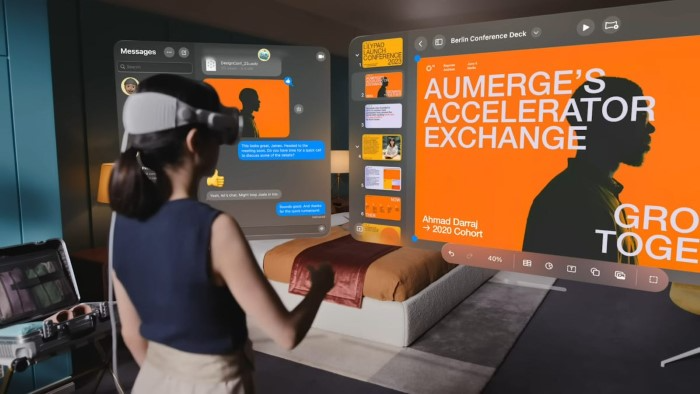
These classics have been reimagined for spatial productivity. Resize a Word doc across your entire field of view or work on PowerPoint while referencing real-world notes beside you.
Why it’s great: Full-screen focus, multiple app layering, and fluid multitasking.
Apple Freeform
Whiteboard meets 3D canvas. Brainstorm ideas in space, connect images, text, and sticky notes in a layout only possible in Vision Pro.
Best for: Collaborative planning, wireframing, and creative thinking.
Zoom and Microsoft Teams
Hold lifelike meetings in 3D environments with spatial audio. Avatars move, heads turn, and it feels like you’re truly in a room with your team.
Bonus: Use eye contact and subtle hand gestures naturally during meetings.
Best Entertainment Apps for Vision Pro
Apple TV
Watch your favorite movies and shows in a theater-sized screen—even on a virtual moon or in a private cinema. Vision Pro lets you adjust screen size, lighting, and environment for a totally immersive binge session.
Try it with: Foundation, Ted Lasso, or 4K Dolby Atmos movies.
Disney+
Watch Star Wars or Marvel movies in fully immersive sets—like sitting in the cockpit of the Millennium Falcon while watching The Mandalorian.
Why it’s a must: Exclusive immersive environments and full 3D support.
Netflix (via Safari or web apps)
Although there’s no native app (yet), you can stream Netflix content via Safari and place the browser screen in 3D space, like watching on a 120-inch screen.
Best Creativity Apps for Vision Pro
Adobe Lightroom
Photo editing like never before. Pin multiple high-res images to your space, zoom in with gestures, and make real-time adjustments with eye and hand tracking.
Great for: Photographers, digital artists, and creative professionals.
JigSpace
This app brings interactive 3D presentations to life—great for education, storytelling, and product demos.
Use it for: Creating product prototypes, explaining scientific concepts, or telling dynamic stories.
DaVinci Resolve for iPad (Vision Pro support)
Edit videos with floating timelines and precision controls using pinch and gesture interactions. It feels like sitting inside your editing studio.
Immersive & Fun Apps Worth Trying
Sky Guide
Look up and explore constellations in 3D from your living room. Vision Pro overlays the real night sky with educational information, planet names, and space visuals.
Perfect for: Stargazers, kids, and astronomy fans.
Game Room
Play classic games like chess, solitaire, or table tennis in realistic 3D. Vision Pro makes every game feel like you’re sitting in front of a real board or table.
Why it’s cool: Simple games made wildly immersive with spatial visuals.
Supernatural (VR Fitness)
Although currently in transition for Vision Pro, expect immersive workouts with scenic backdrops, guided trainers, and full-body movement in future updates.
Ideal for: VR fitness lovers and those replacing traditional gym routines.
Travel & Exploration Apps
National Geographic Explore VR
Step into the shoes of an explorer. Visit Antarctica, hike Mount Everest, or dive with marine life—all in immersive, 360-degree virtual environments.
Why it shines: Educational meets awe-inspiring.
Mindfulness with Headspace
Experience guided meditation in peaceful, animated environments. From glowing forests to floating islands, it’s a totally different kind of calm.
Bonus: Built-in spatial audio enhances the feeling of tranquility.
Future Apps to Watch For
Many developers are building apps exclusively for Vision Pro, so keep an eye out for:
- Final Cut Pro (spatial version)
- Procreate for Vision Pro
- Immersive VR games built on Unity or Unreal Engine for visionOS
Apple is also expected to expand App Store offerings as more developers join the spatial computing movement.
FAQs
What apps come pre-installed on Apple Vision Pro?
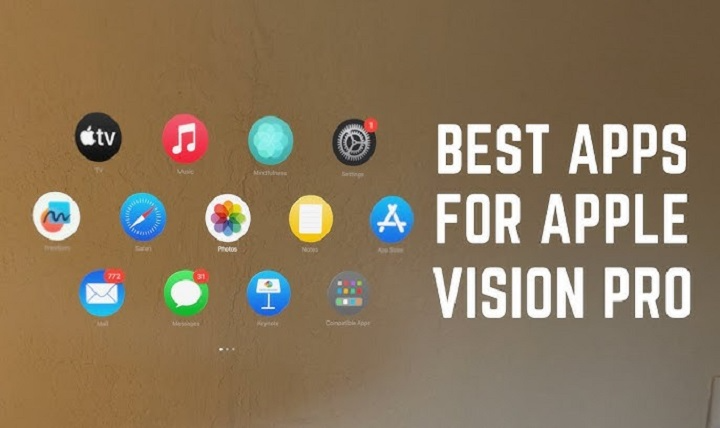
Vision Pro includes Apple TV, Safari, Messages, Photos, Mail, Notes, Calendar, and Freeform by default. More apps can be downloaded from the visionOS App Store.
Can I run iPhone or iPad apps on Vision Pro?
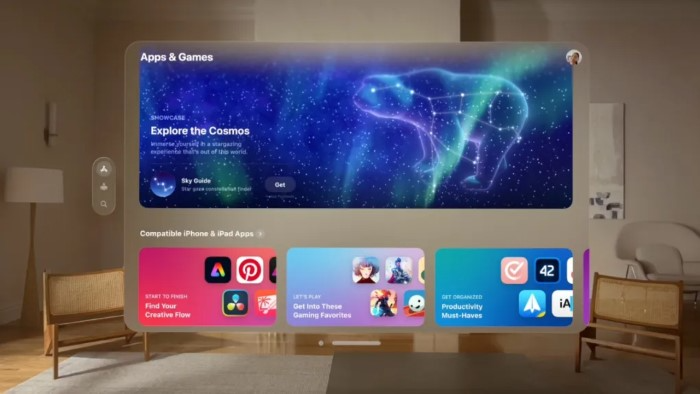
Yes. Many iPad and iPhone apps run in windowed mode on Vision Pro, even if they’re not fully optimized for spatial use.
Does Apple Vision Pro support Netflix?
There’s no native app, but you can watch Netflix via Safari or another web browser.
Can I play games on Apple Vision Pro?
Yes, especially spatial games. However, full-motion VR gaming is currently limited, though Apple Arcade titles and third-party games are expanding.
Are apps on Vision Pro free?
Some are free, others are premium or subscription-based. Many productivity apps like Zoom and Microsoft 365 may require existing accounts or subscriptions.