

If you’re a fan of digital games and prefer using Apple Pay for fast and secure payments, you might be wondering: Does Steam take Apple Pay? The quick answer is no—Steam does not currently accept Apple Pay directly as a payment method. However, there are a few smart workarounds you can use to fund your Steam account using Apple Pay indirectly.
This guide explains everything about Steam and Apple Pay, including alternatives, workarounds, and how to still enjoy seamless payments with your Apple Wallet.
Can You Use Apple Pay on Steam?
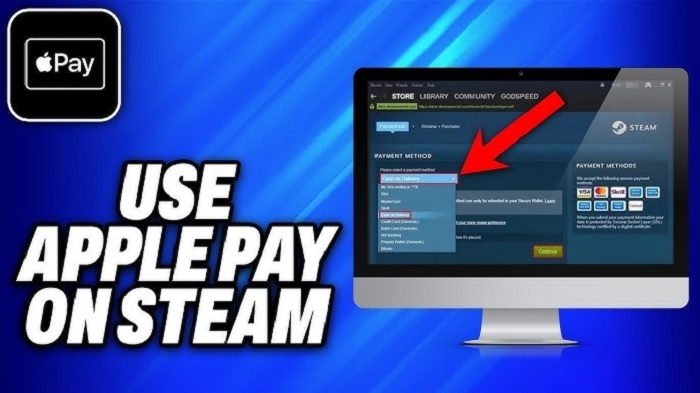
No, Not Directly
Steam does not support Apple Pay as a native payment option on its checkout screen—whether you’re purchasing a game, adding funds to your wallet, or subscribing to Steam features.
You won’t find Apple Pay listed in the available payment methods in your Steam client, website, or mobile app.
Why Doesn’t Steam Support Apple Pay?
There’s no official reason from Valve (Steam’s parent company), but likely reasons include:
- Apple Pay’s transaction fees
- Platform-specific limitations and policies
- Steam’s existing integration with traditional payment processors like credit cards and PayPal
- Prioritization of widely-used, cross-platform solutions
While many merchants support Apple Pay for digital goods, Steam has yet to implement it—possibly due to technical or policy restrictions.
Workarounds to Use Apple Pay for Steam
Although you can’t use Apple Pay directly on Steam, there are two common ways to use it indirectly.
Buy a Steam Gift Card with Apple Pay
Many online retailers sell Steam Wallet gift cards and accept Apple Pay as a payment method.
Steps:
- Visit a site like:
- Amazon (via Safari on iPhone)
- Startselect
- GameStop
- Target
- Amazon (via Safari on iPhone)
- Select a Steam Gift Card (usually $20, $50, $100)
- At checkout, choose Apple Pay as your payment method
- You’ll receive a digital code via email
- Redeem the code in your Steam Wallet to use the balance instantly
This method is fast, safe, and effective.
Link Apple Pay to PayPal and Use PayPal on Steam
Steam does support PayPal, and PayPal allows users to link their Apple Pay or Apple Card to their PayPal account.
How to Use:
- Add your Apple Card or Apple Pay-linked bank card to PayPal
- Choose PayPal as the payment option on Steam
- Complete your transaction using your Apple-linked payment through PayPal
While it’s not “Apple Pay” in name, it uses your Apple-linked funds through a third-party.
Steam Payment Options Currently Supported
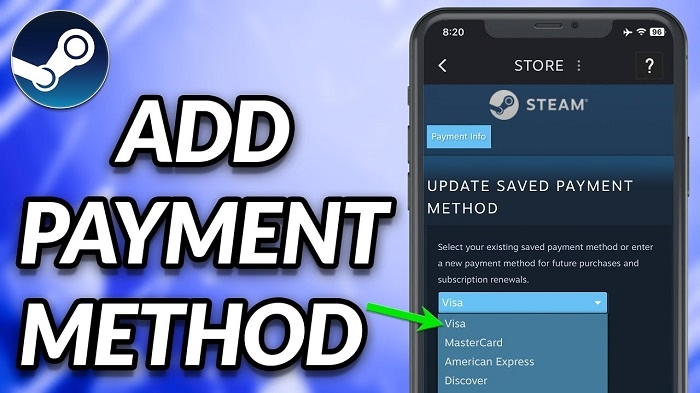
Steam accepts a variety of payment methods depending on your region:
| Method | Accepted on Steam | Notes |
| Credit/Debit Cards | ✅ | Visa, MasterCard, Amex, Discover |
| PayPal | ✅ | Works in most countries |
| Steam Wallet Cards | ✅ | Buy with Apple Pay via third parties |
| Skrill / Paysafecard | ✅ | Region-dependent |
| Apple Pay | ❌ | Not supported directly |
| Google Pay | ❌ | Not supported directly |
To see which payment options are available in your country, visit Steam’s Payment Methods by Country.
Can You Use Apple Pay on the Steam App?
No. The Steam mobile app does not support in-app purchases using Apple Pay or App Store billing. All transactions redirect to the standard Steam checkout flow, which excludes Apple Pay.
Also, Apple’s in-app purchase policy restricts third-party app stores like Steam from processing digital content payments directly within their iOS apps.
Why Users Want Apple Pay on Steam
Apple Pay offers a few unique benefits:
- Speed: One-tap payment with Face ID or Touch ID
- Security: No card details shared with the merchant
- Convenience: Integrated into iPhone, iPad, and Mac
- Privacy: Apple doesn’t track your transactions
It’s especially appealing for mobile-first users and those with Apple Cash balances they want to spend.
Will Steam Add Apple Pay in the Future?
There’s no official announcement from Valve, but Apple Pay continues to gain popularity worldwide. As demand grows for mobile-first payment solutions, it’s possible that Steam could integrate Apple Pay support in future updates—especially via the website or Mac-based clients.
In the meantime, workarounds like gift cards and PayPal remain reliable.
FAQs
Does Steam accept Apple Pay as a payment method?
No. Steam does not currently accept Apple Pay directly for purchases, subscriptions, or wallet reloads.
Can I use Apple Pay to buy games on Steam?
Only indirectly—by buying Steam Gift Cards or using PayPal linked to your Apple Card or Apple Pay.
Is it safe to buy Steam Gift Cards with Apple Pay?
Yes. Use reputable retailers like Amazon, GameStop, or Startselect. Always make sure you’re purchasing from a trusted source.
Can I use Apple Pay on the Steam mobile app?
No. Steam’s mobile app does not support Apple Pay or in-app purchases using Apple Wallet.
Will Steam ever add Apple Pay support?
There’s no confirmation yet, but as digital wallets grow in usage, it’s possible in the future. For now, use gift cards or PayPal as alternatives.