


In today’s fast-paced world, where we rely heavily on technology to keep track of our belongings, Apple’s AirTag has been a game-changer. These small, coin-shaped devices have made it easier than ever to locate lost or misplaced items, from keys to bags and more. However, like any technology, AirTags can sometimes run into issues, and one of the most common concerns users encounter is the “AirTag not updating location” problem. If you’re facing this issue, don’t worry; we’ve got you covered.
Understanding the Basics: How AirTags Work
Before delving into the troubleshooting steps, let’s take a moment to understand how AirTags work. These nifty devices utilize a combination of Bluetooth technology and Apple’s vast network of devices to help you locate your lost items. Here’s a brief overview of the process:
1. Bluetooth Connectivity
AirTags communicate with your iPhone or other Apple devices via Bluetooth. When in proximity, your iPhone establishes a connection with the AirTag, allowing you to track its location.
2. Apple’s Find My Network
If your AirTag is out of Bluetooth range, it relies on Apple’s Find My Network. This network consists of millions of Apple devices worldwide that anonymously and securely help locate lost AirTags.
3. Precision Finding
With the help of ultra-wideband (UWB) technology in iPhone 11 and later models, you can get precise directions to your AirTag’s location, even indoors.
Common Reasons for “AirTag Not Updating Location” Issue
Now that we’ve covered the basics, let’s explore the potential reasons behind your AirTag’s location not updating. Understanding these factors is the first step in troubleshooting the problem.
1. Poor Connectivity

- Subpar Bluetooth Connection: A weak or unstable Bluetooth connection between your iPhone and AirTag can hinder location updates.
- AirTag Out of Range: If your AirTag is too far from your iPhone, it may struggle to update its location.
2. Low Battery
- AirTag Battery Depletion: A low or dead battery in your AirTag can prevent it from sending location updates.
- Replaceable Battery: If you have a replaceable battery AirTag, make sure it’s not drained.
3. Privacy Settings
- Location Services Disabled: If you’ve disabled Location Services for the Find My app, your AirTag won’t update its location.
- Offline Mode: Enabling “Lost Mode” on your AirTag can restrict location updates to preserve privacy.
4. Interference
- Electromagnetic Interference: Proximity to electronic devices or interference from walls and other obstacles can disrupt the connection between your AirTag and iPhone.
- Metallic Objects: Placing your AirTag near metal objects may interfere with its signal.
5. Software Issues
- Outdated Software: Running an outdated iOS or iPadOS version on your device can cause compatibility issues with AirTag updates.
- AirTag Firmware Update: Ensure your AirTag has the latest firmware by keeping it connected to your iPhone.
6. Account Issues
- Multiple Apple IDs: Make sure you’re signed in with the correct Apple ID that’s associated with your AirTag.
- Shared Items: If you’re sharing an AirTag with someone, ensure both users have the necessary permissions.
Troubleshooting Your AirTag
Now that we’ve identified potential causes, it’s time to troubleshoot the “AirTag not updating location” issue. Follow these steps to get your AirTag back on track:
1. Check Connectivity
- Ensure your AirTag is within Bluetooth range of your iPhone.
- Restart your iPhone and toggle Bluetooth on and off.
- Try moving closer to the AirTag to establish a stronger connection.
2. Battery Check
- If your AirTag has a replaceable battery, replace it with a fresh one.
- For non-replaceable battery AirTags, charge them using a compatible charger.
3. Review Privacy Settings
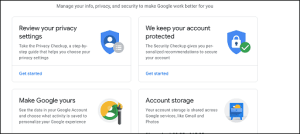
- Open “Settings” on your iPhone.
- Scroll down and tap “Find My.”
- Make sure “Find My iPhone” and “Find My Network” are enabled.
4. Address Interference
- Move your AirTag away from electronic devices or metal objects.
- Test the AirTag’s location update in a different environment.
5. Update Software
- Check for software updates on your iPhone by going to “Settings” > “General” > “Software Update.”
- Ensure your AirTag has the latest firmware.
6. Account Verification
- Double-check that you’re signed in with the correct Apple ID.
- If sharing an AirTag, ensure both users have the necessary permissions.
7. Reset AirTag
- If all else fails, you can reset your AirTag. To do this, open the Find My app, select the AirTag, and tap “Remove Item.” Then, set it up again.
Also Read: Range For Airtag
Contacting Apple Support
If none of the troubleshooting steps yield results, it’s time to reach out to Apple Support for further assistance. They have the expertise and tools to diagnose and resolve complex issues.
AirTags have revolutionized the way we keep track of our belongings, but they are not immune to occasional hiccups. If you find your AirTag not updating its location, don’t panic. Follow the troubleshooting steps outlined in this guide, and you’ll likely resolve the issue and have your AirTag back to helping you locate your items in no time. Remember, technology can be finicky, but with a little patience and know-how, you can enjoy the convenience and peace of mind that AirTags offer once more.