

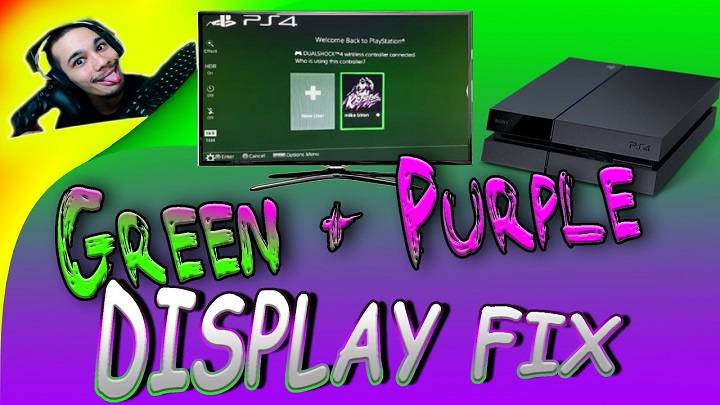
The PlayStation 4 (PS4) has been a beloved gaming console for millions of gamers worldwide. However, like any electronic device, it’s not immune to occasional issues. One frustrating problem that some PS4 users encounter is the appearance of a green screen. When your PS4’s display turns green, it can be disruptive to your gaming experience. In this comprehensive guide, we’ll explore the common causes behind the PS4 green screen issue, offer troubleshooting steps to diagnose and resolve the problem, and provide solutions to get you back to gaming smoothly.
Understanding the PS4 Green Screen Issue
Before diving into solutions, it’s important to understand what the PS4 green screen problem entails. This issue typically occurs when the screen suddenly turns completely green, with no visible graphics or gameplay. While the root causes can vary, the green screen often indicates a display or graphics-related problem within the PS4 system.
Common Causes of the PS4 Green Screen Issue

Several factors can contribute to the PS4 green screen issue, ranging from hardware to software problems. Here are some of the common causes:
- HDMI Cable or Port Issues
- Loose or Damaged HDMI Cable: A loose or damaged HDMI cable can result in a poor connection between your PS4 and the TV, leading to display problems like the green screen.
- Faulty HDMI Port: A malfunctioning HDMI port on either your PS4 or your TV can cause display issues.
- Graphics Hardware or Software Problems
- Graphics Hardware Failure: Hardware components responsible for graphics processing, such as the GPU (Graphics Processing Unit), may encounter issues, leading to display problems.
- Overheating: Excessive heat can damage internal components, affecting graphics performance and potentially causing the green screen issue.
- Software Bugs or Corruptions: Software-related problems, such as corrupted system files or firmware issues, can also lead to display glitches.
- TV Compatibility or Settings
- TV Compatibility Issues: Some TVs may have compatibility issues with certain PS4 settings or display modes.
- Wrong Display Settings: Incorrect settings on your PS4, such as the wrong resolution or display mode, can lead to display problems.
Troubleshooting the PS4 Green Screen Issue
To diagnose and resolve the PS4 green screen issue, follow these troubleshooting steps:
- Check the HDMI Cable and Ports
- Ensure that the HDMI cable is securely connected to both your PS4 and your TV.
- Inspect the HDMI cable for any visible damage or fraying. Replace it if necessary.
- Try using a different HDMI cable or a different HDMI port on your TV to rule out cable or port issues.
- Restart Your PS4
A simple restart can often resolve temporary glitches. To restart your PS4:
- Power off your PS4 completely.
- Unplug the power cord from the electrical outlet.
- Wait for a few minutes, then plug the power cord back in and turn on your PS4.
- Boot in Safe Mode
Also Read: Benefits of SimCorner’s travel SIM card
Booting your PS4 in Safe Mode can help diagnose and fix software-related problems. To boot in Safe Mode:
- Ensure your PS4 is fully powered off.
- Press and hold the power button until you hear a second beep (about seven seconds). This will boot your PS4 in Safe Mode.
- In Safe Mode, you can try options like rebuilding the database or changing display settings.
- Check PS4 Display Settings
- Ensure that your PS4’s display settings are compatible with your TV. Go to “Settings” > “Sound and Screen” > “Video Output Settings” to adjust the display resolution and other settings if needed.
- Test on a Different TV
If possible, try connecting your PS4 to a different TV to see if the green screen issue persists. This can help determine if the problem is related to your TV or your PS4.
- Reinstall System Software
If software corruption is suspected, you can reinstall the PS4 system software. Be aware that this process will erase all data on your PS4, so make sure to back up your data if possible.
- Visit the official PlayStation website to download the latest PS4 system software update.
- Create a USB drive with the software update file.
- Boot your PS4 in Safe Mode (as described earlier).
- Select the “Initialize PS4 (Reinstall System Software)” option and follow the on-screen instructions to reinstall the system software.
- Check for Hardware Issues
If you suspect a hardware issue, such as a failing GPU or overheating, it’s advisable to contact Sony’s customer support or a professional technician for a thorough inspection and repair.
Preventive Measures and Maintenance
To reduce the risk of encountering the PS4 green screen issue in the future, consider the following preventive measures and maintenance tips:
- Keep Your PS4 Ventilated
Ensure that your PS4 has adequate ventilation to prevent overheating. Keep it in an open space with good airflow and avoid placing it on surfaces that can trap heat.
- Clean Your PS4 Regularly
Dust and debris can accumulate inside your PS4 over time, leading to overheating and hardware issues. Periodically clean the vents and internal components using compressed air.
- Keep Software Updated
Regularly update your PS4 system software to ensure that you have the latest bug fixes and improvements.
- Back Up Your Data
Regularly back up your game saves and important data to external storage or cloud storage services to prevent data loss in case of unexpected issues.
Encountering the PS4 green screen issue can be frustrating, but with the troubleshooting steps outlined in this guide, you can often identify and resolve the problem. Whether it’s a loose HDMI cable, a software glitch, or more complex hardware issues, following these steps can help you get your PS4 back to gaming without the dreaded green screen. Additionally, practicing preventive maintenance and keeping your PS4 well-ventilated can help reduce the likelihood of encountering display problems in the future, ensuring a smoother gaming experience.