

Welcome to our blog, where we unravel the mysteries of technology to provide clear explanations and solutions! In today’s post, we delve into a common query: “Why does my Airtag say Last Seen ?”
If you own an Airtag, you may have encountered this phrase and wondered what it means and why it appears.
Don’t worry; I’m here to clarify the situation and assist you in comprehending the underlying causes of the “Last Seen” notification.
By understanding the technology and limitations, you’ll understand why your Airtag may occasionally show “Last Seen” and how it can help you find your misplaced belongings.
So, let’s dive in and demystify the “Last Seen” status of your Airtag!
What Does Last Seen Mean In Airtag?
In AirTag, “Last Seen” refers to your device’s most recent recorded location on the Find My network.
When your AirTag displays “Last Seen,” it was recently connected to the internet, and its location information was updated.

This occurs when someone with an Apple device comes close to your AirTag, and their device relays the updated location to the network.
The “Last Seen” notification provides you with the last known location of your AirTag-enabled item, helping you in your efforts to locate it.
Why Does My Airtag Say Last Seen?
An Airtag is a handy tracking device that can be attached to your belongings, enabling you to locate them using the Find My app on your iPhone or other Apple devices.
However, there are instances when your Airtag might display “Last Seen,” leaving you curious about its significance. Let’s explore the basics together, shall we?
When your Airtag says “Last Seen,” it means that the device was recently connected to the internet and its location was updated on the Find My network.
This happens when someone with an Apple device passes near your Airtag, and their device relays the updated location information to the network.
So, “Last Seen” indicates the last known location of your Airtag based on these updates.
In simple terms, when your Airtag shows “Last Seen,” it was recently connected to the internet, and its location was updated on the Find My network.
This update occurs when someone with an Apple device passes near your Airtag, and their device relays the updated location information to the network.
As a result, you receive a notification indicating the last known location of your Airtag.
Understanding the concept of “Last Seen” is crucial, as it helps you track down your belongings more effectively.
You can make better decisions in your search efforts by grasping how and when Airtag updates its location.
Best 5 Reasons for “Last Seen”
Here are 5 proven reasons for your AirTag displaying the “Last Seen” status:
1. Connectivity Issues
One of the common reasons for the “last seen” message is a temporary loss of connectivity between your Airtag and your iPhone.
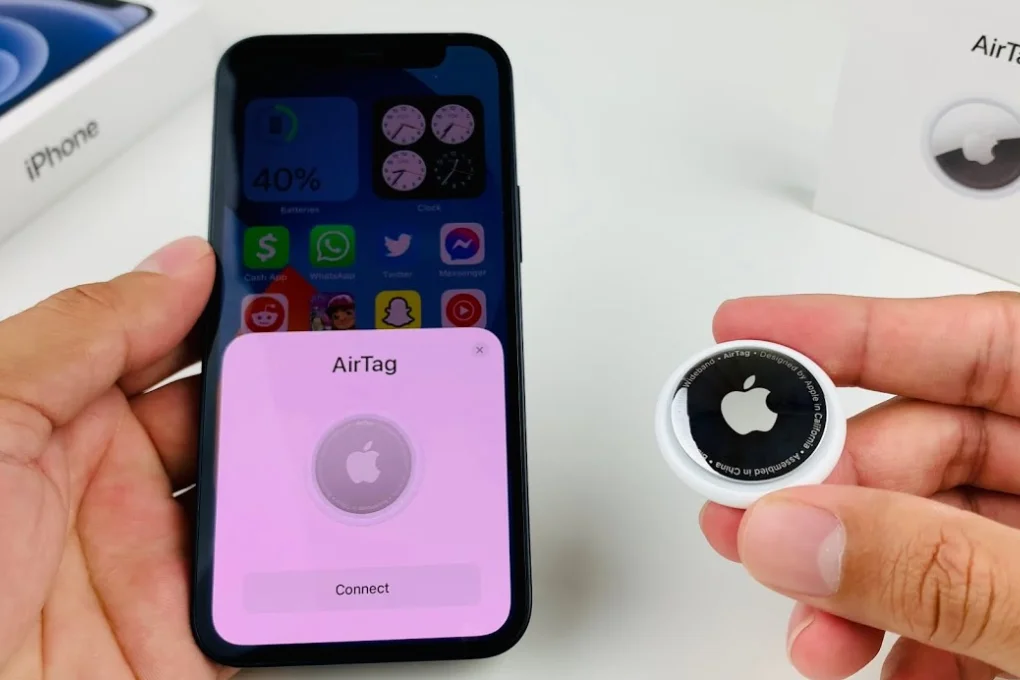
This may occur for several reasons, including Bluetooth device interference, a busy environment, or weak cellular or Wi-Fi signals. The Find My app will update the Airtag’s location when the connection is re-established.
2. Distance Limitations
Airtags rely on the Bluetooth range to communicate with your iPhone. Moving too far away from your Airtag may exceed the Bluetooth range, resulting in the “last seen” message.
The range can vary depending on the environment and any obstacles that might interfere with the signal.
Remember that Airtags range approximately 30 feet indoors and around 300 feet outdoors.
3. Low Battery
Another reason for your Airtag showing “last seen” could be a low battery. When the battery level drops significantly, the Airtag conserves power by reducing its Bluetooth signal strength.
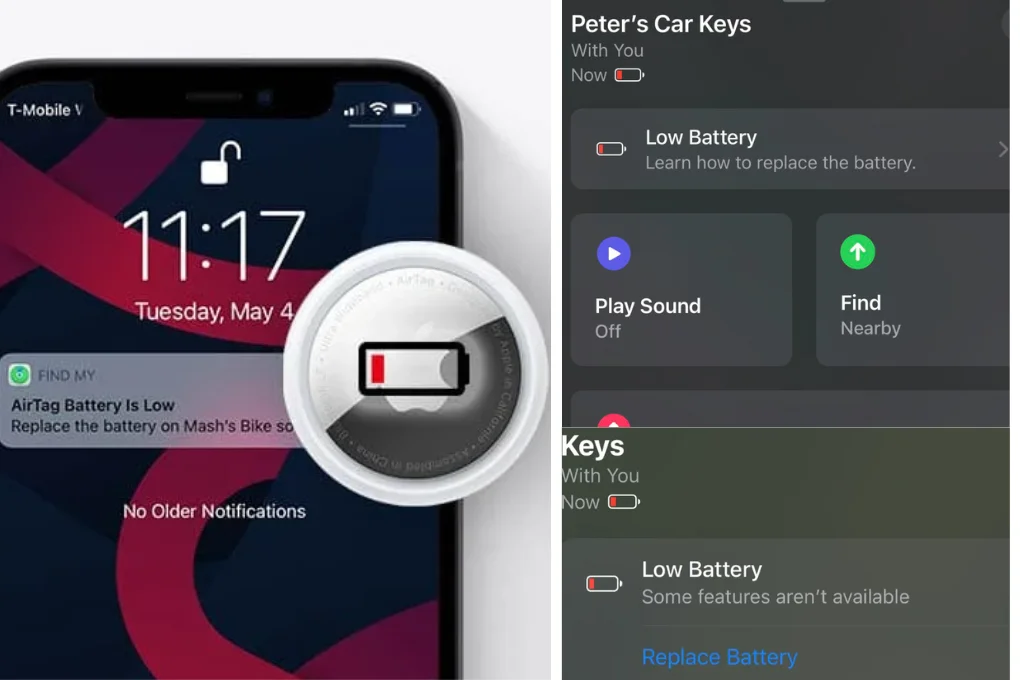
This reduction can result in your Airtag being detected as “last seen” until the battery is replaced or recharged.
4. Interference
Physical barriers, such as walls or other objects, can hinder the Bluetooth signal between your AirTag and your device, causing the AirTag to be “Last Seen.”
5. Software Issues
Occasionally, software glitches or bugs on your device can disrupt the connection between your AirTag and the Find My app, resulting in the “Last Seen” status.
Troubleshooting the “Last Seen” Message
Encountering the “last seen” message doesn’t necessarily mean that you’ve lost your Airtag or that it’s malfunctioning.
Here are a few troubleshooting steps you can take to resolve the issue:
• Check Bluetooth Connection: Ensure your iPhone’s Bluetooth is enabled and functioning properly. A weak or disabled Bluetooth connection can hinder communication between your Airtag and iPhone.
• Refresh Location in Find My App: Open the Find My app and manually refresh the location of your Airtag. This action can trigger an update and provide the most recent location information.
• Replace the Airtag Battery: If your Airtag has been displaying the “last seen” message for an extended period, it might be time to replace it. Airtags uses a standard CR2032 battery, which is widely available.
By following these troubleshooting steps, you can often restore the proper functionality of your Airtag and eliminate the “last seen” message.
How often does Airtag Update its Location?
Airtag updates its location intermittently based on various factors. The frequency of updates depends on the availability of nearby Apple devices that can relay the location information to the Find My network.
When someone with an Apple device comes within range of your Airtag, it can trigger a location update.
However, because it depends on the presence of suitable devices nearby, the precise timing and frequency of these updates may vary.
Therefore, it’s important to note that Airtag updates its location periodically rather than at fixed intervals.
Can You See The Location History Of Airtag?
As of my knowledge cutoff, AirTag has no built-in feature to view the location history directly on the device.
However, through the Find My app on your iPhone or other Apple devices, you can access a timeline of location updates for your AirTag.
This timeline shows the recent locations where your AirTag has been detected by the Find My network.
It can provide you with a general overview of the places your AirTag has been, helping you track its movements over time.
It’s worth noting that the location history provided by the Find My app is limited to the most recent updates and does not offer a detailed historical trail.
FAQs
Can I track my Airtag when it shows “last seen”?
Yes, although your Airtag may show as “last seen,” the Find My app will still provide the last known location when it was in range. Please keep checking the app for updates as soon as your Airtag reconnects to the Find My network.
Can I use multiple Airtags with one iPhone?
Yes, you can use multiple Airtags with a single iPhone. The Find My app allows you to manage and track multiple Airtags simultaneously.
Can I share the location of my Airtag with someone else?
Yes, you can share the location of your Airtag with others. The Find My app lets you temporarily or permanently share your Airtag location with friends or family.
Final Thoughts
Understanding why your Airtag says “Last Seen” is crucial to making the most of this innovative tracking technology. The “Last Seen” notification indicates the most recent recorded location of your Airtag on the Find My network.
The network updates its location information when your Airtag is near someone with an Apple device connected to the internet.
This feature empowers you to track down your belongings more effectively and ensures they are never too far away.
By comprehending the concept of “Last Seen,” you can optimize your search efforts and take appropriate actions to enhance the chances of locating your Airtag-enabled item.
The frequency of updates depends on the presence of Apple devices in the vicinity, so it’s essential to keep your Airtag within the Find My network’s range for accurate results.
Remember to watch for our next blog post to discuss the importance of regular Airtag maintenance and share some pro tips for maximizing the device’s tracking capabilities. Until then, happy tracking!