

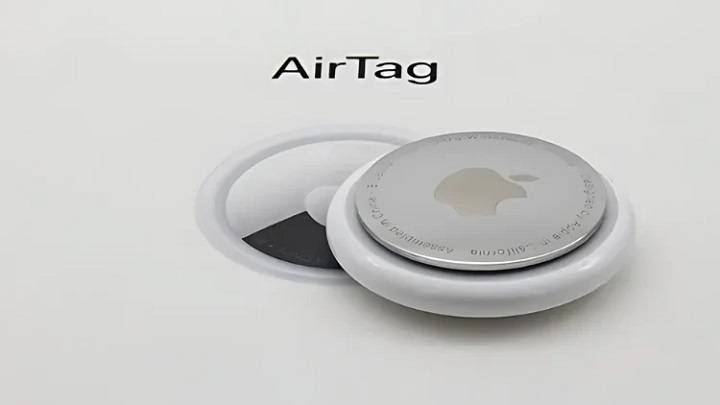
Apple’s AirTag is a handy tool for keeping track of your personal items. One of its features is emitting a sound to help you locate it. This blog will delve into everything you need to know about AirTag beeping, covering why it happens, how to manage it, and several related topics to enhance your understanding.
What is an AirTag?
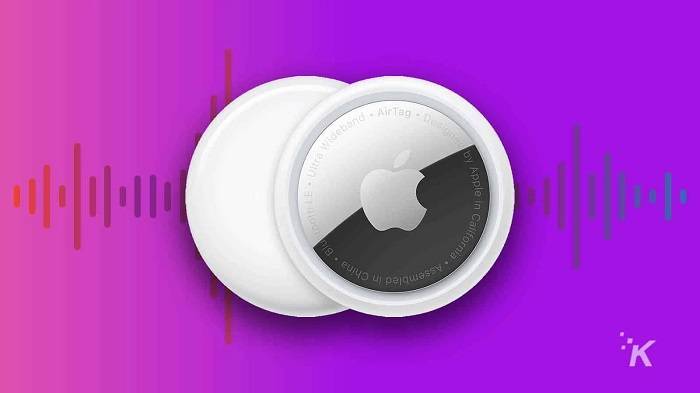
Introduction to AirTag
An AirTag is a small, circular tracking device developed by Apple. It helps users locate personal items such as keys, wallets, bags, and more using the Find My app on an iPhone or other Apple devices.
Key Features of AirTag
- Precision Finding: Utilizes Ultra-Wideband technology for accurate location tracking.
- Find My Network: Leverages Apple’s extensive network of devices to help locate your AirTag.
- Privacy and Security: Designed with end-to-end encryption to ensure your data is secure.
- Lost Mode: Notifies you when your AirTag is detected by another device in the Find My network.
Why Does AirTag Beep?
Normal Functionality
AirTag beeping is a normal functionality designed to help you locate the device when it’s nearby but out of sight. This feature is particularly useful when you’ve misplaced an item and need an audible clue to find it.
Lost Mode Activation
When you enable Lost Mode on your AirTag, it will beep intermittently to alert nearby devices to its presence. This feature increases the chances of someone finding your lost item and contacting you.
Anti-Stalking Measures
Apple has implemented anti-stalking measures in AirTags. If an AirTag that doesn’t belong to you is found traveling with you for an extended period, your iPhone will alert you, and the AirTag will start beeping to draw attention.
Low Battery Alert
An AirTag may beep to indicate a low battery, prompting you to replace it to ensure continuous tracking functionality.
How to Manage AirTag Beeping
Using the Find My App
To control the beeping feature through the Find My app:
- Open the Find My App: Launch the app on your iPhone.
- Select Your AirTag: Tap on the Items tab, then select your AirTag from the list.
- Play Sound: Tap ‘Play Sound’ to make the AirTag emit a sound.
- Stop Sound: If the AirTag is beeping and you have found it, tap ‘Stop Sound’ to silence it.
Disabling Beeping in Lost Mode
If you no longer need your AirTag to beep in Lost Mode:
- Open the Find My App: Launch the app on your iPhone.
- Select Your AirTag: Tap on the Items tab, then select your AirTag.
- Disable Lost Mode: Scroll down and tap ‘Disable Lost Mode’.
Replacing the Battery
If the AirTag beeping indicates a low battery, replace it as follows:
- Open the AirTag: Press down on the stainless steel back cover and rotate it counterclockwise.
- Remove the Old Battery: Lift the cover and remove the old battery.
- Insert the New Battery: Place a new CR2032 battery into the AirTag with the positive side facing up.
- Reassemble the AirTag: Align the three tabs on the cover with the slots on the AirTag, press down, and rotate the cover clockwise until it stops.
Practical Uses for AirTag Beeping
Finding Misplaced Items
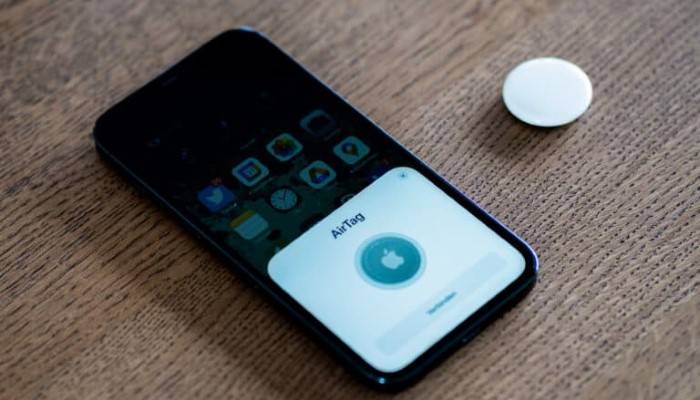
AirTag beeping is most commonly used to find misplaced items. Whether your keys are under the couch or your bag is somewhere in the house, the beeping sound can guide you to the location.
Security Alerts
The beeping feature also serves as a security alert. If an unknown AirTag is detected with you, the sound helps you locate it and take appropriate action.
Assisting Others
If you find an item with an AirTag beeping, you can use the information provided through the sound to help return the item to its owner.
Low Battery Reminder
The beeping can serve as a reminder to replace the AirTag’s battery, ensuring it remains functional and effective in tracking your items.
Enhancing Pet Tracking
For pets wearing an AirTag collar, the beeping can help locate them if they are hiding or lost in a nearby area.
Choosing the Best AirTag Holder
Key Features to Look For
When selecting an AirTag holder, consider the following features:
- Secure Fit: Ensure the holder securely fits the AirTag to prevent it from falling out.
- Durability: Choose holders made from durable materials to withstand daily wear and tear.
- Design: Opt for a design that fits your lifestyle, whether it’s a keychain, wallet insert, or pet collar.
Popular Brands
Several brands offer high-quality AirTag holders. Some popular options include:
- Apple: Official AirTag accessories designed for seamless integration.
- Nomad: Known for rugged and stylish designs.
- Spigen: Offers affordable and functional AirTag holders.
- Belkin: Provides reliable and versatile AirTag accessories.
Comparing AirTag with Other Tracking Devices
Tile Trackers
Tile trackers are a popular alternative to AirTags. They use Bluetooth technology to track items and have a similar app-based interface. However, Tile lacks the extensive Find My network and Precision Finding capabilities of AirTag.
Samsung Galaxy SmartTag
Samsung Galaxy SmartTag is specifically designed for use within the Samsung ecosystem, offering robust tracking features and integration with Samsung’s SmartThings app. It provides a seamless experience for Samsung users.
Chipolo One
Chipolo One trackers offer a comparable experience to AirTags, with Bluetooth tracking and app integration. However, they do not match the seamless integration and advanced privacy features of AirTags.
Comparison Table
| Feature | Apple AirTag | Tile Trackers | Samsung Galaxy SmartTag | Chipolo One |
| Bluetooth Tracking | Yes | Yes | Yes | Yes |
| Ultra-Wideband Technology | Yes | No | No | No |
| Find My Network | Yes | No | No | No |
| Precision Finding | Yes | No | Yes | No |
| Privacy and Security | End-to-End Encryption | Basic | Advanced | Basic |
| Lost Mode | Yes | Yes | Yes | Yes |
Environmental Considerations

Battery Life and Replacement
The battery in an AirTag typically lasts about one year under normal usage conditions. The Find My app will notify you when the battery is running low, ensuring you have ample time to replace it.
Proper Disposal of Batteries
Proper disposal of old batteries is crucial for environmental sustainability. Used CR2032 batteries should be recycled at designated battery recycling centers to prevent harmful chemicals from entering the environment.
Eco-Friendly Options
Consider choosing eco-friendly AirTag accessories made from sustainable materials. Brands like Bellroy and Ekster offer environmentally friendly options that do not compromise on quality or functionality.
Privacy and Security Features
End-to-End Encryption
AirTags use end-to-end encryption to ensure that your location data is secure. The location data and history are never stored on the AirTag itself. Communication with the Find My network is encrypted, ensuring that only you can see where your AirTag is located.
Anti-Stalking Measures
Apple has implemented measures to prevent AirTags from being used to track individuals without their consent. If an unknown AirTag is detected moving with you, your iPhone will alert you, and the AirTag will start beeping to draw attention.
Lost Mode
Enabling Lost Mode allows the AirTag to send notifications when detected by another device in the Find My network. You can enter contact information to help anyone who finds your AirTag to reach you.
Troubleshooting Common Issues with AirTag Beeping
AirTag Beeping Unexpectedly
If your AirTag is beeping unexpectedly, it could be due to movement or proximity to another Apple device. Check the Find My app for any alerts or notifications.
AirTag Not Beeping When Expected
If your AirTag is not beeping when expected, ensure the battery is not depleted and the AirTag is within Bluetooth range. Restart your iPhone and try the Find My app again.
AirTag Beeping Continuously
If your AirTag is beeping continuously, it might be stuck in Lost Mode or experiencing a malfunction. Check the Find My app to disable Lost Mode or reset the AirTag.
Frequently Asked Questions
Why is my AirTag beeping?
AirTag beeping is a feature designed to help you locate the device when it is nearby but out of sight. It can also beep in Lost Mode, due to anti-stalking measures, or when the battery is low.
How do I stop my AirTag from beeping?
To stop your AirTag from beeping, open the Find My app, select the AirTag, and tap ‘Stop Sound’. Ensure Lost Mode is disabled if not needed.
Can I make my AirTag beep on command?
Yes, you can make your AirTag beep using the Find My app. Select the AirTag and tap ‘Play Sound’ to locate it.
How do I replace the battery in my AirTag?
To replace the battery, press down on the stainless steel back cover, rotate it counterclockwise, remove the old battery, insert a new CR2032 battery, and reassemble the AirTag.
What should I do if my AirTag keeps beeping?
If your AirTag keeps beeping, check for any notifications in the Find My app. It may be in Lost Mode or experiencing a malfunction. Resetting the AirTag can also help.
Related Post:
Unraveling the Mystery: How Long Does Airtag Battery Last?
Unraveling the Mystery: How Does Apple AirTag Work?
Decoding the Technology: How Does an AirTag Work?
Unlocking the Potential: Exploring Google Airtag Alternatives
Understanding why your AirTag is beeping and how to manage it can greatly enhance your experience with this powerful tracking device. Whether you are using it to find misplaced items, ensure the safety of your belongings, or keep track of your pets, the beeping feature plays a crucial role. By following the tips and guidelines in this guide, you can effectively manage your AirTag and make the most of its features.