

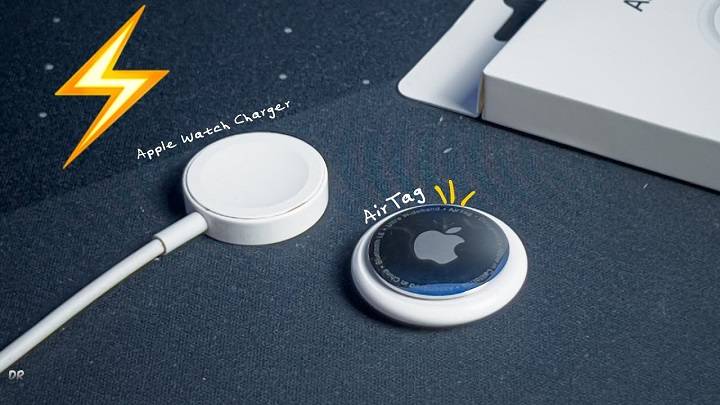
Apple’s AirTag is a sleek, compact device designed to help you track and find your belongings. Understanding how to maintain and charge AirTag is crucial for ensuring it remains functional and effective. This comprehensive guide will delve into all aspects of AirTag power management, including related topics to enhance your knowledge and usage.
Understanding AirTag Power Source

Can You Charge an AirTag?
Unlike many electronic devices, you cannot charge an AirTag. Instead, it uses a replaceable CR2032 lithium coin cell battery, which typically lasts about a year under normal usage conditions.
Why AirTag Doesn’t Require Charging
The design choice to use a replaceable battery instead of a rechargeable one is likely due to the convenience and long battery life. Users can easily replace the battery without needing to recharge the device frequently.
How to Replace AirTag Battery
Step-by-Step Guide
- Prepare the New Battery: Have a new CR2032 lithium coin cell battery ready.
- Open the AirTag: Press down on the stainless steel back cover of the AirTag and rotate it counterclockwise.
- Remove the Cover: Lift the cover off to expose the battery.
- Remove the Old Battery: Carefully take out the old battery and dispose of it properly.
- Insert the New Battery: Place the new battery into the AirTag with the positive side facing up. You should hear a sound indicating that the battery is connected.
- Reassemble the AirTag: Align the three tabs on the cover with the slots on the AirTag, press down, and rotate the cover clockwise until it is securely closed.
Benefits of Using Replaceable Batteries
Longevity and Reliability
The CR2032 battery’s long life span means less frequent replacements, providing a year’s worth of usage before needing a new battery.
Easy Replacement
The simplicity of replacing the AirTag battery ensures that users can quickly and easily keep their device running without needing specialized tools or technical knowledge.
Environmentally Friendly Disposal
Proper disposal of CR2032 batteries at designated recycling centers helps mitigate environmental impact, ensuring used batteries do not contribute to pollution.
Where to Buy CR2032 Batteries
CR2032 batteries are widely available and can be purchased at most electronics stores, supermarkets, and online retailers. It’s advisable to buy from reputable sources to ensure you get high-quality batteries.
Alternative Power Sources for Tracking Devices
Rechargeable Batteries
Some tracking devices use rechargeable batteries, which can be convenient but require regular charging. Understanding the pros and cons of rechargeable batteries can help you decide if they are right for you.
Solar-Powered Devices
Solar-powered tracking devices harness sunlight to recharge their batteries, offering an eco-friendly alternative. However, their effectiveness can be limited by the availability of sunlight.
Comparing AirTag with Other Trackers

Tile Trackers
Tile trackers use a non-replaceable battery that lasts about a year. Once the battery dies, you need to replace the entire device, which can be less convenient and more costly over time compared to AirTag’s replaceable battery.
Samsung Galaxy SmartTag
Samsung Galaxy SmartTag uses a similar replaceable battery as AirTag, providing users with a comparable level of convenience and longevity.
Chipolo One
Chipolo One trackers also use replaceable batteries, making them a practical alternative to AirTags. They offer similar functionality and ease of battery replacement.
Comparison Table
| Feature | Apple AirTag | Tile Trackers | Samsung Galaxy SmartTag | Chipolo One |
| Replaceable Battery | Yes | No | Yes | Yes |
| Battery Life | 1 year | 1 year | 1 year | 1 year |
| Rechargeable | No | No | No | No |
| Environmental Impact | Recyclable Battery | Replace Device | Recyclable Battery | Recyclable Battery |
Enhancing AirTag Battery Life
Regularly Check Battery Status
Monitor the battery status of your AirTags through the Find My app and replace them promptly when needed to ensure continuous tracking.
Optimize Settings
Adjusting settings such as reducing the frequency of location updates can help extend the battery life of your AirTag.
Use Protective Accessories
Using protective cases can help prevent physical damage to the AirTag, which could otherwise affect battery performance.
Environmental Considerations
Proper Disposal of Batteries
Proper disposal of old batteries is crucial for environmental sustainability. Used CR2032 batteries should be recycled at designated battery recycling centers to prevent harmful chemicals from entering the environment.
Choosing Eco-Friendly Alternatives
Opt for tracking devices that offer replaceable batteries to minimize electronic waste and ensure a more sustainable choice for keeping track of your belongings.
Practical Tips for Using AirTags
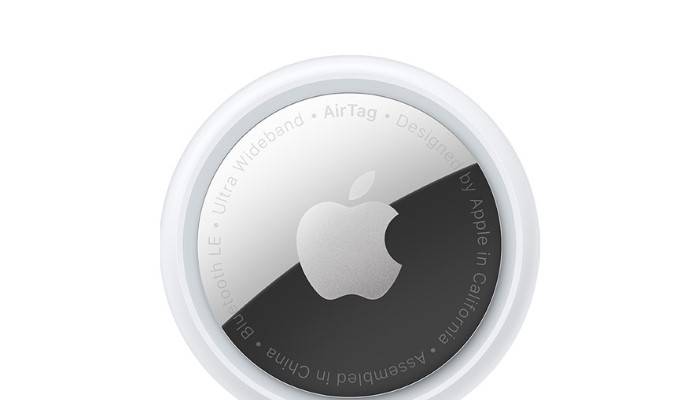
Regularly Check Battery Status
Regularly monitor the battery status of your AirTags through the Find My app and replace them promptly when needed to ensure continuous tracking.
Customize AirTag Names
Customize the names of your AirTags to reflect the items they are attached to, making it easier to manage multiple AirTags in the Find My app.
Use Protective Accessories
Consider using protective accessories such as keychain holders or waterproof cases to enhance the durability and longevity of your AirTags.
Avoid Extreme Conditions
Avoid exposing your AirTags to extreme temperatures or harsh conditions to prevent damage and ensure they continue to function effectively. Keep them away from water and dust as much as possible to maintain their performance.
Frequently Asked Questions
Can you charge an AirTag?
No, you cannot charge an AirTag. It uses a replaceable CR2032 lithium coin cell battery that typically lasts about one year.
How do I replace the battery in my AirTag?
To replace the battery, press down on the stainless steel back cover, rotate it counterclockwise, remove the old battery, and insert a new CR2032 battery with the positive side facing up.
How often should I replace my AirTag battery?
You should replace the AirTag battery approximately once a year or when the Find My app notifies you that the battery is running low.
Where can I buy CR2032 batteries?
CR2032 batteries are available at most electronics stores, supermarkets, and online retailers. It’s advisable to buy from reputable sources to ensure you get high-quality batteries.
How do I dispose of old AirTag batteries?
Used CR2032 batteries should be recycled at designated battery recycling centers to prevent harmful chemicals from entering the environment. Check with your local recycling program for proper disposal guidelines.
Related Post:
Discovering the Best AirTag Wallet: A Comprehensive Guide
How to Change Battery in AirTag: A Comprehensive Guide
How to Open AirTag: A Comprehensive Guide
Can You Share AirTag Location? A Complete Guide to AirTag Sharing and More
Knowing how to manage and replace the battery in your AirTag is essential for maintaining its functionality. While you cannot charge AirTag, the replaceable CR2032 battery provides a convenient and long-lasting power solution. By following the steps and tips outlined in this guide, you can ensure your AirTag remains operational and environmentally friendly.