

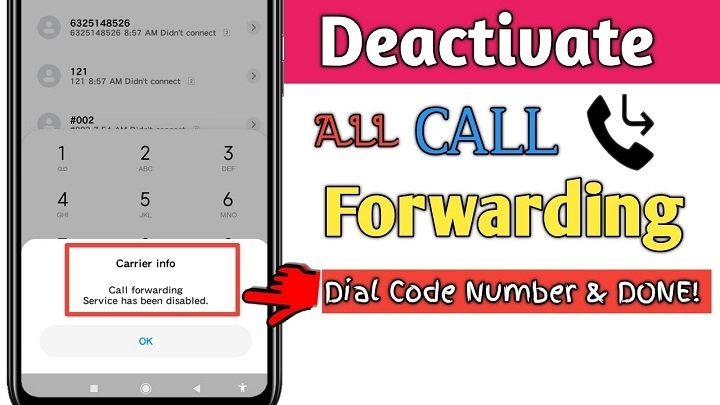
Call forwarding is a useful feature that allows users to redirect incoming calls to another number. However, there are times when you may need to stop call forwarding, especially when it is no longer needed or you want to prevent unsolicited calls. In this article, we will discuss how to stop call forwarding using the relevant code, how to deactivate call forwarding, and address some frequently asked questions about this feature.
What Is Call Forwarding?
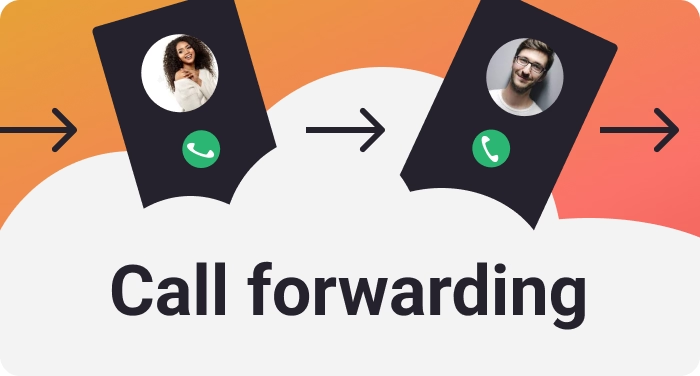
Call forwarding is a telecom feature that allows you to forward incoming calls from your mobile number to another phone number. It can be used for various reasons, such as when you’re away from your phone, or you want calls to be received by a colleague, family member, or voicemail.
Types of Call Forwarding
There are several types of call forwarding, including:
- Call Forwarding Unconditional (CFU): All calls are forwarded to another number, whether you answer or not.
- Call Forwarding on Busy (CFB): Calls are forwarded when your line is busy.
- Call Forwarding on No Reply (CFNR): Calls are forwarded when you don’t answer after a certain number of rings.
- Call Forwarding When Unreachable (CFUR): Calls are forwarded when your phone is turned off or has no signal.
How to Stop Call Forwarding?
To stop call forwarding, you must deactivate it using a specific code for your network provider. The process is generally simple and can be done in just a few steps. Below is a guide on how to disable call forwarding.
Use the Universal Code to Stop Call Forwarding
Most telecom providers allow users to disable call forwarding with a universal code. The general code to stop all types of call forwarding is:
##21#
This code works for most mobile networks and will cancel any active call forwarding on your phone. Simply open the dialer and dial ##21#, then press the call button. You should see a message confirming that call forwarding has been deactivated.
Disable Specific Types of Call Forwarding
If you only want to stop a specific type of call forwarding (e.g., forwarding when busy or unanswered), you can use the following codes:
- To disable call forwarding on busy: Dial ##67#
- To disable call forwarding on no reply: Dial ##61#
- To disable call forwarding when unreachable: Dial ##62#
Once again, press the call button, and you should receive a confirmation message that the specific forwarding service has been deactivated.
Verify Call Forwarding Has Been Stopped
After using the above codes, you can verify that call forwarding is no longer active. Dial the following code to check the status:
*#21#
This will show you whether call forwarding is enabled or disabled. If call forwarding is still active, you may need to repeat the process or contact your carrier for further assistance.
Why Stop Call Forwarding?
While call forwarding is a useful feature, there are a few reasons why you may want to stop it:
- Privacy: You may not want to forward calls to a third party, especially if it involves private or sensitive information.
- Cost-saving: Call forwarding may incur additional charges, especially if the forwarded calls are going to an international number or to a number with high call rates.
- Control: Stopping call forwarding ensures that calls reach you directly, without being rerouted to another number or voicemail.
- Technical Issues: If call forwarding is set up incorrectly or causes issues with your service, disabling it can resolve problems like missed calls.
How to Prevent Call Forwarding from Being Re-enabled?
If you want to ensure that call forwarding doesn’t get activated without your consent, you can lock your phone settings with a password or PIN. Some mobile networks also allow you to set a password for call forwarding settings, which adds an extra layer of protection.
You can also contact your carrier to disable the option for activating call forwarding remotely. This ensures that only you can control whether the feature is enabled or disabled.
Frequently Asked Questions (FAQs)
How can I stop call forwarding on my Android phone?
To stop call forwarding on an Android device, dial ##21# on your phone’s dialer. This will disable all types of call forwarding on your Android phone. If you want to stop a specific type of forwarding, use the respective code as mentioned earlier.
How do I stop call forwarding on my iPhone?
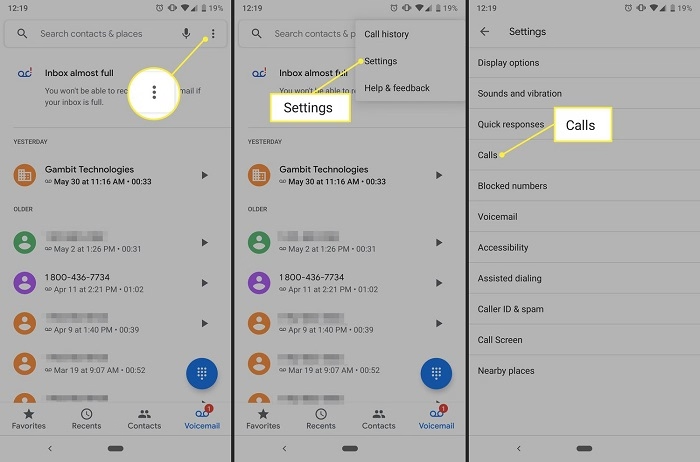
On an iPhone, you can stop call forwarding by going to Settings > Phone > Call Forwarding, and then toggle off the option. Alternatively, you can use the code ##21# to disable call forwarding directly from the dialer.
What should I do if the call forwarding code doesn’t work?
If the universal code ##21# or any other specific codes do not work, contact your network provider for assistance. Sometimes, the issue may be with the carrier’s settings, or you may need to update your phone’s network settings.
Can I disable call forwarding without the code?
Yes, you can disable call forwarding through your phone’s settings, especially on iOS or Android devices. However, using the respective codes is typically faster and more reliable.
Will stopping call forwarding affect my voicemail?
No, stopping call forwarding will not affect your voicemail settings. Voicemail is usually a separate service, and disabling call forwarding will not affect its functionality.
Call forwarding can be a handy tool for managing calls, but it’s not always needed. By understanding how to stop call forwarding and using the proper codes, you can ensure that your calls are routed directly to your phone. Whether you need to stop all forwarding or just a specific type, the process is simple and can be done with ease.