

In today’s fast-paced world, keeping track of personal belongings can be a challenge. Apple’s AirTag is a revolutionary device designed to help you locate your items with ease. This comprehensive guide will explain what is AirTag, how it works, and explore related topics to give you a thorough understanding of this innovative product.
Understanding AirTag
What is AirTag?
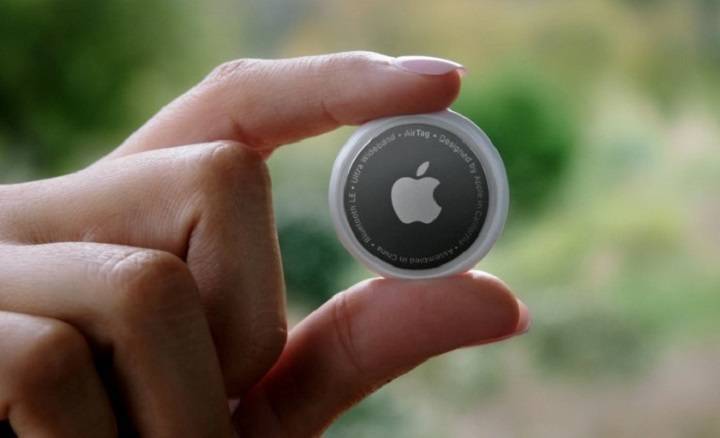
An AirTag is a small, circular tracking device developed by Apple. It helps users locate personal items such as keys, wallets, bags, and more using the Find My app on an iPhone or other Apple devices.
Key Features of AirTag
- Precision Finding: Utilizes Ultra-Wideband technology for accurate location tracking.
- Find My Network: Leverages Apple’s extensive network of devices to help locate your AirTag.
- Privacy and Security: Designed with end-to-end encryption to ensure your data is secure.
- Lost Mode: Notifies you when your AirTag is detected by another device in the Find My network.
How Does AirTag Work?
Initial Setup
Setting up an AirTag is simple:
- Unbox Your AirTag: Remove the AirTag from its packaging.
- Activate the AirTag: Pull out the tab to activate the battery.
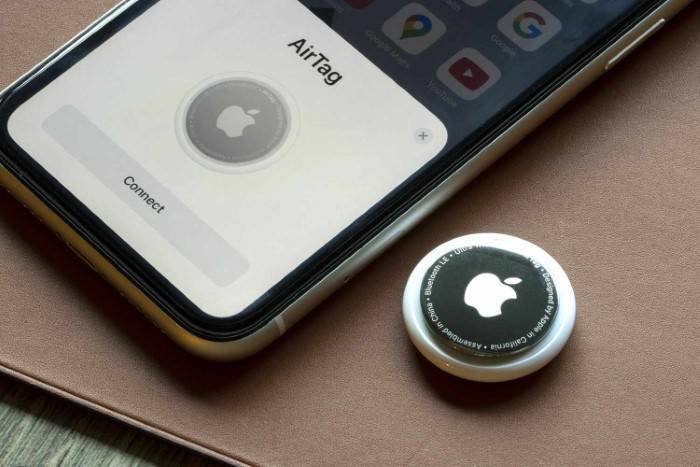
- Bring Your iPhone Close: Hold the AirTag near your iPhone. A setup animation will appear on your screen.
- Follow On-Screen Instructions: Tap ‘Connect’ and follow the prompts to name your AirTag and register it to your Apple ID.
Tracking and Finding Items
Using the Find My app, you can:
- Locate Items on a Map: See the current or last known location of your items.
- Play a Sound: Make the AirTag emit a sound to help you find it nearby.
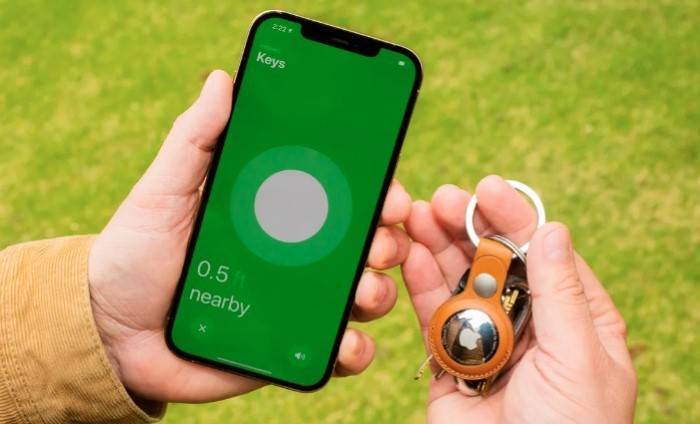
- Precision Finding: Use your iPhone to get directions to your AirTag using Ultra-Wideband technology.
Practical Uses of AirTag

Everyday Items
Attach an AirTag to everyday items like keys, wallets, and bags to ensure they are easily found if misplaced.
Traveling
Using an AirTag in your luggage or travel bags helps you monitor your belongings during your travels, providing peace of mind.
Pet Tracking
Attach an AirTag to your pet’s collar to monitor their location, especially useful for pets that tend to wander off.
Electronic Devices
Track valuable electronic devices like laptops, tablets, and cameras with an AirTag, helping locate them if they are lost or stolen.
Bikes and Vehicles
Attach an AirTag to your bike or vehicle to help locate them in case of theft or if they are lost in a large parking area.
Privacy and Security Features
End-to-End Encryption
AirTags use end-to-end encryption to ensure that your location data is secure. The location data and history are never stored on the AirTag itself. Communication with the Find My network is encrypted, ensuring that only you can see where your AirTag is located.
Anti-Stalking Measures
If an unknown AirTag is found moving with you, your iPhone will alert you. You can then use your device to disable the AirTag. This feature ensures that AirTags cannot be used to track people without their knowledge.
Lost Mode
If you lose an item with an AirTag attached, you can enable Lost Mode in the Find My app. When Lost Mode is activated, your AirTag will send notifications when it is detected by another device in the Find My network. You can also enter contact information so that anyone who finds your AirTag can reach you.
Battery Life and Replacement
Battery Life Expectancy
The AirTag battery is designed to last approximately one year under normal usage conditions. You will receive a notification from the Find My app when the battery is running low.
How to Replace the AirTag Battery
To replace the battery:
- Press and Rotate the Back Cover: Press down on the stainless steel back cover and rotate it counterclockwise until it stops.
- Remove the Cover and Battery: Lift the cover off and remove the old CR2032 battery.
- Insert a New Battery: Place a new CR2032 battery into the AirTag with the positive side facing up.
- Reattach the Cover: Align the tabs and rotate the cover clockwise until it stops.
Comparing AirTag with Other Trackers
Tile Trackers
Tile trackers are a popular alternative to AirTags. They use Bluetooth technology to track items and have a similar app-based interface. However, Tile lacks the extensive Find My network and Precision Finding capabilities of AirTag.
Samsung Galaxy SmartTag
Samsung Galaxy SmartTag works best within the Samsung ecosystem and offers similar tracking features. However, it lacks some of the advanced features and integration provided by the Apple ecosystem, such as Precision Finding and the extensive Find My network.
Chipolo One
Chipolo One trackers offer a comparable experience to AirTags, with Bluetooth tracking and app integration. However, they do not match the seamless integration and advanced privacy features of AirTags.
Comparison Table
| Feature | Apple AirTag | Tile Trackers | Samsung Galaxy SmartTag | Chipolo One |
| Bluetooth Tracking | Yes | Yes | Yes | Yes |
| Ultra-Wideband Technology | Yes | No | No | No |
| Find My Network | Yes | No | No | No |
| Precision Finding | Yes | No | No | No |
| Privacy and Security | End-to-End Encryption | Basic | Basic | Basic |
| Lost Mode | Yes | Yes | Yes | Yes |
Environmental Considerations
Battery Disposal
Proper disposal of old batteries is crucial for environmental sustainability. Used CR2032 batteries should be recycled at designated battery recycling centers to prevent harmful chemicals from entering the environment. Many electronic stores and local recycling centers offer battery recycling services.
Eco-Friendly Alternatives
While AirTags use disposable batteries, opting for rechargeable CR2032 batteries, if compatible, can help reduce waste. Additionally, choosing battery brands that focus on sustainable practices can contribute to environmental conservation.
Reducing Carbon Footprint
By using devices with replaceable batteries, such as AirTags, you reduce the need to frequently replace entire devices. This helps in reducing electronic waste and the carbon footprint associated with manufacturing and shipping new products.
Advanced Features of AirTag
Precision Finding
Precision Finding uses Ultra-Wideband technology to provide accurate directions to your AirTag. When you are within range, your iPhone can display the exact distance and direction to the AirTag, making it easy to locate even in cluttered environments.
Find My Network
The Find My network leverages a vast and secure system of Apple devices to help locate your AirTag. If your AirTag is lost, it sends out a secure Bluetooth signal that nearby devices can detect. These devices then anonymously relay the location back to you, significantly expanding the effective range of your AirTag.
Lost Mode
Enabling Lost Mode allows the AirTag to send notifications when detected by another device in the Find My network. You can enter contact information to help anyone who finds your AirTag to reach you.
Practical Tips for Using AirTag
Regularly Check Battery Status
Monitor the battery status of your AirTag through the Find My app and replace it promptly when needed to ensure continuous tracking.
Customize AirTag Names
Customize the names of your AirTags to reflect the items they are attached to, making it easier to manage multiple AirTags in the Find My app.
Use Protective Accessories
Consider using protective accessories such as keychain holders or waterproof cases to enhance the durability and longevity of your AirTag. These accessories provide an extra layer of protection against water and physical damage, ensuring your AirTag remains functional in various conditions.
Avoid Extreme Conditions
Avoid exposing your AirTag to extreme temperatures or harsh conditions to prevent damage and ensure it continues to function effectively. Keep it away from water and dust as much as possible to maintain its performance.
Frequently Asked Questions
How does AirTag work?
AirTag works by using Bluetooth to communicate with nearby Apple devices and the Find My network. It leverages Ultra-Wideband technology for precise location tracking.
How long does the AirTag battery last?
Under normal usage conditions, the AirTag battery typically lasts about one year. You will receive a notification from the Find My app when the battery is running low.
Can I use an AirTag with an Android device?
AirTags are designed to work seamlessly within the Apple ecosystem. While Android users can interact with found AirTags using NFC, full functionality requires an Apple device.
How secure is my location data with AirTag?
AirTags use end-to-end encryption to ensure that your location data is secure. Only you can see where your AirTag is located, and communication with the Find My network is encrypted.
What should I do if my AirTag is not working?
If your AirTag is not working, ensure the battery is properly installed, restart your device, and try re-pairing the AirTag. If the issue persists, contact Apple Support.
Related Post:
Discovering the Best AirTag Wallet: A Comprehensive Guide
How to Change Battery in AirTag: A Comprehensive Guide
How to Open AirTag: A Comprehensive Guide
Understanding what is AirTag and its features can significantly enhance your ability to keep track of personal belongings. With features like Precision Finding, the extensive Find My network, and robust privacy measures, AirTag offers a comprehensive solution for locating lost items. Whether you use AirTags for everyday items, travel, or pet tracking, this guide ensures you get the most out of your Apple AirTag investment.