

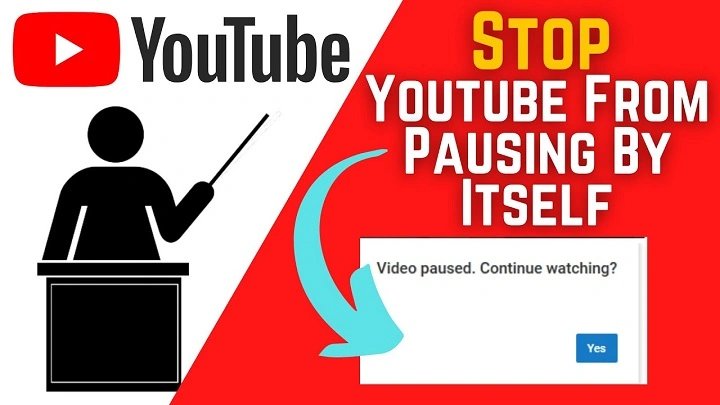
You’re in the middle of watching your favorite video, listening to music, or catching up on a podcast, when suddenly—YouTube pauses. Whether it happens once or repeatedly, this interruption can be extremely frustrating. If your YouTube keeps pausing, there are several possible reasons behind it, ranging from app settings to network issues and even hardware problems.
Common Reasons Why YouTube Keeps Pausing
There isn’t a one-size-fits-all reason why YouTube pauses, but the most common causes include:
- Inactivity detection (Are you still watching?)
- Slow or unstable internet connection
- Browser or app glitches
- Background restrictions on mobile devices
- Corrupt cache or cookies
- Faulty headphones or Bluetooth connectivity issues
Let’s dive into each one and explore how to fix it.
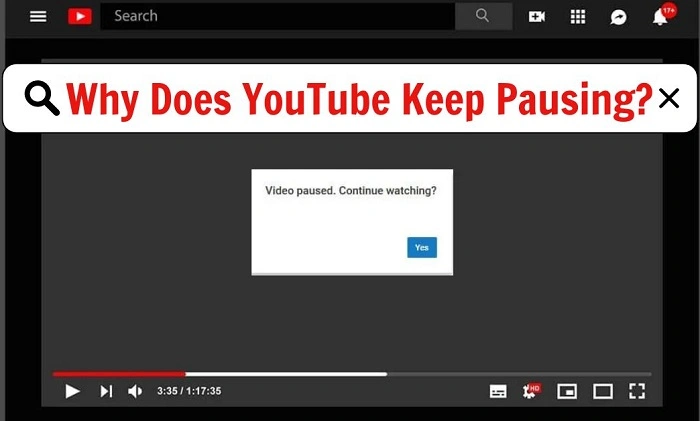
“Are You Still Watching?” Prompt
YouTube sometimes pauses to check if you’re still watching, especially during long, passive sessions like music streaming. This prompt is more common when using YouTube Music or watching playlists continuously.
How to Fix It:
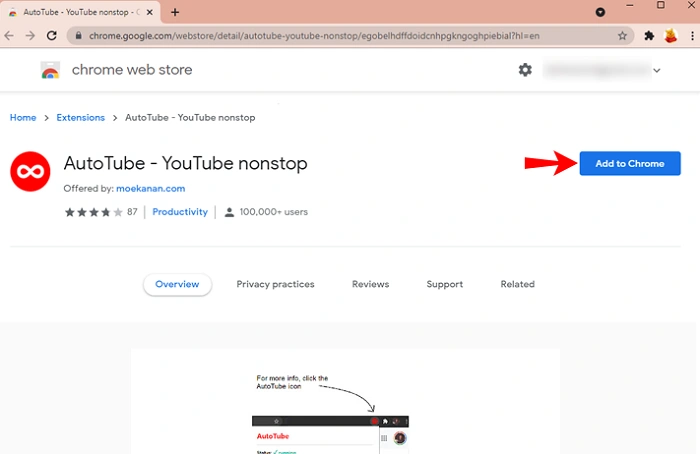
There’s no official way to disable this prompt unless you use YouTube Premium with a browser extension that bypasses it. On desktop, extensions like “YouTube NonStop” (available for Chrome) can automatically click “Yes” for you. Be cautious with third-party tools, especially on mobile—they may violate YouTube’s terms of service.
Internet Connection Issues
A weak or unstable connection can cause buffering and automatic pausing. If YouTube detects it can’t load the next segment of the video in time, it pauses until the connection stabilizes.
How to Fix It:
- Restart your router.
- Switch from Wi-Fi to mobile data or vice versa.
- Move closer to your Wi-Fi source.
- Test your internet speed (ideally you need at least 3–5 Mbps for standard videos, 10+ Mbps for HD or 4K).
Mobile Background App Restrictions
On Android and iOS, background activity or battery optimization settings may force YouTube to pause when the screen turns off or when you’re multitasking.
How to Fix It:
- On Android:
Go to Settings > Apps > YouTube > Battery and set it to Unrestricted.
- On iOS:
Make sure Low Power Mode is turned off under Settings > Battery.
Also, YouTube requires Premium to allow background playback when your screen is off.
Faulty Headphones or Bluetooth Disconnections
Many devices are set up to pause media automatically when headphones are unplugged or disconnected. If your headphones have a loose jack or unstable Bluetooth connection, YouTube might pause thinking you’ve stopped listening.
How to Fix It:
- Check your headphone cable or Bluetooth connection.
- Try using a different pair of headphones.
- Turn off “Pause when headphones are removed” if your device has that option (especially on Android).
Browser or App Bugs
If you’re watching YouTube on a web browser, a temporary glitch or an outdated version may be causing problems. Likewise, the mobile or smart TV app can occasionally have bugs that lead to random pauses.
How to Fix It:
- Clear cache and cookies in your browser.
- Update your browser or app to the latest version.
- Try switching browsers (e.g., from Chrome to Firefox).
- Reinstall the YouTube app on your phone or smart TV.
Corrupt Cache or Data
Over time, app or browser data can become corrupted, causing issues like freezing or random pauses.
How to Fix It:
- On mobile:
Go to Settings > Apps > YouTube > Storage > Clear Cache (Android). On iOS, reinstall the app.
- On desktop:
Open browser settings and clear browsing data, especially cached files.
Power Saving or Screen Timeout Settings
Some smartphones and laptops pause media playback when the screen turns off or goes idle due to power-saving settings.
How to Fix It:
- Extend the screen timeout on your device.
- Disable any battery-saving modes while using YouTube.
- On laptops, adjust your power settings to prevent the device from sleeping during playback.
Adblockers or Browser Extensions
Certain extensions or ad-blockers may interfere with YouTube’s playback, especially if they’re aggressively blocking scripts.
How to Fix It:
- Temporarily disable extensions in your browser.
- Test YouTube in Incognito/Private Mode to rule out extension conflicts.
- Try using a different browser to compare performance.
Account-Related Issues
If you’re signed in to a Google account with restricted access (like Family Link or a supervised account), settings may pause content based on watch time or inappropriate content filters.
How to Fix It:
- Check parental controls or content restrictions on your Google account.
- Switch to a standard profile to see if the issue persists.
YouTube Server or App Issues
Sometimes, the problem isn’t on your end. YouTube’s servers may be experiencing temporary issues, especially during high traffic times or regional outages.
How to Fix It:
- Visit sites like Downdetector.com to check for YouTube outages.
- Wait it out—most server issues are resolved within an hour or two.
- Restart your device as a general troubleshooting step.
When YouTube keeps pausing, it can disrupt your entertainment or productivity. Luckily, most of the common causes are easy to identify and fix. Whether it’s a weak Wi-Fi signal, a buggy app, or a headphone issue, this guide gives you the tools to troubleshoot and get back to watching without interruptions.
Still having trouble? Sometimes a simple app update or device reboot is all it takes. If nothing else works, contacting YouTube support or switching to another device might help isolate the issue.