

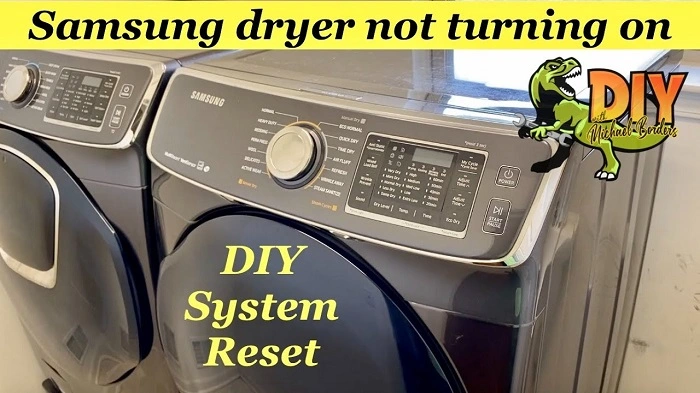
If you’ve found yourself standing in front of your Samsung dryer, pressing the start button over and over with no response, you’re not alone. A dryer that won’t turn on can be incredibly frustrating, especially when it’s one of the household appliances you rely on most. The good news is that this issue is often fixable without needing to call in a professional. In this blog post, we’ll walk you through common reasons why your Samsung dryer may not be turning on and provide step-by-step troubleshooting tips to help you get your dryer up and running again.
1. Power Issues: Check the Basics
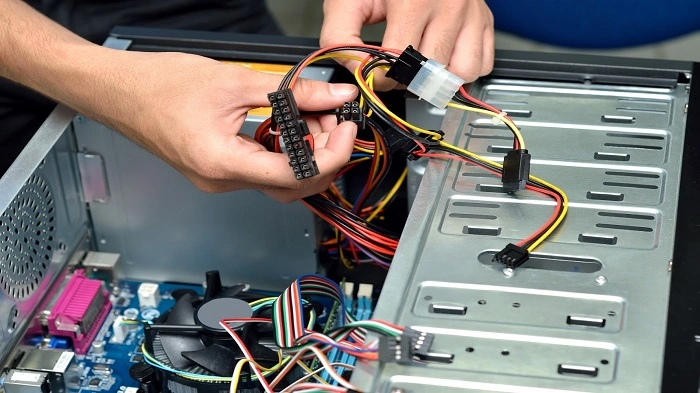
The first thing to check when your Samsung dryer isn’t turning on is the power supply. This may seem obvious, but it’s easy to overlook. There are a few things you can check here:
- Plug and Outlet: Make sure the dryer is properly plugged into the outlet. If it’s loose or unplugged, it won’t start. If the plug seems fine, try plugging in a different appliance into the same outlet to ensure the power source is working.
- Circuit Breaker: Dryers use a significant amount of power, and it’s not uncommon for the circuit breaker to trip, especially if there’s an overload. Check your home’s electrical panel for a tripped breaker and reset it if necessary.
- Power Cord: Inspect the power cord for any visible damage. If you find any frayed wires or cuts, this could be causing the dryer to lose power.
If all of these power-related aspects are in working condition, and your Samsung dryer still doesn’t turn on, move on to the next steps.
2. Door Switch Problems
Another common reason your Samsung dryer won’t start is a faulty door switch. The dryer won’t begin its cycle if the door is not securely closed or if the switch that detects the door is malfunctioning.
To troubleshoot this:
- Check the door latch: Sometimes, the door doesn’t fully engage, even if it looks closed. Make sure it is latched properly.
- Inspect the door switch: If the door is properly closed, but the dryer still won’t start, the door switch might be broken. You can test it by pressing the switch and listening for a click sound. If you don’t hear it, the switch may need to be replaced.
A faulty door switch can easily be replaced, and it’s a relatively inexpensive part.
3. Thermal Fuse Blown
Samsung dryers come equipped with a thermal fuse, which is a safety feature designed to prevent the dryer from overheating. If your dryer gets too hot, the thermal fuse will blow to avoid a potential fire hazard. When this happens, your dryer will not turn on until the fuse is replaced.
If you suspect the thermal fuse is the issue:
- Check the fuse: Using a multimeter, you can test the fuse for continuity. If it shows no continuity, then the fuse is blown and needs to be replaced.
- Examine the venting system: Overheating often happens due to poor airflow, so it’s essential to inspect the vent hose and the venting system to ensure they are clear of lint buildup. Clean the vent system regularly to avoid fuse blowouts in the future.
4. Defective Start Switch
Another possible culprit is a defective start switch. This component controls the activation of the dryer’s motor. If the start switch is faulty, pressing the button will result in no response from the dryer.
To diagnose this issue:
- Test the switch: You can test the start switch for continuity with a multimeter. If the switch shows no continuity when pressed, it will need to be replaced.
- Examine the wiring: Ensure that all the wires connected to the start switch are intact and securely attached.
If the start switch is faulty, it’s best to replace it as soon as possible to get your dryer working again.
5. Broken Belt
The drive belt in your Samsung dryer connects the motor to the drum and allows it to turn. If the belt is broken or snapped, the motor may run, but the drum will not spin. While a broken belt won’t usually prevent the dryer from turning on, it will affect its ability to dry clothes effectively.
To check if the belt is broken:
- Remove the back panel or front panel of the dryer: Depending on your model, you may need to access the inside of the dryer to see the belt.
- Inspect the belt: If the belt appears to be broken or loose, it will need to be replaced.
Replacing the belt can be tricky, so if you’re not familiar with dryer repairs, you may want to call in a professional for assistance.
6. Faulty Control Board
If none of the previous solutions worked, there could be an issue with the control board. The control board is the brain of the dryer, and it manages the electrical components and functions of the appliance. If the control board is malfunctioning, it could prevent the dryer from turning on.
Diagnosing a faulty control board typically requires professional knowledge. However, you can look for signs like the dryer being unresponsive or lights not turning on. A malfunctioning control board can often be repaired or replaced by a technician.
7. Overheating or Safety Switch
If your dryer is overheating or has had an issue with venting or airflow, it may trigger the safety switch, which prevents the dryer from operating until the issue is resolved. If you recently had a dryer overheating problem, check the following:
- Clean the lint filter: Clogged lint filters are a common cause of overheating.
- Inspect the venting system: Clear any blockages in the vent hose to ensure proper airflow.
Once these issues are fixed, the dryer should turn back on.
There are a variety of reasons your Samsung dryer might not turn on, from simple power issues to more complicated component failures. By following the troubleshooting steps above, you can often diagnose and fix the problem yourself. However, if you’re not comfortable with any of the steps, or if the issue persists despite your efforts, it’s always a good idea to call in a professional appliance technician. Regular maintenance, like cleaning the venting system and inspecting the dryer components, can help prevent similar issues in the future and keep your appliance running smoothly for years to come.