


Apple’s AirTag is a revolutionary tracking device designed to help you keep track of your belongings effortlessly. In this comprehensive AirTag review, we will explore its features, benefits, and limitations, along with related topics to provide you with a thorough understanding of this innovative product. Whether you’re considering purchasing an AirTag or already own one, this review will cover all the essential aspects you need to know.
What is an AirTag?
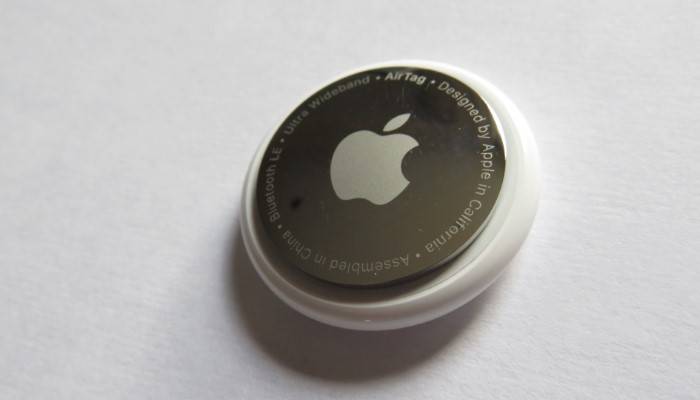
Overview
The AirTag is a small, circular tracking device developed by Apple. It is designed to be attached to personal items such as keys, bags, and wallets to help you locate them if they go missing.
Design and Build Quality
The AirTag features a sleek, minimalist design with a glossy white front and a stainless steel back. It is compact and lightweight, making it easy to attach to various items without adding bulk.
Key Features
- Precision Finding: Uses Ultra-Wideband technology for precise location tracking.
- Find My Network: Leverages Apple’s vast network of devices to help locate lost items.
- Replaceable Battery: Powered by a CR2032 coin cell battery with a lifespan of about one year.
- Water and Dust Resistance: Rated IP67, making it resistant to water and dust.
- Privacy and Security: Features end-to-end encryption to ensure your location data is secure.
Setting Up an AirTag
Initial Setup
Setting up an AirTag is straightforward. Simply bring the AirTag close to your iPhone, and a setup prompt will appear. Follow the on-screen instructions to complete the pairing process.
Customizing Settings
You can customize the AirTag’s settings through the Find My app, including naming the AirTag and assigning it to a specific item.
Integration with Apple Ecosystem
The AirTag seamlessly integrates with the Apple ecosystem, allowing you to use it with your iPhone, iPad, and other Apple devices.
Using AirTag for Tracking
How to Track an Item
To track an item, open the Find My app on your iPhone or iPad. Select the AirTag from your list of devices, and the app will display its last known location on a map.
Precision Finding
When you are close to your AirTag, Precision Finding uses Ultra-Wideband technology to provide detailed directions to your lost item, including distance and direction.
Lost Mode
If you lose an item with an AirTag attached, you can enable Lost Mode in the Find My app. This will notify you when the AirTag is detected by another device in the Find My network.
Battery Life and Replacement
Battery Life Expectancy
The AirTag is powered by a CR2032 coin cell battery, which typically lasts about one year under normal usage conditions.
How to Replace the Battery
- Prepare the New Battery: Have a new CR2032 battery ready.
- Open the AirTag: Press down on the stainless steel back cover and rotate it counterclockwise.
- Remove the Old Battery: Take out the old battery and insert the new one with the positive side facing up.
- Reassemble the AirTag: Align the cover with the AirTag and rotate it clockwise until it clicks into place.
Battery Notifications
The Find My app will notify you when the AirTag battery is running low, giving you ample time to replace it.
Comparing AirTag with Other Trackers
Tile Trackers
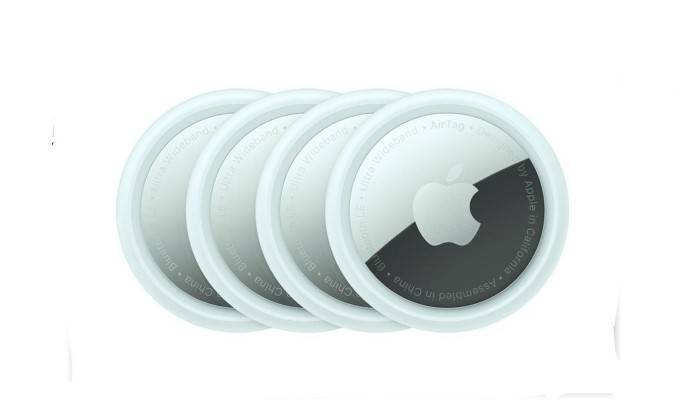
Tile trackers are a popular alternative to AirTags. They use Bluetooth technology to track items and have a similar app-based interface. However, Tile lacks the extensive Find My network and Precision Finding capabilities of AirTag.
Samsung Galaxy SmartTag
Samsung Galaxy SmartTag is specifically designed for use within the Samsung ecosystem, offering robust tracking features and integration with Samsung’s SmartThings app. It provides a seamless experience for Samsung users.
Chipolo One
Chipolo One trackers offer a comparable experience to AirTags, with Bluetooth tracking and app integration. However, they do not match the seamless integration and advanced privacy features of AirTags.
Comparison Table
| Feature | Apple AirTag | Tile Trackers | Samsung Galaxy SmartTag | Chipolo One |
| Bluetooth Tracking | Yes | Yes | Yes | Yes |
| Ultra-Wideband Technology | Yes | No | No | No |
| Find My Network | Yes | No | No | No |
| Precision Finding | Yes | No | Yes | No |
| Privacy and Security | End-to-End Encryption | Basic | Advanced | Basic |
| Lost Mode | Yes | Yes | Yes | Yes |
Privacy and Security Features
End-to-End Encryption
AirTags use end-to-end encryption to ensure that your location data is secure. The location data and history are never stored on the AirTag itself. Communication with the Find My network is encrypted, ensuring that only you can see where your AirTag is located.
Anti-Stalking Measures
Apple has implemented measures to prevent AirTags from being used to track individuals without their consent. If an unknown AirTag is detected moving with you, your iPhone will alert you. This feature ensures that AirTags cannot be used to track people without their knowledge.
Lost Mode
Enabling Lost Mode allows the AirTag to send notifications when detected by another device in the Find My network. You can enter contact information to help anyone who finds your AirTag to reach you.
Practical Uses for AirTags
Everyday Items
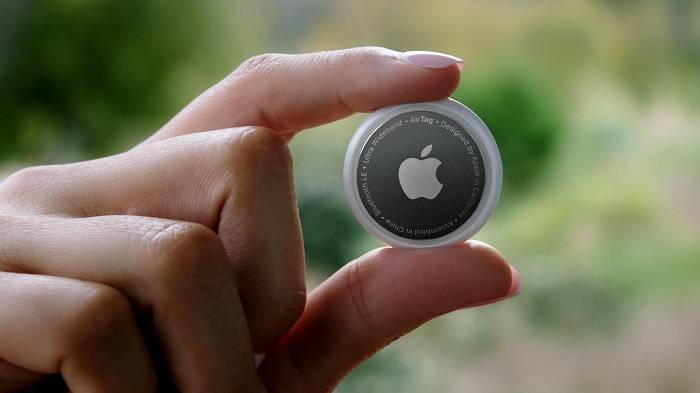
AirTags can be attached to everyday items such as keys, wallets, and bags, ensuring that you can quickly locate them if they go missing.
Traveling
When traveling, attaching an AirTag to your luggage can provide peace of mind, knowing that you can track your bags if they get lost.
Pet Tracking
While AirTags are not specifically designed for pets, many users attach them to pet collars to keep track of their furry friends.
Vehicle Tracking
Attaching an AirTag to your car keys or placing one inside your vehicle can help you locate it in a large parking lot or if it gets stolen.
Enhancing AirTag Usage
Regularly Check Battery Status
Monitor the battery status of your AirTags through the Find My app and replace them promptly when needed to ensure continuous tracking.
Customize AirTag Names
Customize the names of your AirTags to reflect the items they are attached to, making it easier to manage multiple AirTags in the Find My app.
Use Protective Accessories
Consider using protective accessories such as keychain holders or waterproof cases to enhance the durability and longevity of your AirTags. These accessories provide an extra layer of protection against water and physical damage, ensuring your AirTags remain functional in various conditions.
Avoid Extreme Conditions
Avoid exposing your AirTags to extreme temperatures or harsh conditions to prevent damage and ensure they continue to function effectively. Keep them away from water and dust as much as possible to maintain their performance.
Frequently Asked Questions
How long does the AirTag battery last?
The AirTag battery typically lasts about one year under normal usage conditions. The Find My app will notify you when the battery is running low.
Can you replace the AirTag battery?
Yes, you can replace the AirTag battery with a new CR2032 coin cell battery. The process is simple and can be done in a few steps.
Is the AirTag waterproof?
The AirTag has an IP67 rating, making it resistant to water and dust. It can withstand being submerged in water up to 1 meter for 30 minutes.
How does Precision Finding work?
Precision Finding uses Ultra-Wideband technology to provide detailed directions to your lost item, including distance and direction, when you are close to your AirTag.
Can AirTags be used to track people without their consent?
No, Apple has implemented anti-stalking measures to prevent AirTags from being used to track individuals without their consent. Your iPhone will alert you if an unknown AirTag is detected moving with you.
Related Post:
Best AirTag for Android: Top Alternatives for Effective Tracking
AirTag Batteries: Everything You Need to Know
What is an AirTag? A Comprehensive Guide to Apple’s Tracking Device
Can You Use AirTag with Android? A Comprehensive Guide
This comprehensive AirTag review highlights the many features and benefits of Apple’s tracking device. From its precision tracking capabilities and extensive Find My network integration to its robust privacy and security features, the AirTag is a valuable tool for keeping track of your belongings. By understanding how to replace the battery, utilize its features, and maintain its functionality, you can maximize the benefits of owning an AirTag.