


Apple’s AirTag is a popular device for keeping track of personal items like keys, wallets, and bags. A common question among users is, “Does AirTag need to be charged?” In this comprehensive guide, we will explore this question, provide detailed information about AirTag’s battery life, and discuss related topics to ensure you get the most out of your AirTag.
Understanding AirTag Battery Requirements
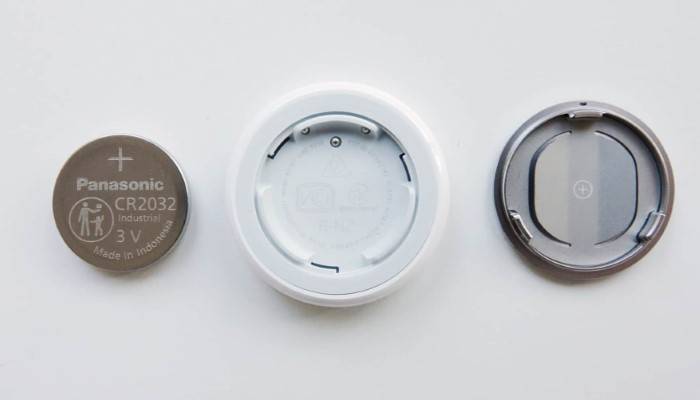
Does AirTag Need to Be Charged?
The straightforward answer to the question “does AirTag need to be charged” is no. AirTags are designed with a user-replaceable CR2032 coin cell battery, which does not require recharging. This battery typically lasts about a year before needing replacement.
Key Features of AirTag Batteries
- Type: Uses a CR2032 coin cell battery.
- Lifespan: Approximately one year of usage.
- Replacement: Easily replaceable by the user.
How to Replace the AirTag Battery
Step-by-Step Guide
- Prepare a New Battery: Purchase a CR2032 coin cell battery, widely available at most electronics stores.
- Open the AirTag: Press down on the stainless steel back cover of the AirTag and rotate it counterclockwise until it stops.
- Remove the Old Battery: Lift the cover and remove the old battery from the AirTag.
- Insert the New Battery: Place the new CR2032 battery in the AirTag, ensuring the positive side (+) is facing up.
- Reassemble the AirTag: Align the three tabs on the cover with the slots on the AirTag, then press down and rotate clockwise until the cover is secure.
Tips for Battery Replacement
- Check Battery Orientation: Ensure the positive side of the battery is facing up when inserted.
- Listen for the Sound: The AirTag will emit a sound to indicate the new battery is properly installed.
Monitoring AirTag Battery Life
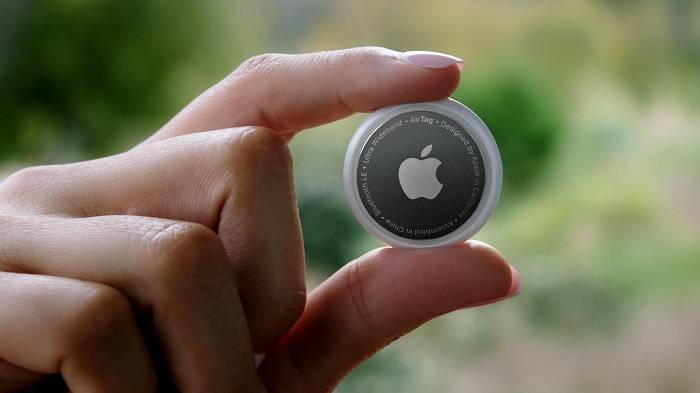
Using the Find My App
- Open the Find My App: Launch the Find My app on your iPhone or iPad.
- Select Your AirTag: Tap on the Items tab and select your AirTag from the list.
- Check Battery Status: The battery status is displayed under the AirTag’s name.
Low Battery Notifications
When the AirTag’s battery is running low, you will receive a notification on your iPhone, giving you ample time to replace the battery.
Related Topics
Benefits of AirTag’s Battery Design
- No Need for Charging: The CR2032 battery design eliminates the need for charging cables or stations.
- Long Battery Life: With an approximate one-year lifespan, the battery requires infrequent replacement.
- Easy Replacement: The design allows for easy user replacement without professional assistance.
Comparison with Other Trackers
- Tile Trackers: Tile offers rechargeable and replaceable battery options, but the convenience of AirTag’s CR2032 battery stands out.
- Samsung Galaxy SmartTag: Similar to AirTag, it uses a replaceable CR2032 battery, offering comparable convenience.
- Chipolo One: Uses a replaceable battery like AirTag, but with a shorter lifespan of about six months.
Enhancing AirTag Performance
- Regular Battery Checks: Periodically check the battery status in the Find My app to avoid unexpected power loss.
- Proper Storage: Store your AirTag in a cool, dry place to extend battery life.
- Avoid Extreme Temperatures: Keep the AirTag away from extreme heat or cold, which can affect battery performance.
Practical Uses of AirTag
Tracking Everyday Items
Attach AirTags to frequently misplaced items such as keys, wallets, and bags to keep track of them easily using the Find My app.
Traveling
Attach an AirTag to your luggage to ensure you can track your bags throughout your journey, providing peace of mind during travel.
Pet Tracking
Secure an AirTag to your pet’s collar to keep track of their location, especially useful in case they wander off.
Vehicle Tracking
Place an AirTag in your car to help locate it in large parking lots or if it gets stolen.
Comparing AirTag with Other Trackers
Tile Trackers
Tile offers a variety of tracking devices, some with replaceable batteries and others with rechargeable options. However, AirTag’s integration with the Apple ecosystem and the convenience of not needing to recharge give it an edge.
Samsung Galaxy SmartTag
Samsung’s SmartTag also uses a CR2032 replaceable battery, offering a similar user experience to AirTag. However, it is designed for use within the Samsung ecosystem, making AirTag a better choice for Apple users.
Chipolo One
Chipolo One offers Bluetooth tracking and a replaceable battery but has a shorter battery life compared to AirTag. AirTag’s seamless integration with Apple devices makes it a more convenient choice for iPhone users.
Enhancing Your AirTag Experience
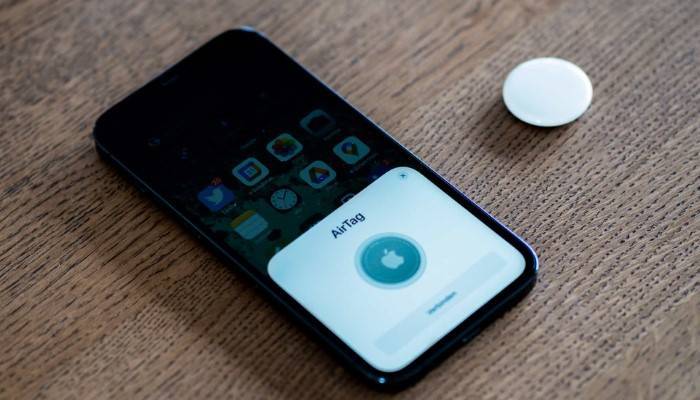
Using Protective Accessories
- Keychain Holders: Attach your AirTag to keys or bags using a protective keychain holder.
- Pet Collars: Use specialized holders to attach AirTag to your pet’s collar for easy tracking.
- Luggage Tags: Secure your AirTag to luggage or backpacks with durable tags.
Customizing AirTag Names
Customize the name of your AirTag in the Find My app to reflect the item it is attached to, making it easier to manage multiple AirTags.
Software Updates
Keep your iPhone and the Find My app updated to the latest versions to benefit from new features and security improvements.
Frequently Asked Questions
Does AirTag need to be charged?
No, AirTag does not need to be charged. It uses a replaceable CR2032 coin cell battery that lasts about a year.
How do I know when to replace my AirTag battery?
You will receive a notification on your iPhone when the battery is running low. Additionally, you can check the battery status in the Find My app.
What type of battery does AirTag use?
AirTag uses a CR2032 coin cell battery, which is widely available and easy to replace.
How long does the AirTag battery last?
The AirTag battery typically lasts about one year, depending on usage.
Can I use rechargeable batteries in AirTag?
It is recommended to use non-rechargeable CR2032 coin cell batteries, as they provide the appropriate voltage and size required for optimal performance.
Related Post:
AirTag for Wallet: The Ultimate Guide to Keeping Your Valuables Safe
How to Connect to AirTag: A Step-by-Step Guide and Tips for Optimal Use
Apple AirTag for Dog: A Comprehensive Guide to Keeping Your Pet Safe
Understanding that an AirTag does not need to be charged but instead uses a replaceable CR2032 battery can significantly enhance your experience with this device. By following the steps outlined in this guide, you can ensure your AirTag remains functional and reliable. This comprehensive guide has covered everything from setup to battery replacement and related topics, providing you with all the information needed to make the most of your AirTag.