


Keeping track of your furry friend can be a challenge, especially if they love to explore. A dog AirTag is a practical solution that offers peace of mind by ensuring you can always locate your pet. This comprehensive guide will explain everything you need to know about using a dog AirTag, including its benefits, setup process, and related topics to help you make an informed decision.
What is a Dog AirTag?
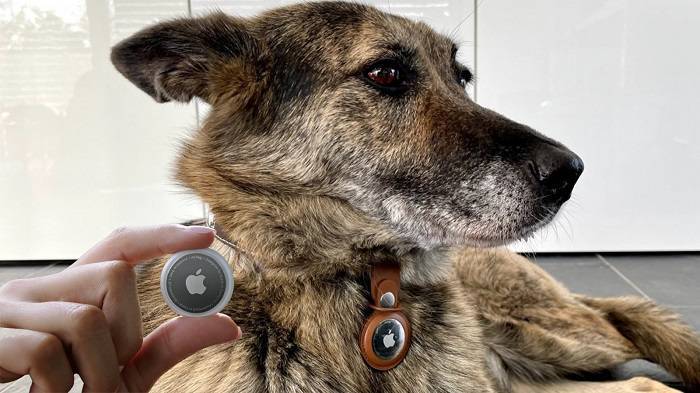
Introduction to AirTag
An AirTag is a small, circular tracking device developed by Apple. It helps users locate personal items such as keys, wallets, bags, and pets using the Find My app on an iPhone or other Apple devices.
What is a Dog AirTag?
A dog AirTag is an AirTag that is specifically used to track your dog’s location. It is attached to your dog’s collar, allowing you to monitor their whereabouts through the Find My app, providing an extra layer of security and peace of mind.
Benefits of Using a Dog AirTag
Enhanced Safety
The primary benefit of using a dog AirTag is the enhanced safety it provides. Knowing your dog’s exact location at all times reduces the risk of losing them, especially in unfamiliar environments or busy areas.
Peace of Mind
With a dog AirTag, you gain peace of mind knowing that you can quickly locate your dog if they wander off or get lost. This is particularly useful for outdoor and adventurous dogs.
Easy Integration with Apple Devices
The AirTag seamlessly integrates with Apple’s ecosystem, making it easy to set up and use with your existing Apple devices. The Find My app provides a user-friendly interface for tracking your dog.
How to Set Up a Dog AirTag
Initial Setup of AirTag
Before you can use the AirTag with your dog’s collar, you need to set it up:
- Unbox Your AirTag: Remove the AirTag from its packaging.
- Activate the AirTag: Pull out the tab to activate the battery.
- Bring Your iPhone Close: Hold the AirTag near your iPhone. A setup animation will appear on your screen.
- Follow On-Screen Instructions: Tap ‘Connect’ and follow the prompts to name your AirTag and register it to your Apple ID.
Attaching the AirTag to the Collar
Once the AirTag is set up, follow these steps to attach it to your dog’s collar:
- Choose the Right Collar: Select a collar designed to hold an AirTag securely. Look for features like a dedicated slot or pouch.
- Insert the AirTag: Place the AirTag in the slot or pouch on the collar, ensuring it is secure and won’t fall out.
- Adjust the Collar: Fit the collar around your dog’s neck, making sure it is snug but not too tight. You should be able to fit two fingers between the collar and your dog’s neck.
Using the Find My App
To locate your dog using the Find My app:
- Open the Find My App: Launch the app on your iPhone.
- Select Your AirTag: Tap on the Items tab, then select your dog’s AirTag from the list.
- View Location: The app will display the current or last known location of your dog.
- Use Precision Finding: If you are close to your dog, use Precision Finding for more accurate directions.
Practical Uses for a Dog AirTag
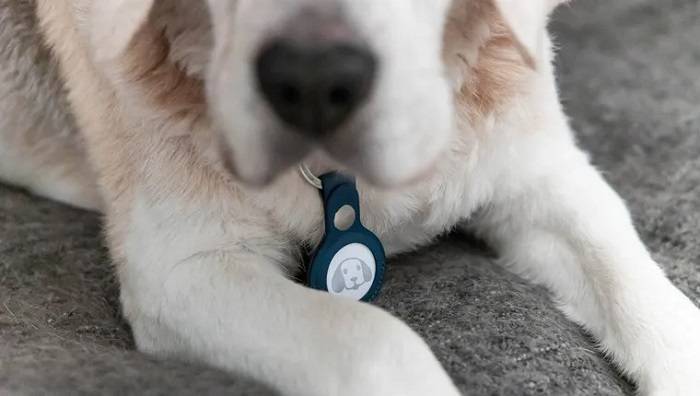
Daily Monitoring
For daily use, having an AirTag on your dog’s collar ensures you can easily locate them around the house or yard. If your dog tends to hide in unusual places, the AirTag can help you find them quickly.
Outdoor Adventures
If your dog enjoys outdoor adventures, a dog AirTag is invaluable. It allows you to track their movements and ensure they are safe while exploring the neighborhood or park.
Traveling
When traveling with your dog, an AirTag collar provides an added layer of security. Whether in a car, hotel, or unfamiliar location, you can keep track of your dog’s whereabouts.
Visiting Friends or Family
If you bring your dog along when visiting friends or family, an AirTag collar helps ensure they don’t wander off in an unfamiliar environment.
Emergencies
In case of emergencies, such as your dog escaping during a stressful event, having an AirTag collar ensures you can locate them quickly and bring them back to safety.
Choosing the Best Dog AirTag Collar
Features to Look For
When choosing a dog AirTag collar, consider the following features:
- Dedicated AirTag Slot: Ensure the collar has a secure slot or pouch for the AirTag.
- Material: Choose durable and comfortable materials that won’t irritate your dog’s skin.
- Adjustability: Look for adjustable collars to ensure a perfect fit.
- Breakaway Safety: Opt for collars with breakaway safety features to prevent choking hazards.
Popular Brands
Several brands offer high-quality dog AirTag collars. Some popular options include:
- Pawfit: Known for durable and functional designs.
- Fiddo: Offers stylish and comfortable collars with secure AirTag slots.
- Belkin: Provides reliable and affordable AirTag collar accessories.
- Nomad: Features premium materials and innovative designs for pet collars.
Comparing Dog AirTag Collars with Other Tracking Devices
Tile Trackers
Tile trackers are a popular alternative to AirTags. They use Bluetooth technology to track items and have a similar app-based interface. However, Tile lacks the extensive Find My network and Precision Finding capabilities of AirTag.
GPS Collars
GPS collars provide real-time tracking and are suitable for extensive outdoor adventures. They offer more advanced tracking features but can be bulkier and more expensive than AirTag collars.
RFID Tags
RFID tags are passive and do not provide real-time tracking. They require a scanner to read the tag, making them less convenient than AirTags for continuous monitoring.
Comparison Table
| Feature | Dog AirTag Collar | Tile Trackers | GPS Collars | RFID Tags |
| Bluetooth Tracking | Yes | Yes | No | No |
| Ultra-Wideband Technology | Yes | No | No | No |
| Find My Network | Yes | No | No | No |
| Precision Finding | Yes | No | No | No |
| Real-Time Tracking | No | No | Yes | No |
| Size and Weight | Lightweight | Lightweight | Heavier | Lightweight |
| Battery Life | Up to 1 Year | Varies | Varies | Passive (No Battery) |
Privacy and Security Features
End-to-End Encryption
AirTags use end-to-end encryption to ensure that your location data is secure. The location data and history are never stored on the AirTag itself. Communication with the Find My network is encrypted, ensuring that only you can see where your AirTag is located.
Anti-Stalking Measures
Apple has implemented measures to prevent AirTags from being used to track individuals without their consent. If an unknown AirTag is detected moving with you, your iPhone will alert you. This feature ensures that AirTags cannot be used to track people without their knowledge.
Lost Mode
Enabling Lost Mode allows the AirTag to send notifications when detected by another device in the Find My network. You can enter contact information to help anyone who finds your dog to reach you.
Environmental Considerations
Battery Life and Replacement
The battery in an AirTag typically lasts about one year under normal usage conditions. The Find My app will notify you when the battery is running low, ensuring you have ample time to replace it.
Proper Disposal of Batteries
Proper disposal of old batteries is crucial for environmental sustainability. Used CR2032 batteries should be recycled at designated battery recycling centers to prevent harmful chemicals from entering the environment.
Eco-Friendly Collar Options
Consider choosing eco-friendly AirTag collars made from sustainable materials. Brands like Pawfit and Fiddo offer environmentally friendly options that do not compromise on quality or functionality.
Practical Tips for Using a Dog AirTag
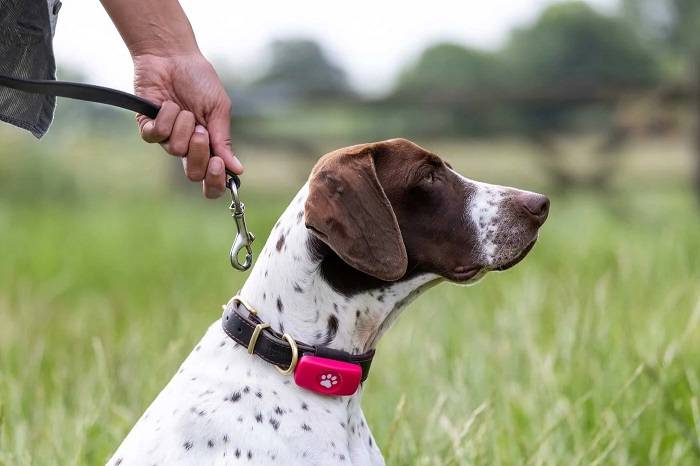
Regularly Check Battery Status
Monitor the battery status of your dog’s AirTag through the Find My app and replace it promptly when needed to ensure continuous tracking.
Customize AirTag Names
Customize the names of your AirTags to reflect the items or pets they are attached to, making it easier to manage multiple AirTags in the Find My app.
Use Protective Accessories
Consider using protective accessories such as keychain holders or waterproof cases to enhance the durability and longevity of your AirTags. These accessories provide an extra layer of protection against water and physical damage, ensuring your AirTags remain functional in various conditions.
Avoid Extreme Conditions
Avoid exposing your AirTags to extreme temperatures or harsh conditions to prevent damage and ensure they continue to function effectively. Keep them away from water and dust as much as possible to maintain their performance.
Frequently Asked Questions
What is a dog AirTag?
A dog AirTag is an AirTag specifically used to track your dog’s location, attached to their collar to provide real-time location tracking through the Find My app.
How do I set up an AirTag for my dog’s collar?
To set up an AirTag, activate it by pulling out the tab, hold it near your iPhone to initiate setup, follow the on-screen instructions, and place the AirTag in the dedicated slot on the collar.
How long does the AirTag battery last?
The AirTag battery typically lasts about one year under normal usage conditions. The Find My app will notify you when the battery is running low.
Can I track my dog if they go outside the Bluetooth range?
Yes, if your dog goes outside the Bluetooth range, the Find My network will use nearby Apple devices to help locate your dog’s AirTag and update its location.
Are AirTags secure and private?
Yes, AirTags use end-to-end encryption to ensure that your location data is secure and only accessible by authorized users. Apple has also implemented anti-stalking measures to enhance security.
Related Post:
Mastering Airtag Battery Replacement: A Comprehensive Guide
How Long Does an Airtag Battery Last? Everything You Need to Know
A Comprehensive Guide to Changing Your Airtag Battery
Safeguard Your Airtag: A Comprehensive Guide to Airtag Cases
A dog AirTag is a smart and efficient way to keep track of your furry friend, ensuring their safety and giving you peace of mind. By integrating an AirTag into your dog’s collar, you can enjoy the benefits of Apple’s robust tracking technology. Whether for everyday use, outdoor adventures, or travel, a dog AirTag collar is a valuable addition to your pet care toolkit.