

When your Samsung freezer is not making ice, it can be frustrating, especially when you rely on it daily for cold drinks or food preservation. Ice makers in Samsung freezers are generally reliable, but sometimes they stop producing ice due to various reasons ranging from simple issues like water supply problems to more complex mechanical faults. This comprehensive guide will help you understand why your Samsung freezer may not be making ice and what you can do to fix it.
Understanding the Samsung Freezer Ice Maker
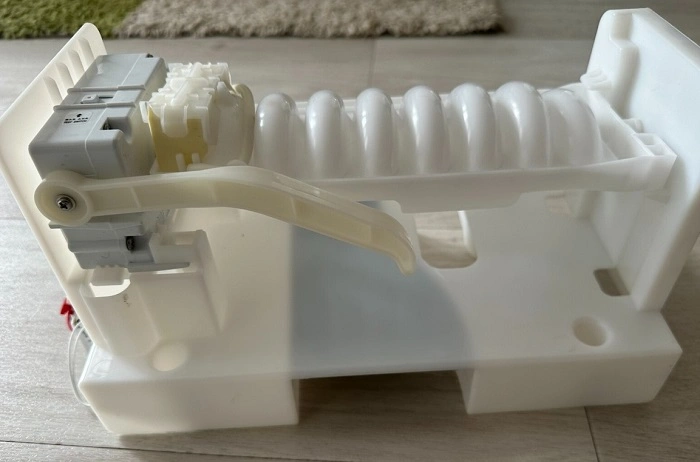
Samsung freezers come with built-in ice makers that automatically produce ice cubes using a water line connected to your home’s plumbing. The ice maker fills with water, freezes it, and then ejects the cubes into the ice bin. When everything functions properly, you barely notice the process, but when your Samsung freezer is not making ice, it signals a problem that needs attention.
Common Reasons Why Your Samsung Freezer Is Not Making Ice
Water Supply Issues
One of the primary reasons a Samsung freezer stops making ice is a problem with the water supply.
- Water line kinked or blocked: If the water supply tube is bent or clogged, water can’t flow into the ice maker.
- Water filter clogged or expired: A dirty or expired filter restricts water flow.
- Water supply valve turned off: The valve supplying water to your freezer may have been accidentally closed.
- Frozen water line: The tube carrying water can freeze if the freezer temperature is too low.
Ice Maker is Turned Off or Malfunctioning
Sometimes, the ice maker might be switched off or malfunctioning internally.
- Ice maker toggle switch off: Samsung models usually have an on/off switch or button.
- Mechanical failure: Components like the motor, ejector blades, or sensors can fail.
- Ice maker jammed: Ice cubes can get stuck, preventing new ice from forming.
Temperature Issues
The freezer’s temperature directly affects ice production.
- Freezer too warm: If the freezer temperature is above 10°F (-12°C), ice making slows or stops.
- Temperature sensor failure: The ice maker may not activate if sensors malfunction.
Other Causes
- Door left open: If the freezer door isn’t sealed properly, the temperature rises, affecting ice making.
- Faulty control board: The control board that manages the ice maker might be defective.
- Defrost system issues: Frost buildup can block water lines or sensors.
How to Troubleshoot When Your Samsung Freezer Is Not Making Ice
Step 1: Check the Water Supply
Start with the water supply to your Samsung freezer.
- Verify the water valve is fully open.
- Inspect the water line for kinks or damage.
- Replace the water filter if it’s clogged or over six months old.
- Check for frozen water lines and thaw gently if necessary.
Step 2: Confirm Ice Maker Is Turned On
Make sure the ice maker is active.
- Look for the ice maker switch inside the freezer compartment.
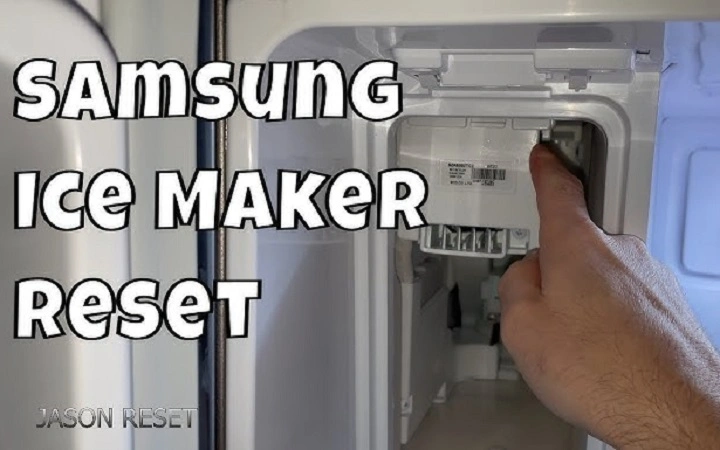
- Press the test or reset button on the ice maker module to restart it.
- Consult your model’s manual for specific instructions.
Step 3: Inspect the Freezer Temperature
Ensure the freezer is cold enough to make ice.
- Set the temperature between 0°F and 5°F (-18°C to -15°C).
- Avoid frequently opening the freezer door.
- Check if the temperature sensor is functioning correctly.
Step 4: Look for Ice Blockages
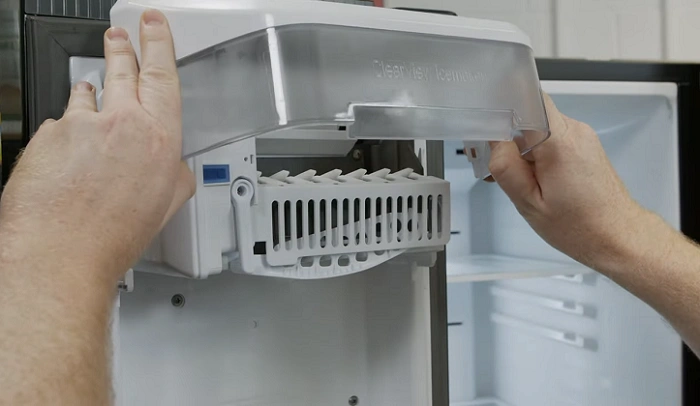
Inspect the ice maker and bin for blockages.
- Remove ice buildup or jams by carefully clearing stuck cubes.
- Check the ejector arm and make sure it moves freely.
Step 5: Reset the Ice Maker
Resetting the ice maker can fix minor glitches.
- Locate the reset button on the ice maker module.
- Hold the button for about 10 seconds until the unit cycles.
- Wait to see if ice production resumes.
When to Call a Professional
If after these troubleshooting steps your Samsung freezer is still not making ice, it may be time to contact a professional technician. Complex issues like a faulty water inlet valve, broken ice maker motor, or control board failure require expert repair.
Preventive Tips to Keep Your Samsung Freezer Ice Maker Working Smoothly
- Replace water filters every 6 months or as recommended.
- Avoid setting freezer temperatures too low.
- Keep the freezer door properly closed.
- Regularly check water lines for damage or blockages.
- Perform routine cleaning to prevent ice jams.
FAQs About Samsung Freezer Not Making Ice
Why is my Samsung freezer not making ice even though it’s cold?
If the freezer temperature is correct but ice isn’t forming, the water supply might be blocked, or the ice maker could be turned off or malfunctioning.
How do I reset my Samsung ice maker?
Most Samsung ice makers have a reset button on the module inside the freezer. Press and hold it for about 10 seconds until you hear a click or the unit cycles.
Can a clogged water filter cause my Samsung freezer to stop making ice?
Yes, a clogged or old water filter reduces water flow and can prevent ice production. Replace it regularly to maintain performance.
What temperature should my Samsung freezer be set to for optimal ice production?
The ideal freezer temperature for ice making is between 0°F and 5°F (-18°C to -15°C). Higher temperatures can slow or stop ice formation.
How long does it take for a Samsung freezer ice maker to start producing ice after installation?
Typically, the ice maker begins producing ice within 12 to 24 hours after installation or after refilling the water supply.
When your Samsung freezer is not making ice, the cause is often related to water supply problems, temperature settings, or ice maker malfunctions. By following the troubleshooting steps above, you can diagnose and often resolve the issue yourself. Remember to keep your water filter fresh, freezer temperature optimal, and ice maker clear of jams to enjoy consistent ice production. If problems persist, seek professional help to avoid further damage and costly repairs.