

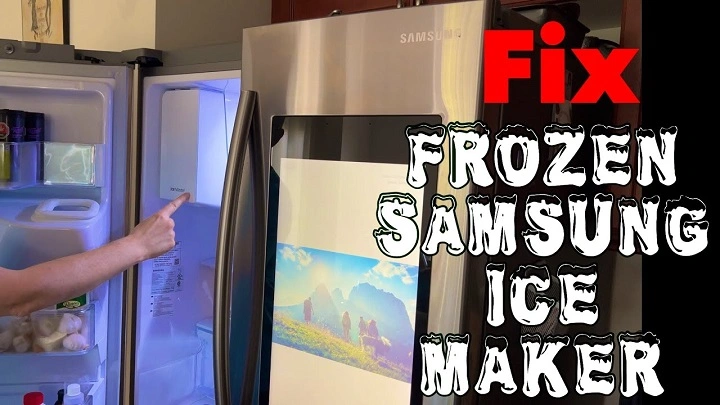
If your Samsung refrigerator’s ice maker isn’t working properly, it can be a real inconvenience, especially during hot weather or when you’re hosting guests. Fortunately, many common ice maker issues can be solved by simply resetting it. Whether the ice maker isn’t producing ice, making too little ice, or has stopped working entirely, a reset can often help restore its function. In this guide, we’ll walk you through the steps for resetting your Samsung ice maker and troubleshooting common issues.
Why You Might Need to Reset Your Samsung Ice Maker
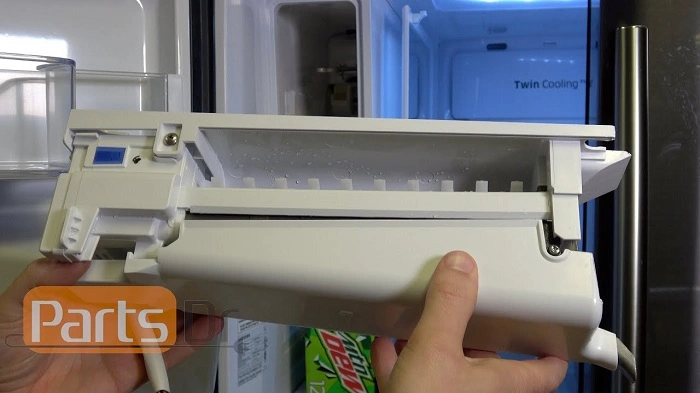
Before diving into the reset process, let’s first understand why your Samsung ice maker might need a reset. Some of the most common issues include:
- No Ice Production: The ice maker isn’t producing ice, or the bin is empty even though the machine should be making ice.
- Slow Ice Production: The ice maker is producing ice, but at a slower rate than usual.
- Irregular Ice Quality: The ice may be misshapen, too small, or have air bubbles, which can happen when the system isn’t functioning correctly.
- Error Codes or Malfunctions: Your fridge may show an error code related to the ice maker or experience malfunctions that prevent it from working properly.
Resetting your Samsung ice maker can help resolve these issues, but if the problem persists after resetting, there may be an underlying mechanical or electrical issue that requires professional assistance.
How to Reset Your Samsung Ice Maker (Basic Method)
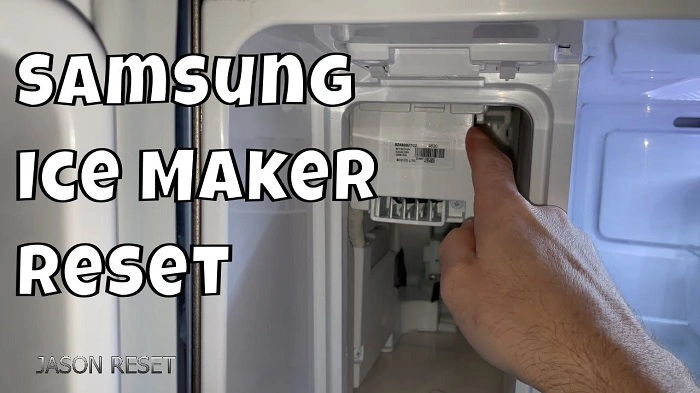
Samsung refrigerators typically feature an automatic ice maker reset function that can be performed using the controls on the ice maker unit itself. The steps are relatively simple:
Turn Off the Ice Maker
- Locate the Ice Maker: The ice maker is usually located in the freezer section of your Samsung fridge. Look for the ice bin and control panel attached to the unit.
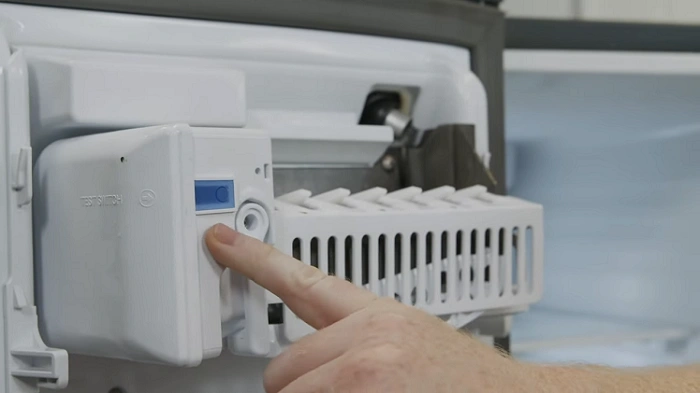
- Turn off the Ice Maker: Find the on/off switch or the power button on the control panel of the ice maker. Press the button to turn off the unit. If your Samsung fridge has a button that controls the entire ice maker, make sure to turn it off.
Unplug the Refrigerator (Optional)
While not always necessary, it can help to unplug the refrigerator for about 5 to 10 minutes. This step will ensure that any residual power is drained from the appliance and can help reset its internal circuits.
Press the Reset Button
- Press and Hold the Reset Button: On many Samsung refrigerators, there’s a reset button on the ice maker unit. This button is typically located near the on/off switch. Press and hold the reset button for 10 seconds.
- Wait for the Reset Process to Complete: After holding the reset button for 10 seconds, release it and give the system a few minutes to reset. You may hear a sound indicating that the reset was successful.
Turn the Ice Maker Back On
Once you’ve completed the reset, press the on/off switch to turn the ice maker back on. Check to see if the ice maker begins to function properly. It may take a few hours for the ice maker to start producing ice again, so be patient.
Troubleshooting Tips if the Reset Doesn’t Work
If resetting the ice maker doesn’t resolve the issue, there are a few additional steps you can take to troubleshoot common problems:
Check the Water Supply
One of the most common reasons for an ice maker to malfunction is a disrupted water supply. Make sure the water line connected to the ice maker is properly installed and not kinked or blocked. Additionally, check for leaks or water valve issues.
Inspect the Ice Maker’s Components
Examine the ice maker for any visible issues, such as frozen components, blockages, or ice buildup. If there’s excessive ice buildup in the ice maker, it could prevent proper functioning. Defrost any ice or buildup that may be blocking the system.
Check the Temperature
For the ice maker to function correctly, the freezer temperature should be between 0°F and 5°F (-18°C to -15°C). If the temperature is too high, it may slow down or stop ice production. Check the freezer’s thermostat and adjust the temperature as necessary.
Examine the Ice Bin and Auger
Sometimes, a full ice bin or a malfunctioning auger (the part that moves ice from the maker to the bin) can prevent the ice maker from working properly. Make sure the ice bin is properly aligned and that the auger isn’t stuck or obstructed.
Resetting the Samsung Smart Ice Maker
If your Samsung fridge features a smart ice maker or has advanced features like Wi-Fi connectivity, the process may vary slightly. In these cases, the reset button might be located in the settings menu, and you may need to access it using the fridge’s control panel or the Samsung SmartThings app.
Use the Control Panel
- Navigate to the ice maker settings on the control panel of the fridge. You can do this by selecting Settings > Ice Maker.
- From there, you may find an option to reset the ice maker to its default settings. Follow the on-screen prompts to perform the reset.
Use the SmartThings App
If your Samsung refrigerator is connected to the SmartThings app, you can use the app to troubleshoot and reset the ice maker. Simply:
- Open the SmartThings app on your phone.
- Select your refrigerator from the list of connected devices.
- Look for the Ice Maker settings and follow the app’s instructions to reset the ice maker remotely.
When to Call a Professional
If the ice maker still isn’t working after resetting it and troubleshooting common issues, it may be time to call in a professional technician. Potential underlying issues could include:
- Faulty Water Valve: If the water valve isn’t functioning properly, it won’t allow water to flow into the ice maker.
- Damaged Ice Maker Motor: If the motor that drives the ice maker is malfunctioning, it could cause the unit to stop working.
- Electrical Problems: Issues with the refrigerator’s electrical system or wiring could prevent the ice maker from functioning properly.
A certified Samsung technician will be able to diagnose and fix more complex issues that require specialized tools and knowledge.
Preventing Future Ice Maker Issues
To prevent future problems with your Samsung ice maker, follow these maintenance tips:
- Regularly Clean the Ice Maker: Periodically clean the ice maker and ice bin to remove any built-up ice or debris. This can help ensure smooth operation.
- Check the Water Line: Make sure the water line is free from blockages and leaks, and replace the filter every six months to maintain water quality.
- Monitor Temperature Settings: Keep an eye on the freezer temperature to ensure it stays within the optimal range for ice production.
- Avoid Overloading the Ice Bin: Overfilling the ice bin can interfere with the auger and prevent the proper distribution of ice.
Resetting your Samsung ice maker is a simple and effective way to fix common problems like no ice production, slow ice making, or poor ice quality. By following the steps outlined in this guide, you should be able to quickly restore functionality to your ice maker. However, if the reset doesn’t work or the problem persists, it’s a good idea to consult with a professional repair technician to ensure there are no underlying issues with your appliance. With regular maintenance and attention, your Samsung ice maker should continue to keep your beverages cool and your kitchen running smoothly.