


Apple’s AirTag has quickly become a popular tool for keeping track of personal items. But what is an AirTag, and how does it work? This comprehensive guide will delve into everything you need to know about AirTags, from their features and functionality to tips for maximizing their use. We will also discuss related topics to provide a thorough understanding of this innovative device.
Understanding What is an AirTag
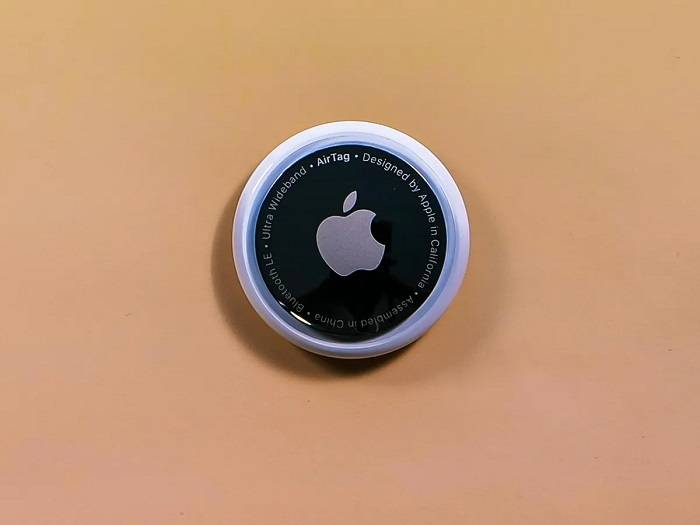
Introduction to AirTag
What is an AirTag? An AirTag is a small, circular tracking device developed by Apple to help you locate personal items such as keys, wallets, bags, and more. By attaching an AirTag to your items, you can easily find them using the Find My app on your iPhone or other Apple devices. AirTags are designed to work seamlessly within the Apple ecosystem, providing users with a reliable way to keep track of their belongings.
How Does an AirTag Work?
AirTags use Bluetooth technology to communicate with your Apple devices. When you lose an item with an AirTag attached, the Find My app shows its location on a map. If the item is nearby, you can use Precision Finding, which leverages Ultra-Wideband technology for accurate location tracking. Additionally, the Find My network, which consists of millions of Apple devices, can help locate your AirTag even if it’s not in Bluetooth range.
Key Features of AirTag
Precision Finding
One of the standout features of AirTags is Precision Finding. This feature uses Ultra-Wideband technology to provide precise location data, allowing you to see the exact distance and direction to your AirTag when it’s nearby. Precision Finding is available on iPhone models with a U1 chip, such as the iPhone 11 and later.
Find My Network
The Find My network leverages a vast and secure system of Apple devices to help locate your AirTag. If your AirTag is lost, it sends out a secure Bluetooth signal that nearby devices can detect. These devices then anonymously relay the location back to you, significantly expanding the effective range of your AirTag.
Privacy and Security
Apple has designed AirTags with privacy and security in mind. The location data and history are never stored on the AirTag itself. Communication with the Find My network is end-to-end encrypted, ensuring that only you can see where your AirTag is located. This design prevents unauthorized tracking and ensures your privacy is maintained.
Anti-Stalking Features
AirTag includes anti-stalking features to prevent unwanted tracking. If an unknown AirTag is found moving with you, your iPhone will alert you. You can then use your device to disable the AirTag. This feature ensures that AirTags cannot be used to track people without their knowledge.
Setting Up Your AirTag
How to Set Up an AirTag
Setting up an AirTag is a straightforward process:
- Unbox Your AirTag: Remove the AirTag from its packaging.
- Activate the AirTag: Pull out the tab to activate the battery.
- Bring Your iPhone Close: Hold the AirTag near your iPhone. A setup animation will appear on your screen.
- Follow On-Screen Instructions: Tap ‘Connect’ and follow the prompts to name your AirTag and register it to your Apple ID.
- Complete Setup: Once the setup is complete, your AirTag will appear in the Find My app.
Tips for Optimal Placement
For best results, place your AirTag in a location where it’s unlikely to experience interference or physical obstructions. For example, attaching it to the outside of a bag rather than inside a densely packed compartment can improve connectivity and accuracy.
Using AirTags for Everyday Items
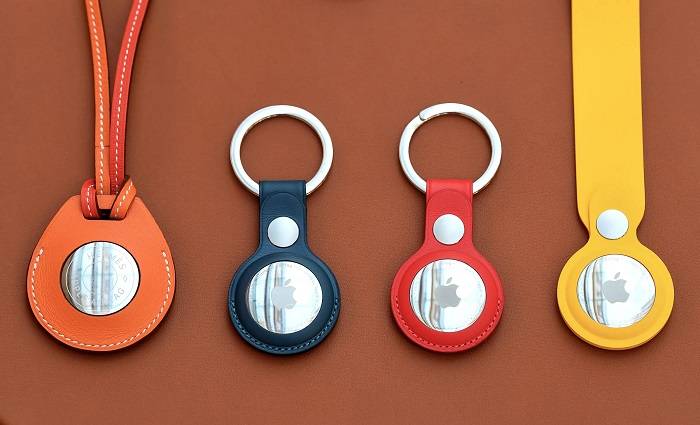
Keeping Track of Keys and Wallets
AirTags are ideal for tracking everyday items like keys and wallets. Attach an AirTag to your keyring or slip it into your wallet to ensure you can always locate these essential items quickly.
Monitoring Bags and Luggage
AirTags can also be used to keep track of bags and luggage, making them particularly useful for travelers. Place an AirTag in your suitcase to help you locate it at baggage claim or if it gets lost during your journey.
Pet Tracking
Attach an AirTag to your pet’s collar to monitor their whereabouts. This provides peace of mind knowing you can find your pet if they wander off. While AirTags are not a substitute for a dedicated pet tracker, they can be a useful addition for monitoring your pet’s location.
Securing Electronics
Attach AirTags to electronics like cameras, tablets, and laptops. This helps you locate these valuable items if they are misplaced or stolen. Securing your electronics with AirTags can protect your investment and ensure you always know where your devices are.
AirTag Maintenance and Battery Life
Battery Life of an AirTag
The battery life of an AirTag is approximately one year under normal usage conditions. When the battery is low, you will receive a notification from the Find My app.
Replacing the AirTag Battery
Replacing the battery is simple:
- Open the AirTag: Press and rotate the stainless steel back cover counterclockwise until it stops.
- Remove the Old Battery: Take out the depleted CR2032 battery.
- Insert the New Battery: Place a new CR2032 battery with the positive side facing up.
- Close the AirTag: Align the three tabs on the cover with the slots on the AirTag, press down, and rotate the cover clockwise until it stops.
Regular Maintenance Tips
Regularly check the battery status of your AirTag and replace it promptly when needed. Clean the AirTag and its contacts to ensure proper functioning. Using protective cases or holders can help shield your AirTag from environmental stressors that could impact its performance.
Comparing AirTags with Other Tracking Devices
Tile Trackers
Tile trackers are a popular alternative to AirTags. They also use Bluetooth technology for tracking and have similar features like community find. However, Tile trackers do not offer the same level of integration with Apple devices and lack Ultra-Wideband technology for Precision Finding.
Samsung Galaxy SmartTag
Samsung Galaxy SmartTag is another competitor in the tracking device market. It works best within the Samsung ecosystem and uses Bluetooth Low Energy (BLE) for tracking. While it offers robust tracking features, it is not compatible with Apple’s Find My network.
Chipolo
Chipolo trackers are another option, offering broad compatibility with both Android and iOS devices. They use Bluetooth for tracking and offer features like out-of-range alerts and community find. However, like Tile, they do not provide the same level of integration with Apple devices as AirTags.
Advanced Features and Future Updates
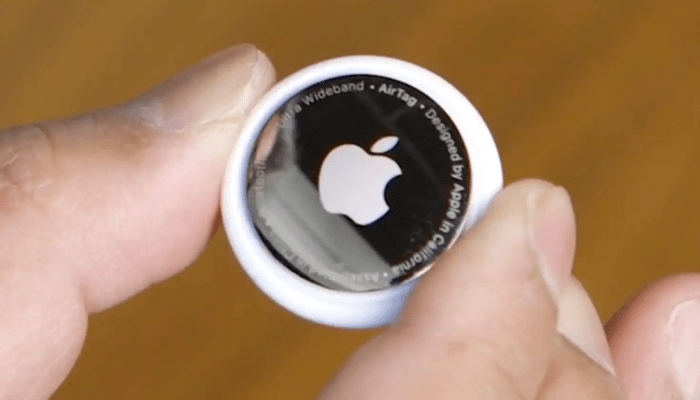
Upcoming Features for AirTag
Apple continuously updates its products to improve functionality and security. Future updates for AirTag may include enhancements to Precision Finding, expanded compatibility, and new anti-stalking measures.
Integrating AirTags with Smart Home Devices
AirTags can potentially be integrated with smart home devices through the Apple HomeKit. This integration could allow users to automate tasks based on the location of their AirTags, providing even greater convenience and functionality.
Expanding the Find My Network
As more Apple devices join the Find My network, the accuracy and reliability of AirTag tracking will continue to improve. This expansion will make it even easier to locate lost items quickly and efficiently.
Frequently Asked Questions
What is an AirTag?
An AirTag is a small, circular tracking device developed by Apple to help you locate personal items. It uses Bluetooth technology to communicate with Apple devices and can be tracked using the Find My app.
How does an AirTag work?
AirTags use Bluetooth to communicate with your Apple devices. When you lose an item with an AirTag attached, the Find My app shows its location on a map. If the item is nearby, you can use Precision Finding for accurate location tracking.
Can I use AirTags with Android devices?
AirTags are designed to work seamlessly within the Apple ecosystem. While Android users can interact with found AirTags using NFC, full functionality requires an Apple device.
How long does the AirTag battery last?
The AirTag battery is designed to last approximately one year under normal usage conditions. You will receive a notification from the Find My app when the battery is running low.
How do I replace the AirTag battery?
To replace the AirTag battery, press and rotate the back cover counterclockwise, remove the old CR2032 battery, insert a new one with the positive side facing up, and close the cover.
Related Post:
How to Set Up Apple AirTag: A Comprehensive Guide
How to Connect AirTag to iPhone: A Comprehensive Guide
How to Pair AirTag: A Comprehensive Guide
Understanding what an AirTag is and how it works can significantly enhance your ability to keep track of personal belongings. With features like Precision Finding, the Find My network, and robust privacy measures, AirTags offer a comprehensive solution for locating lost items. Whether you use AirTags for everyday items, travel, pets, or electronics, this guide ensures you get the most out of your Apple AirTag investment. Proper maintenance and utilizing advanced features will keep your AirTag functioning optimally, providing peace of mind and enhanced convenience in your daily life.