

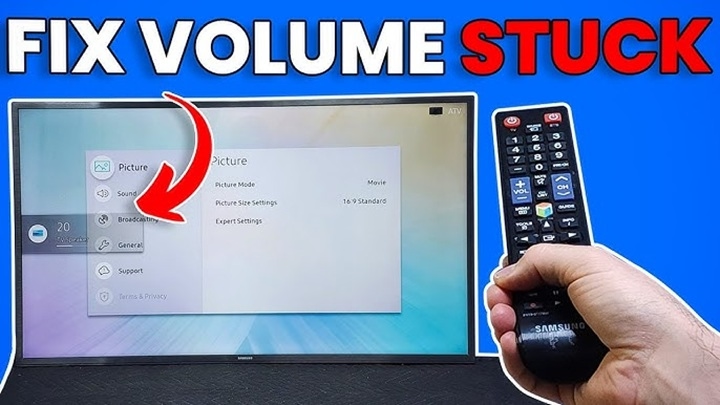
If you’ve ever experienced the frustration of your Samsung TV volume being stuck, you’re not alone. This issue can occur for a variety of reasons, from software glitches to faulty hardware, and it can make watching your favorite shows or movies impossible. Thankfully, there are several troubleshooting steps you can take to resolve this issue without needing professional help. In this guide, we’ll walk you through the causes of the Samsung TV volume stuck problem and how to fix it.
Why is the Samsung TV Volume Stuck?
There can be multiple reasons why the volume on your Samsung TV gets stuck. Some of the common causes include:
- Software Glitch: Sometimes, a simple software issue can cause the volume controls to become unresponsive. This can happen after a firmware update or when the TV has been running for an extended period without a restart.
- Remote Control Issues: If the remote control’s buttons are stuck or malfunctioning, it could cause the volume to remain at a specific level.
- External Devices: Devices connected to your Samsung TV, such as a soundbar, cable box, or gaming console, may interfere with volume controls.
- Audio Settings Misconfiguration: If the audio settings are not properly configured, your TV may not respond correctly to volume adjustments.
Basic Troubleshooting Steps to Fix Volume Issues
1. Check the Remote Control
The first step is to make sure your remote control is functioning properly. If buttons on the remote are stuck or malfunctioning, it can cause the volume to get stuck.
Steps:
- Test the remote on other functions like turning the TV on/off or changing channels. If those functions also don’t work, the remote may be the problem.
- If the remote seems to be the issue, try replacing the batteries. Sometimes, low battery power can cause malfunctioning.
- If the problem persists, try using a different remote (if you have one) to check if the issue lies with the original remote.
2. Power Cycle the TV
Sometimes, simply restarting your Samsung TV can solve minor software glitches. This can help reset the TV’s system and resolve issues like the volume being stuck.
Steps:
- Turn off your Samsung TV using the remote or the power button.
- Unplug the TV from the power outlet and wait for about 1-2 minutes.
- Plug the TV back in and turn it on.
- Check to see if the volume control is working again.
3. Check the TV’s Audio Settings
Incorrect audio settings can also lead to issues with volume control. Ensure that your Samsung TV’s audio settings are configured correctly.
Steps:
- Press the Home button on your remote to access the TV’s menu.
- Navigate to Settings > Sound.
- Check the Sound Output option and make sure it’s set to the correct audio output device (TV speakers, external soundbar, etc.).
- Make sure that the Mute function is not enabled and that the volume is set to a reasonable level.
- If you have an external audio device, such as a soundbar, ensure that it is turned on and properly connected.
4. Reset the TV Settings
If the volume still doesn’t adjust, you can perform a factory reset on your TV. This will return the TV to its default settings, which may resolve any underlying software issues causing the volume problem.
Steps:
- Press the Home button on the remote.
- Go to Settings > General > Reset.
- Enter the TV’s PIN (the default is usually 0000).
- Confirm the reset and let the TV restart.
- Once the TV restarts, check the volume to see if it’s working.
5. Disconnect External Devices
If you have external devices connected to your Samsung TV, such as a soundbar, home theater system, or cable box, these may be interfering with the volume control.
Steps:
- Disconnect all external devices from the TV.
- Restart the TV to see if the volume works without these devices connected.
- If the volume works fine without external devices, try reconnecting each device one at a time to identify the problematic device.
Advanced Troubleshooting Steps
If the basic steps don’t resolve the issue, you can try some advanced troubleshooting methods.
1. Check for Software/Firmware Updates
Outdated firmware can sometimes lead to issues like the volume being stuck. Samsung regularly releases software updates that fix bugs and improve performance, including audio-related problems.
Steps:
- Press the Home button on your remote.
- Go to Settings > Support > Software Update.
- Select Update Now to check for the latest software update.
- If an update is available, download and install it.
2. Test Using a Different Audio Output
If you’re using an external audio system, like a soundbar or home theater, the volume control issue might be with the external device. You can test this by switching to the TV’s built-in speakers.
Steps:
- Press the Home button on the remote.
- Navigate to Settings > Sound > Sound Output.
- Select TV Speaker as the output.
- Check if the volume is responsive when using the built-in speakers.
3. Try a Universal Remote
If the issue is with the TV remote itself and replacing the batteries didn’t work, you can try using a universal remote control. This can help determine whether the problem lies with the original remote or the TV’s internal software.
When to Seek Professional Help
If none of the troubleshooting steps work, there may be a more serious hardware issue with your Samsung TV, such as a malfunctioning audio board. In this case, it’s best to contact Samsung support or a professional technician to get further assistance.
A stuck volume on your Samsung TV can be annoying, but it’s usually something that can be easily fixed with a few troubleshooting steps. Start by checking the remote, power cycling the TV, or adjusting the audio settings. If the issue persists, consider performing a reset or updating the software. Disconnecting external devices or using a different audio output can also help narrow down the cause. If you still can’t resolve the issue, don’t hesitate to reach out to Samsung’s customer support for further assistance.