


The ResMed AirSense 11 is a cutting-edge continuous positive airway pressure (CPAP) machine designed to provide effective treatment for sleep apnea and other sleep-related breathing disorders. One of the key features of the AirSense 11 is its adjustable pressure settings, which allow users to customize their therapy to suit their specific needs. In this comprehensive guide, we will explore the process of adjusting pressure settings on the ResMed AirSense 11, ensuring that you get the most comfortable and effective treatment possible.
Understanding the Importance of Pressure Settings

Before we delve into the steps to adjust pressure settings on the AirSense 11, let’s first understand why these settings matter:
- Individualized Treatment: Sleep apnea and other sleep-related breathing disorders vary in severity from person to person. The ability to adjust pressure settings ensures that your therapy is tailored to your specific needs, maximizing its effectiveness.
- Comfort: Finding the right pressure setting can significantly enhance your comfort during therapy, leading to better compliance and improved sleep quality.
- Adaptation: Over time, your needs may change. Being able to adjust pressure settings allows you to adapt to these changes without the need for a new CPAP machine.
- Addressing Side Effects: High or low pressure settings can sometimes lead to discomfort or side effects like dry mouth or mask leaks. Adjusting the pressure can help mitigate these issues.
Steps to Adjust Pressure Settings on the ResMed AirSense 11
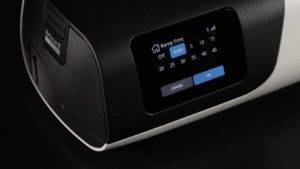
The ResMed AirSense 11 features a user-friendly interface and intuitive controls, making it relatively straightforward to adjust pressure settings. Here are the steps to do so:
- Power On the AirSense 11
Ensure that the AirSense 11 is properly plugged in and powered on. You should see the display screen come to life.
- Access the Clinical Menu
To access the clinical menu, you will need to follow these steps:
- Press and hold the home button (the round button with a house icon) and the center button (the round button with a checkmark icon) simultaneously for about 3 seconds.
This combination will take you to the clinical menu, where you can make adjustments to various settings, including pressure.
- Navigate to the Pressure Settings
Once you’re in the clinical menu, use the navigation buttons on the AirSense 11 to scroll through the options until you find “Pressure.”
- The navigation buttons typically consist of an up and down arrow and a back button. Use these buttons to navigate.
- Adjust the Pressure
Select the “Pressure” option, and you will have the ability to adjust the pressure settings. You can increase or decrease the pressure level based on your preferences or the recommendations of your healthcare provider.
- Confirm and Save Changes
After making the desired adjustments to the pressure settings, confirm and save the changes. This usually involves pressing the center button or a similar button to finalize your selection.
- Exit the Clinical Menu
Once you’ve saved the changes, exit the clinical menu by following these steps:
- Press and hold the home button and the center button simultaneously for about 3 seconds.
This will return you to the main screen of the AirSense 11, and your adjusted pressure settings will now be in effect.
Also Read: Do AirTags Need Wi-Fi? Understanding Connectivity and Functionality
Tips for Adjusting Pressure Settings
Here are some additional tips to keep in mind when adjusting pressure settings on your ResMed AirSense 11:
- Consult Your Healthcare Provider: Before making any adjustments to your pressure settings, it’s essential to consult your healthcare provider or sleep specialist. They can provide guidance on the appropriate pressure range for your specific condition and needs.
- Gradual Changes: If you and your healthcare provider decide to make changes to your pressure settings, it’s often best to make gradual adjustments. This allows your body to adapt to the new settings more comfortably.
- Monitor Your Progress: Keep track of how you feel and your sleep quality after adjusting pressure settings. If you experience any discomfort, side effects, or changes in your sleep patterns, report them to your healthcare provider.
- Use Mask Fit and Seal Check Features: The AirSense 11 often includes features like mask fit and seal check to help you ensure that your mask is properly fitted and sealed during therapy. These features can contribute to the effectiveness of your treatment.
- Regular Follow-Ups: Schedule regular follow-up appointments with your healthcare provider to assess your progress and make any necessary adjustments to your therapy.
The ResMed AirSense 11’s adjustable pressure settings are a valuable feature that allows users to personalize their CPAP therapy for optimal comfort and effectiveness. However, it’s crucial to work closely with your healthcare provider to determine the right pressure range for your specific needs and to make any adjustments under their guidance.
By following the steps outlined in this guide and adhering to the advice of your healthcare provider, you can fine-tune your pressure settings to enjoy a restful night’s sleep and effectively manage sleep apnea or other sleep-related breathing disorders. Remember that your comfort and well-being are paramount, and the AirSense 11 is a valuable tool to help you achieve a better quality of sleep.