

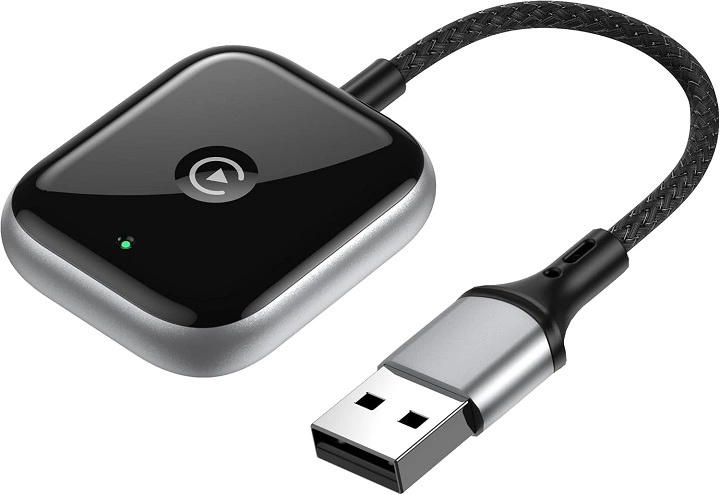
CarPlay has transformed the driving experience by allowing iPhone users to access maps, music, and apps through their car’s infotainment system. However, many vehicles only support wired CarPlay, requiring users to plug in their iPhone each time. A wireless CarPlay adapter solves this issue by converting a wired connection into a wireless one.
This guide explores how Apple Wireless CarPlay adapters work, their benefits, setup process, and the best options available.
What Is a Wireless CarPlay Adapter?
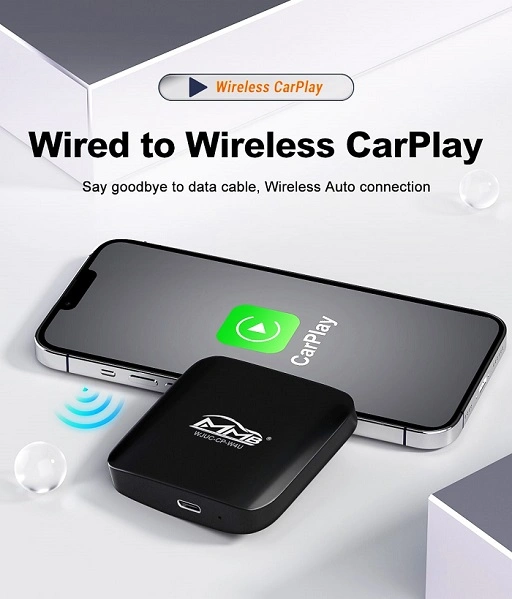
A wireless CarPlay adapter is a small device that connects to a car’s USB port and allows iPhone users to access CarPlay without plugging in a cable. It creates a wireless connection between the iPhone and the vehicle, allowing for seamless integration.
How Does a Wireless CarPlay Adapter Work?
A wireless CarPlay adapter acts as a bridge between the car’s infotainment system and the iPhone.
- The adapter plugs into the car’s USB port that normally supports wired CarPlay.
- It connects to the iPhone via Bluetooth for initial pairing.
- The adapter switches to Wi-Fi for a stable, high-speed connection.
- CarPlay launches automatically when the iPhone is in range.
Once set up, CarPlay functions the same as a wired connection, but without the need for cables.
Benefits of Using a Wireless CarPlay Adapter
Convenience
A wireless adapter eliminates the need to plug in an iPhone every time the car is started.
Declutters the Dashboard
Removing charging cables from the center console creates a cleaner and more organized setup.
Faster Connectivity
After the initial setup, CarPlay connects automatically when the car is turned on.
Supports All CarPlay Functions
A wireless CarPlay adapter allows access to navigation, music, calls, and Siri just like a wired connection.
Works with Multiple Vehicles
An adapter can be moved between different cars that support wired CarPlay.
How to Set Up a Wireless CarPlay Adapter
Setting up a wireless CarPlay adapter is simple and only takes a few minutes.
- Plug the adapter into the car’s USB port that is used for wired CarPlay.
- Turn on Bluetooth and Wi-Fi on the iPhone.
- Pair the iPhone with the adapter using Bluetooth.
- The adapter will switch to Wi-Fi mode for a stable connection.
- CarPlay will launch automatically when the iPhone is detected.
Once connected, there is no need to repeat the setup unless switching vehicles or resetting the adapter.
Best Wireless CarPlay Adapters in 2024
There are several wireless CarPlay adapters available, but some offer better compatibility, speed, and reliability than others.
CarlinKit 3.0 Wireless CarPlay Adapter
- One of the most popular adapters
- Works with most vehicles that support wired CarPlay
- Fast connection time with minimal lag
Ottocast U2-Air Wireless CarPlay Adapter
- Compact design with fast auto-connect feature
- Smooth performance with little delay
- Works with factory-installed CarPlay systems
Motorola MA1 Wireless CarPlay Adapter
- Reliable brand with strong connectivity
- Simple plug-and-play setup
- Maintains low latency for audio and navigation
Cplay2Air Wireless CarPlay Adapter
- Compatible with most car brands
- Supports OTA firmware updates for performance improvements
- Minimal lag when switching between apps
Dreamfly Wireless CarPlay Adapter
- Budget-friendly option
- Fast setup with stable performance
- Works well with older CarPlay systems
Things to Consider When Choosing a Wireless CarPlay Adapter
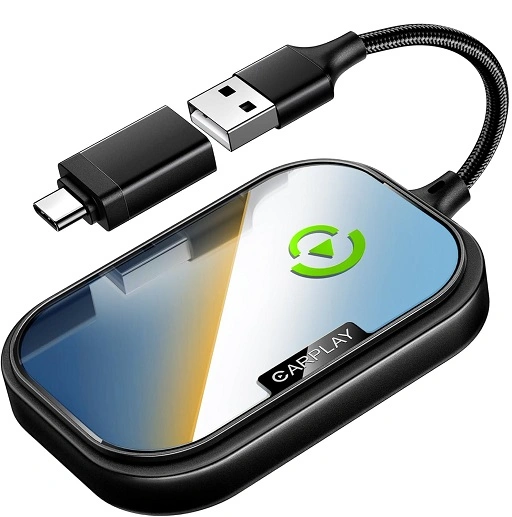
Compatibility
Ensure the adapter is compatible with the car’s infotainment system. Some older models may not support wireless CarPlay.
Connection Speed
Look for an adapter with low latency and fast auto-connect to avoid delays.
Firmware Updates
Choose an adapter that offers software updates to improve performance and fix issues.
Build Quality
A compact and durable design ensures longevity and better performance.
How to Troubleshoot a Wireless CarPlay Adapter
CarPlay Is Not Connecting
- Ensure Bluetooth and Wi-Fi are enabled on the iPhone
- Restart the iPhone and the adapter
- Check if the car’s infotainment system needs an update
Audio Lag or Connection Drops
- Move the iPhone closer to the adapter for better Wi-Fi signal
- Ensure there are no other active Bluetooth connections interfering
- Restart the CarPlay session and reconnect
CarPlay Does Not Auto-Launch
- Check if the iPhone is still paired with the adapter in Bluetooth settings
- Re-pair the iPhone with the adapter manually
Frequently Asked Questions
Can all cars with wired CarPlay use a wireless adapter?
Most cars that support wired CarPlay can use a wireless adapter, but some older infotainment systems may not be compatible.
Does a wireless CarPlay adapter drain the iPhone battery faster?
Yes, since wireless CarPlay relies on Wi-Fi and Bluetooth, it may consume more battery than a wired connection.
Can I charge my iPhone while using wireless CarPlay?
Yes, the iPhone can be charged using a separate wireless charger or USB port while using wireless CarPlay.
Is there a delay with wireless CarPlay compared to wired CarPlay?
Some adapters may have a slight delay in audio or navigation, but high-quality models minimize lag.
Do wireless CarPlay adapters work with Android Auto?
No, wireless CarPlay adapters are specifically designed for Apple CarPlay and do not support Android Auto.
A wireless CarPlay adapter is a convenient way to enjoy Apple CarPlay without the hassle of cables. It provides fast, hands-free connectivity, making it easier to access music, navigation, and Siri while driving.
Choosing a reliable adapter with fast connection speed and strong compatibility ensures a seamless experience. By following the setup guide and troubleshooting tips, users can enjoy a smooth wireless CarPlay experience in any compatible vehicle.