


The Samsung washer DC error code is a common issue that can cause frustration, but it’s not a reason to panic. This error typically indicates that your washer has detected an unbalanced load. When the load inside the washing drum isn’t distributed properly, it can affect the machine’s ability to spin and complete the cycle efficiently. Fortunately, resolving this problem is usually simple, and you can often fix it yourself by following a few troubleshooting steps. In this post, we’ll explain what the DC code means, why it happens, and how to fix it.
What Does the DC Code Mean on a Samsung Washer?

The DC error code stands for “unbalanced load”. Samsung washers use sensors to monitor the distribution of the load inside the drum, especially during the spin cycle. If the load is unevenly distributed, it can cause the drum to wobble excessively, leading to vibrations and potentially damaging the washer. The DC code appears as a warning that the machine cannot proceed with the spin cycle due to this imbalance.
Common Causes of the DC Code
There are several reasons why the DC error code might appear on your Samsung washer:
- Unbalanced Load: The most common cause is an uneven distribution of clothes. Heavy items like towels, blankets, or bedding can often shift to one side of the drum, leaving the rest of the load too light.
- Overloading or Underloading: Overloading the washer can lead to an unbalanced load, while underloading can cause the washer’s sensors to detect an imbalance because there isn’t enough weight to evenly distribute across the drum.
- Washer Not Properly Leveled: If your washer is not sitting on a flat, level surface, it can struggle to balance the load during the spin cycle, resulting in the DC error code.
- Large Items Washed Alone: Large, heavy items like comforters or heavy jackets can unbalance the load if they’re washed by themselves.
How to Fix the Samsung Washer DC Error Code
When you see the DC error code on your Samsung washer, don’t worry—there are simple steps you can take to resolve it.
- Redistribute the Load:
Start by checking the load inside the washer. If you have heavy items like towels or blankets, try to distribute them evenly around the drum. Spread out the laundry so that the weight is balanced. You can also add smaller items to even things out.
- Remove or Add Items:
If the load is too heavy, consider removing some items to lighten the load. On the other hand, if there aren’t enough clothes in the washer, you may need to add more items to balance the weight. - Re-run the Spin Cycle:
After redistributing the load, close the washer door and start the spin cycle again. If the imbalance was the issue, the washer should now be able to complete the cycle without triggering the DC error.
- Level the Washer:
If adjusting the load doesn’t solve the problem, check to see if the washer is level. Use a spirit level to check if the machine is tilted in any direction. If the washer is uneven, adjust the leveling feet until it sits flat and level on the floor. This ensures the washer can properly balance during the spin cycle.
- Check for Large Items Washed Alone:
If you’re washing large items like comforters, blankets, or heavy towels, it’s best not to wash them alone. These items can easily become unbalanced during the spin cycle. Instead, wash them with lighter clothing to balance the load.
When to Call a Professional
If you’ve redistributed the load and ensured the washer is level, but the DC code continues to appear, there may be a deeper issue with your machine. Here are a few potential reasons you might need professional assistance:
- Suspension Issues:
The suspension system, including shock absorbers and suspension springs, is responsible for stabilizing the drum during the spin cycle. If these parts are damaged or worn out, your washer may have difficulty balancing loads, leading to the DC error. A professional can inspect and replace these parts if needed.
- Damaged Control Board:
In some cases, the problem may lie with the control board, which communicates with the washer’s sensors and motors. If the control board is malfunctioning, it might cause the DC error code even when the load is balanced. A technician will be able to diagnose and repair this issue.
- Motor or Sensor Problems:
If the washer’s motor or load sensors aren’t functioning correctly, they may not be able to detect the load’s distribution properly. This could cause the washer to believe the load is unbalanced when it actually isn’t. A professional technician can troubleshoot the motor and sensors to determine if they need repair or replacement.
Tips to Prevent the DC Error Code in the Future
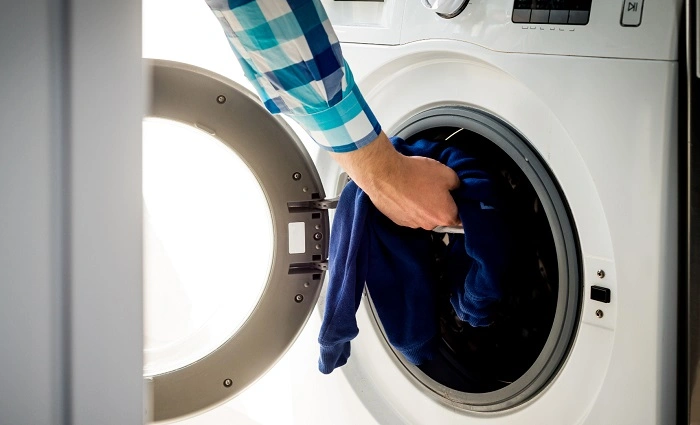
To avoid running into the DC error code again, here are a few helpful tips:
- Don’t Overload Your Washer:
Overloading the washer with too many clothes can prevent the load from distributing evenly, which is a leading cause of the DC code. Follow the manufacturer’s guidelines for load size, and avoid cramming too many items into the drum.
- Load Clothes Evenly:
When loading your washer, try to spread the clothes evenly around the drum. Don’t just toss everything in the middle, as this can cause an imbalance. Placing heavier items at the bottom and lighter clothes on top can help distribute the weight more evenly.
- Balance Large Items with Smaller Ones:
If you’re washing large items like towels or bedding, balance them with smaller clothes. This helps ensure that the load isn’t lopsided and prevents the washer from detecting an imbalance.
- Check the Washer’s Leveling Regularly:
Periodically check to ensure that your washer is level. Even a slight tilt can affect its ability to balance the load correctly, so it’s important to keep the machine on a flat surface.
The Samsung washer DC error code can seem intimidating at first, but it’s usually a straightforward issue that can be resolved with a few simple adjustments. By redistributing the load, ensuring the washer is level, and following some best practices for washing clothes, you can avoid the DC error in the future. However, if the problem persists after performing these troubleshooting steps, it may be time to call a professional to inspect your machine and resolve any underlying issues. Keeping your washer in top shape will ensure that it continues to run smoothly and efficiently for years to come.