

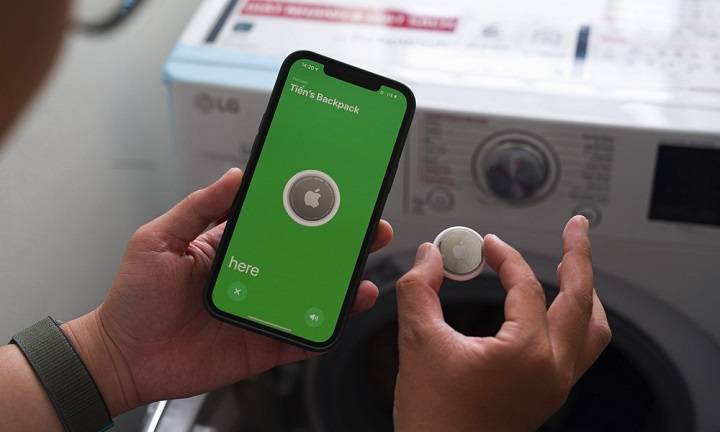
With the rise in popularity of Apple’s AirTag, many Android users are looking for similar tracking solutions. This comprehensive guide will explore the best AirTag for Android options, comparing features, functionality, and usability. We’ll discuss a variety of related topics to help you make an informed decision and find the best tracker for your needs.
Understanding the Need for an AirTag Alternative for Android
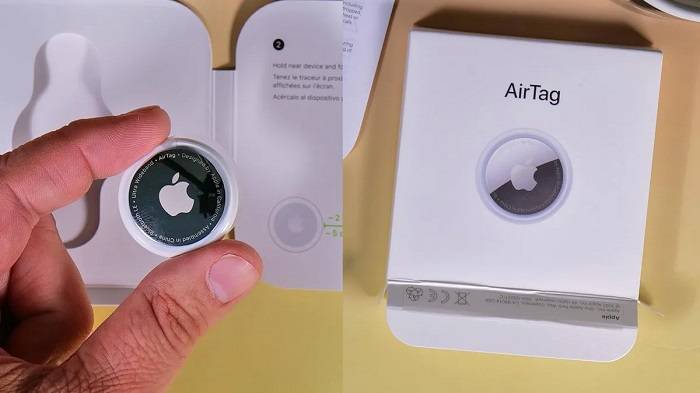
Why Android Users Need an Alternative to AirTag
Apple’s AirTag is designed to work seamlessly within the Apple ecosystem, which means Android users miss out on its features. As a result, there is a need for similar tracking solutions that are compatible with Android devices. These alternatives should provide similar functionality, including easy tracking, robust security, and user-friendly interfaces.
What Makes a Good AirTag Alternative?
The best AirTag for Android should have:
- Wide Compatibility: Works seamlessly with Android devices.
- Reliable Tracking: Offers accurate and real-time location tracking.
- User-Friendly App: Provides a straightforward and intuitive app for managing your devices.
- Long Battery Life: Ensures that the device can function for an extended period without frequent battery changes.
- Durability: Can withstand daily wear and tear.
Top AirTag Alternatives for Android
Samsung Galaxy SmartTag
Key Features
- Precise Tracking: Uses Bluetooth Low Energy (BLE) technology for accurate location tracking.
- SmartThings Find: Integrates with the SmartThings ecosystem for easy location tracking.
- Privacy and Security: Ensures your data is secure with end-to-end encryption.
- Versatile Integration: Works seamlessly with Samsung Galaxy devices and the SmartThings app.
How to Set Up
- Unbox Your SmartTag: Remove the SmartTag from its packaging.
- Prepare Your Galaxy Device: Ensure your Samsung Galaxy device is updated to the latest software version.
- Open the SmartThings App: Launch the SmartThings app on your Samsung device.
- Add New Device: Tap on the ‘+’ icon to add a new device.
- Select SmartTag: Choose SmartTag from the list of devices.
- Follow On-Screen Instructions: Follow the prompts to complete the setup and register the SmartTag to your Samsung account.
Tile Pro
Key Features
- Wide Compatibility: Works with both Android and iOS devices.
- Loud Ring: Helps you locate your items with a loud ring.
- Community Find: Leverages the Tile community to help locate lost items.
- Replaceable Battery: Features a replaceable battery for extended use.
How to Set Up
- Unbox Your Tile Pro: Remove the Tile Pro from its packaging.
- Download the Tile App: Install the Tile app from the Google Play Store.
- Create an Account: Open the app and create a Tile account.
- Add Your Tile: Tap the ‘+’ icon to add a new Tile.
- Follow On-Screen Instructions: Follow the prompts to activate and register your Tile Pro.
Chipolo One
Key Features
- Out of Range Alerts: Notifies you when you leave an item behind.
- Community Search: Uses the Chipolo community to help find lost items.
- Loud Alarm: Features a loud alarm to help locate items.
- Water-Resistant: Designed to withstand splashes and brief submersion in water.
How to Set Up
- Unbox Your Chipolo One: Remove the Chipolo One from its packaging.
- Download the Chipolo App: Install the Chipolo app from the Google Play Store.
- Create an Account: Open the app and create a Chipolo account.
- Add Your Chipolo: Tap the ‘+’ icon to add a new Chipolo.
- Follow On-Screen Instructions: Follow the prompts to activate and register your Chipolo One.
Comparing AirTag Alternatives for Android

Compatibility and Ecosystem
- Samsung Galaxy SmartTag: Works best within the Samsung ecosystem, particularly with Galaxy devices and the SmartThings app.
- Tile Pro and Chipolo One: Offer broad compatibility with both Android and iOS devices, making them versatile options for users of both platforms.
Tracking Technology
- Samsung Galaxy SmartTag: Uses Bluetooth Low Energy (BLE) for tracking.
- Tile Pro and Chipolo One: Primarily use Bluetooth for tracking, with additional features like community find and out-of-range alerts.
Privacy and Security
All these trackers prioritize user privacy with robust encryption protocols. Samsung Galaxy SmartTag offers end-to-end encryption, while Tile and Chipolo provide secure data handling through their respective apps.
Battery Life and Replacement
Most trackers, including Samsung Galaxy SmartTag, Tile Pro, and Chipolo One, use replaceable CR2032 batteries with a battery life of approximately one year. Regularly checking and replacing the battery ensures continuous functionality.
Durability and Build Quality
These trackers are designed to withstand everyday use. Chipolo One, for instance, is water-resistant, making it suitable for various environments. Samsung Galaxy SmartTag and Tile Pro are also built to handle daily wear and tear.
Maximizing Tracker Performance on Android
Regular Maintenance
Regularly check the battery status of your tracker and replace it promptly when needed. Clean the tracker and its contacts to ensure proper functioning.
Optimal Placement
Place the tracker in a location where it is unlikely to experience interference or physical obstructions. For example, attaching it to the outside of a bag rather than inside a densely packed compartment can improve connectivity.
Use of Protective Accessories
Using protective cases or holders can help shield your tracker from environmental stressors that could impact its performance. These accessories can also make it easier to attach the tracker to various items securely.
Leveraging Community Features
Many alternative trackers, such as Tile and Chipolo, offer community features that allow other users to help locate your lost items. Ensure these features are enabled in the app to maximize your chances of recovering lost items.
Advanced Features and Future Updates
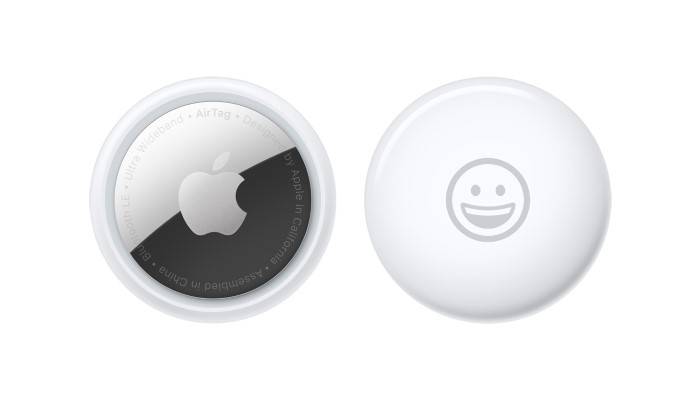
Upcoming Features for Trackers
Manufacturers of trackers like Tile and Chipolo continuously update their products to improve functionality and security. Future updates may include enhancements to tracking accuracy, expanded compatibility, and new privacy measures.
Integrating Trackers with Smart Home Devices
Some trackers can be integrated with smart home devices through platforms like Google Home or Amazon Alexa. This integration can allow users to automate tasks based on the location of their trackers, providing even greater convenience and functionality.
Expanding the Tracking Network
As more users adopt these tracking devices, the accuracy and reliability of the tracking network will continue to improve. This expansion will make it even easier to locate lost items quickly and efficiently.
Related Features and Topics
Precision Finding (Apple AirTag)
While not available for Android devices, it’s useful to understand Precision Finding, which uses Ultra-Wideband technology to provide accurate directions to your AirTag. When you are within range, your iPhone can display the exact distance and direction to your AirTag, making it easy to locate even in cluttered environments.
Find My Network (Apple AirTag)
The Find My network leverages a vast and secure system of Apple devices to help locate your AirTag. If your AirTag is lost, it sends out a secure Bluetooth signal that nearby devices can detect. These devices then anonymously relay the location back to you, significantly expanding the effective range of your AirTag.
Anti-Stalking Features
Trackers like Samsung Galaxy SmartTag include anti-stalking features to prevent unwanted tracking. If an unknown tracker is found moving with you, your phone will alert you, and you can take steps to disable the tracker.
Using Trackers for Travel
Trackers are excellent tools for keeping track of your luggage when traveling. Placing a tracker in your suitcase can help you locate it quickly at baggage claim or if it gets lost. This provides peace of mind during your travels, knowing you can track your luggage at any time.
Monitoring Pets with Trackers
Attach a tracker to your pet’s collar to monitor their whereabouts. This provides peace of mind knowing you can find your pet if they wander off. While trackers are not a substitute for a dedicated pet tracker, they can be a useful addition for monitoring your pet’s location.
Securing Electronics with Trackers
Attach trackers to electronics like cameras, tablets, and laptops. This helps you locate these valuable items if they are misplaced or stolen. Securing your electronics with trackers can protect your investment and ensure you always know where your devices are.
Using Trackers for Outdoor Gear
Attach trackers to outdoor gear such as bicycles, camping equipment, and sports gear. This can help you keep track of your items during outdoor activities and ensure they are not lost or stolen.
Frequently Asked Questions
What is the best AirTag for Android?
The best AirTag for Android depends on your specific needs. Top alternatives include Samsung Galaxy SmartTag, Tile Pro, and Chipolo One, each offering unique features and compatibility with Android devices.
How do I set up a Samsung Galaxy SmartTag?
To set up a Samsung Galaxy SmartTag, unbox the device, open the SmartThings app on your Galaxy device, add a new device, select SmartTag, and follow the on-screen instructions.
Can I use Apple AirTag with my Android device?
No, Apple AirTag is designed to work seamlessly within the Apple ecosystem. For similar functionality on Android, consider alternatives like Samsung Galaxy SmartTag, Tile Pro, or Chipolo One.
How long do the batteries last in these trackers?
The batteries in trackers like Samsung Galaxy SmartTag, Tile Pro, and Chipolo One typically last about one year under normal usage conditions. Regularly checking and replacing the battery ensures continuous functionality.
Are there trackers that work with both Android and iOS devices?
Yes, trackers like Tile Pro and Chipolo One are compatible with both Android and iOS devices, making them versatile options for users of both platforms.
Related Post:
How to Reset an AirTag: A Comprehensive Guide
How to Set Up AirTag: A Comprehensive Guide
Does AirTag Work with Android? A Comprehensive Guide
Finding the best AirTag for Android is crucial for effective tracking and ensuring the security of your belongings. Alternatives like Samsung Galaxy SmartTag, Tile Pro, and Chipolo One offer robust features and seamless compatibility with Android devices. By understanding the strengths of each tracker and following best practices for maintenance and use, you can ensure that your valuables are always within reach. Whether for everyday items, travel, or outdoor gear, this guide ensures you get the most out of your tracking device investment.